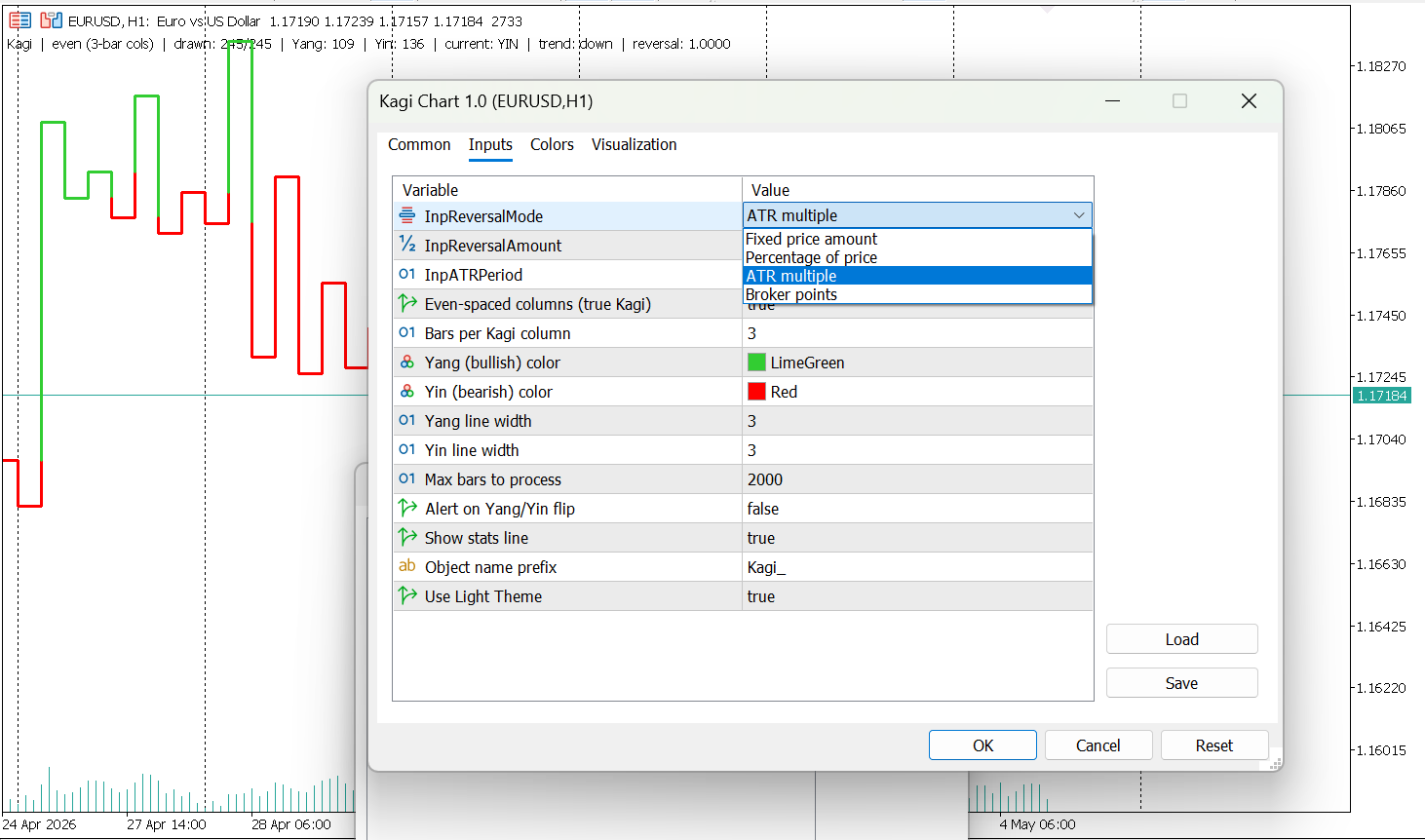


Kagi Chart

Kagi Chart MT5 – True Price Action Indicator

KagiChart for MetaTrader 5

Introduction

KagiChart is a time-independent charting indicator designed for MetaTrader 5.
It renders Kagi lines directly on the chart window, focusing on price movement and reversal structure rather than time-based candles.

What is a Kagi Chart

Kagi is a charting method that represents price movement without using fixed time intervals.
Instead of plotting candles at regular time steps, the chart changes direction only when price reverses by a defined amount.

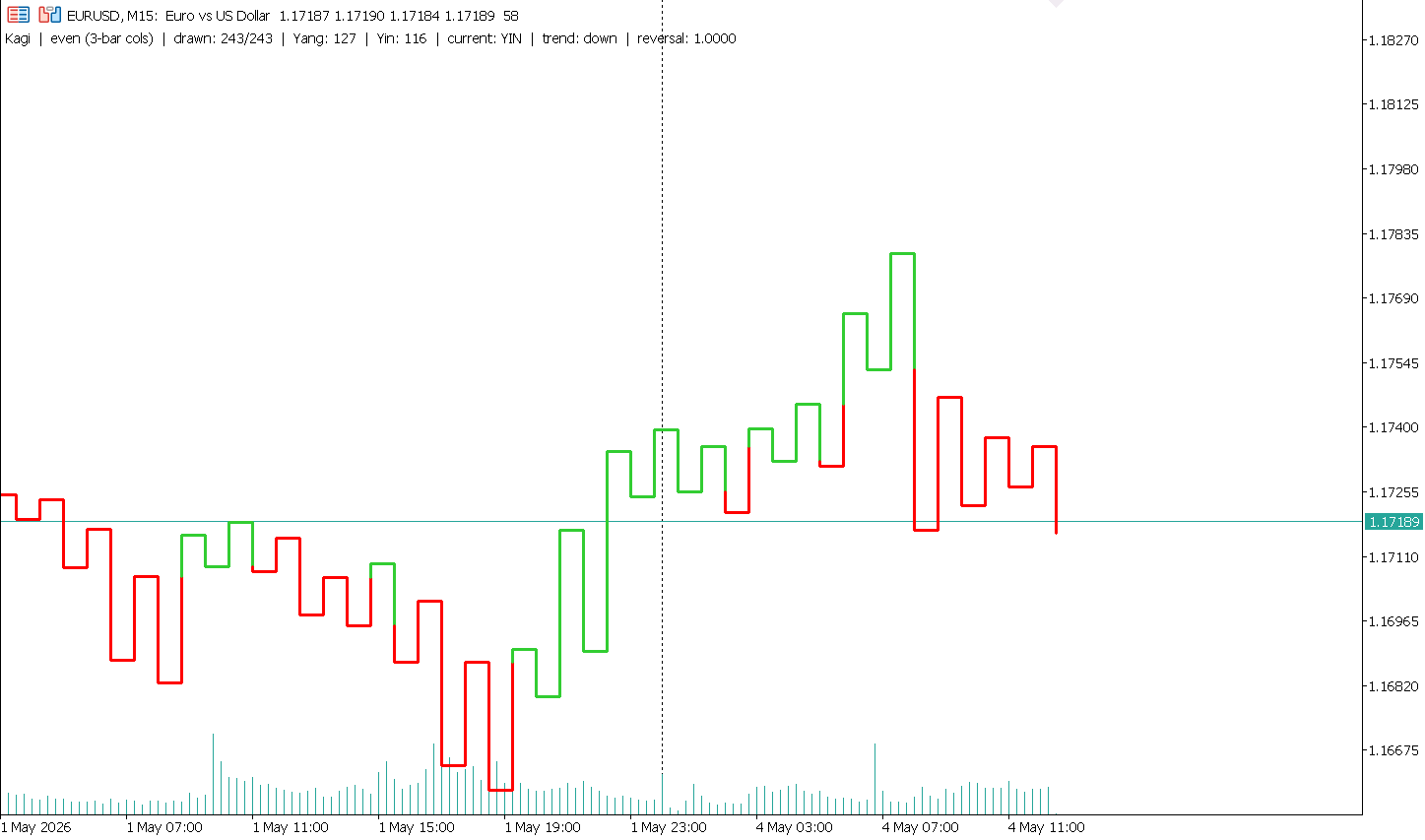
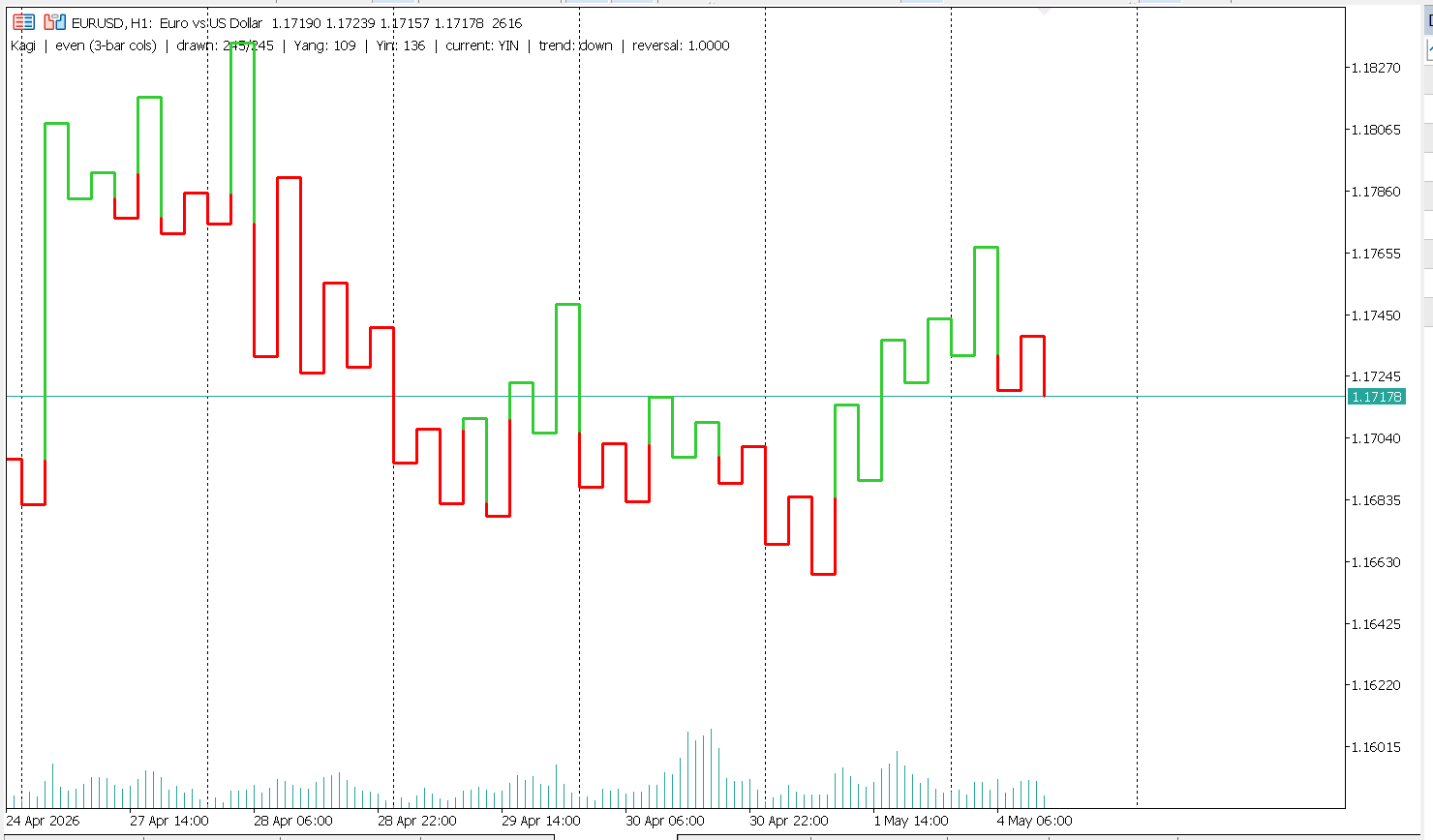
The chart consists of continuous lines that reflect market structure:

  • Yang lines represent upward movement after price exceeds a previous high
  • Yin lines represent downward movement after price falls below a previous low

This approach helps visualize trend structure and price movement without time-based noise.

Indicator Logic

The indicator builds Kagi lines using reversal thresholds.
A new segment is created only when price moves beyond the defined reversal level.

  • Upward movement continues until a downward reversal condition is met
  • Downward movement continues until an upward reversal condition is met
  • Trend state changes when previous structural levels are broken

Rendering Features

  • Vertical segments connected by horizontal lines
  • Even column spacing based on bar index
  • Consistent spacing regardless of time gaps
  • Accurate handling of session gaps and weekends
  • Yang and Yin transitions occur at the exact price level where structure is broken
  • Mid-segment transitions are supported

Features

Reversal Modes

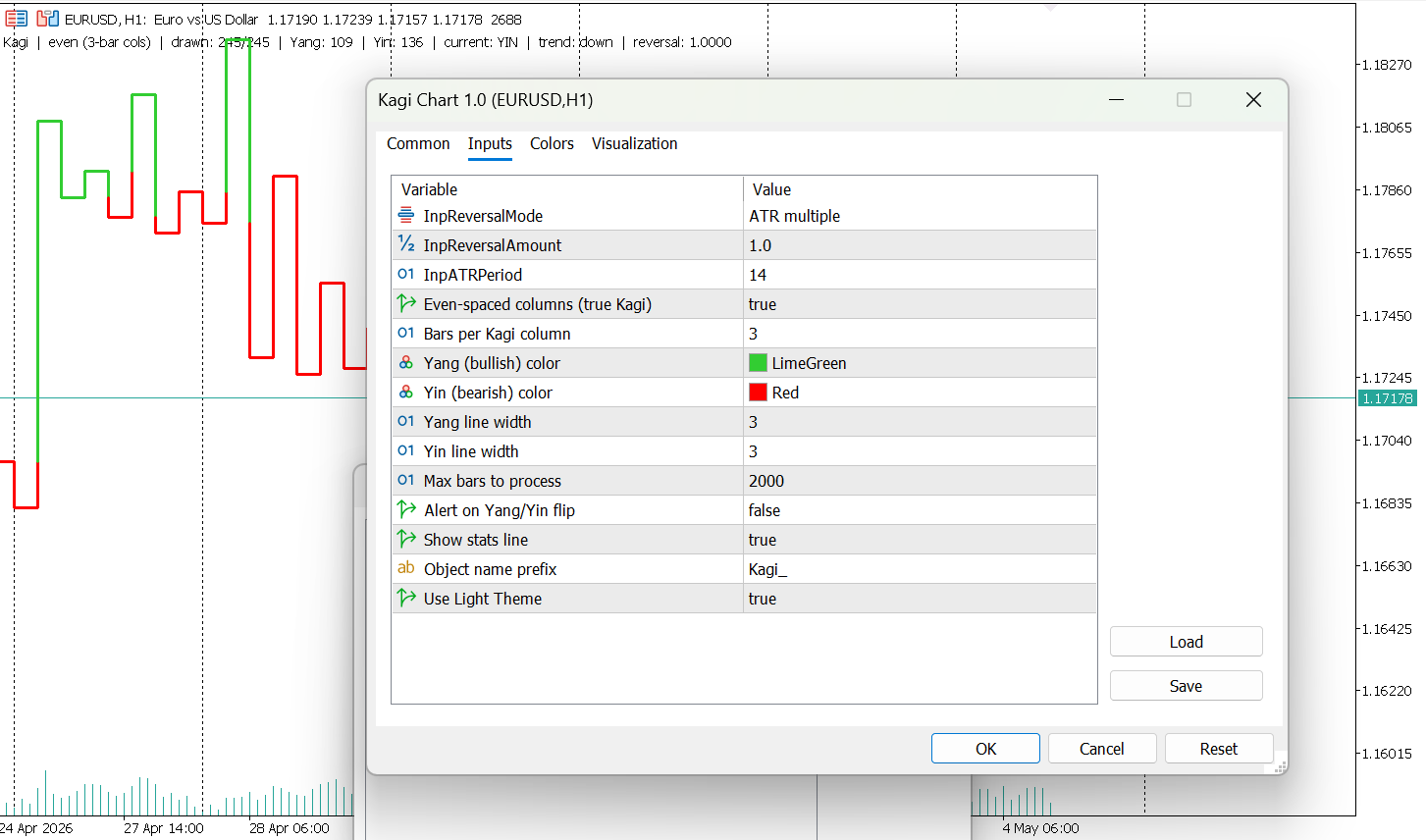
  • Percentage based reversal
  • ATR-based reversal
  • Fixed price reversal
  • Broker point-based reversal

Visual Settings

  • Custom colors for Yang and Yin states
  • Adjustable line thickness
  • Configurable column width
  • Optional even-spacing mode

Information Display

  • Current Yang or Yin state
  • Swing count
  • Current trend direction

Alerts

  • Optional notification when trend state changes

Performance Control

  • Adjustable maximum number of processed bars

Usage

The indicator can be used to observe price structure and trend changes based on reversal logic.
It may also be combined with other analytical tools.

Limitations

  • This is a visualization indicator and does not execute trades
  • It does not provide trading signals as indicator buffers
  • It does not expose data buffers for Expert Advisor integration
  • The chart is recalculated on each update
  • It does not predict future market behavior

Installation

  1. Open MetaEditor in MetaTrader 5
  2. Place the file in the MQL5/Indicators folder
  3. Compile the file
  4. Attach the indicator to a chart from the Navigator panel
  5. Adjust input parameters as needed

Recommended Settings

  • Forex: ATR mode, period 14
  • Indices and metals: Percentage mode
  • Crypto: Percentage mode with higher values

Settings can be adjusted depending on instrument volatility and preferred sensitivity.

Notes

Kagi charts are designed to reduce the impact of small price fluctuations.
They may show fewer movements during low-volatility conditions and more structure during directional moves.

Disclaimer

This indicator is provided for analytical purposes only.
It does not provide investment advice and does not guarantee results.
 

Kagi Chart
Kagi Chart
Kagi Chart
Kagi Chart
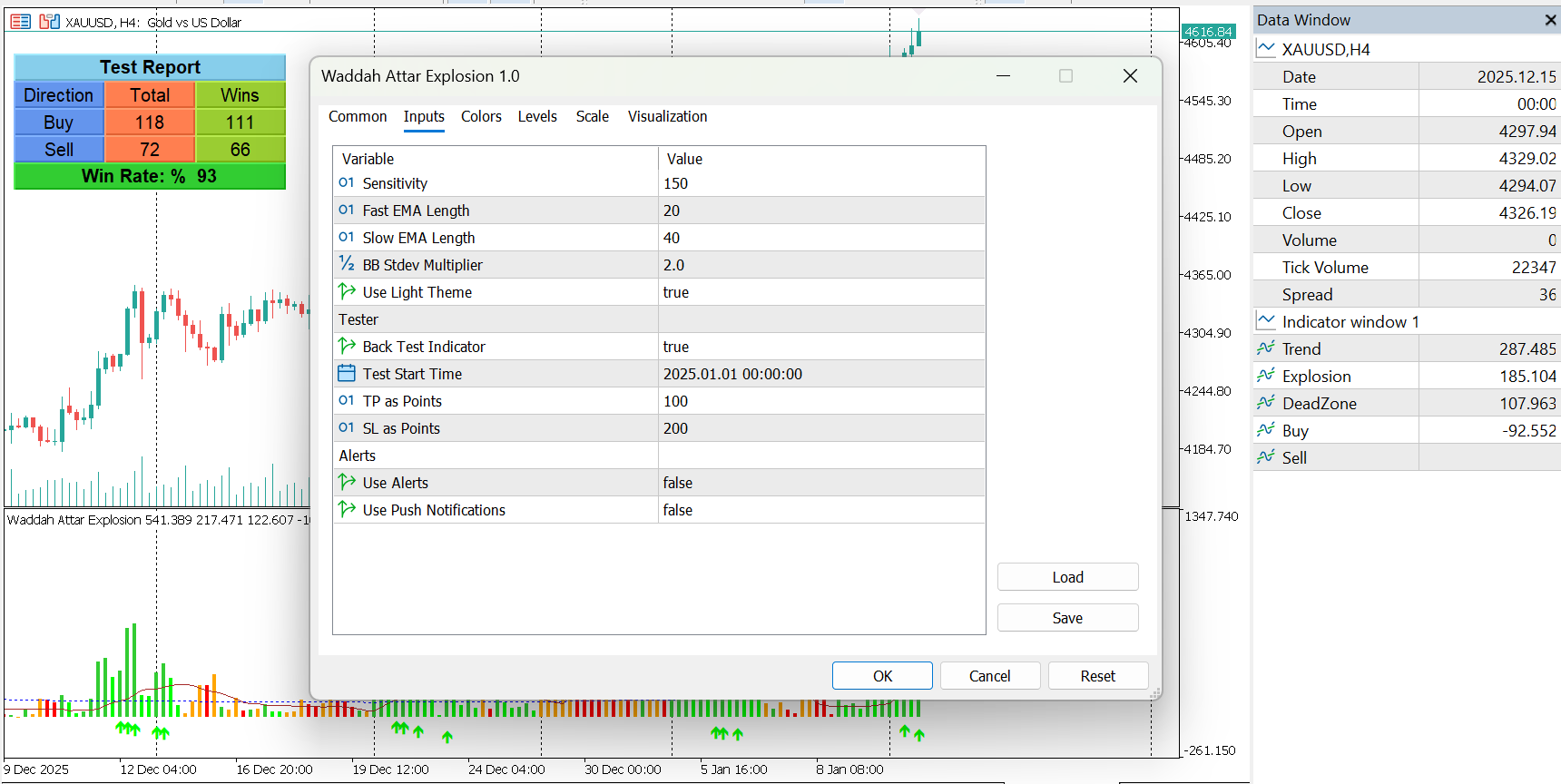
Waddah Attar Explosion

Waddah Attar Explosion

Waddah Attar Explosion is a momentum and volatility–based indicator designed to highlight periods of strong market movement while filtering out low-activity conditions.

The indicator combines:

  • MACD-based momentum acceleration

  • Volatility expansion using standard deviation

  • A dynamic dead-zone filter based on market range

Signals are generated only when trend strength, volatility expansion, and market activity align, helping traders focus on higher-quality market conditions.

The indicator runs in a separate window and uses indicator buffers only, ensuring high performance and full compatibility with Expert Advisors.

Core Logic Explained

Trend Momentum

Trend strength is calculated using the difference between a fast and slow exponential moving average (MACD logic).
The change in MACD value is amplified by a Sensitivity parameter to measure momentum acceleration.

Momentum is displayed as a color-coded histogram:

  • Bullish momentum increasing

  • Bullish momentum weakening

  • Bearish momentum increasing

  • Bearish momentum weakening

This allows visual assessment of both direction and strength.

Explosion (Volatility Expansion)

Volatility is measured using standard deviation over a configurable channel length, similar to a Bollinger-style volatility model.

The Explosion line rises when volatility expands, indicating increased market activity.

Dead Zone Filter

To avoid low-energy or sideways markets, a Dead Zone is calculated using a smoothed average of the true range.

When volatility remains below this level, signals are filtered out.

Buy & Sell Signals

Buy and sell arrows are generated only when all conditions are met:

  • Momentum direction is clear

  • Trend strength exceeds volatility

  • Volatility is expanding

  • Market activity is above the Dead Zone

This multi-condition logic helps reduce false signals during consolidation.

Visual Elements

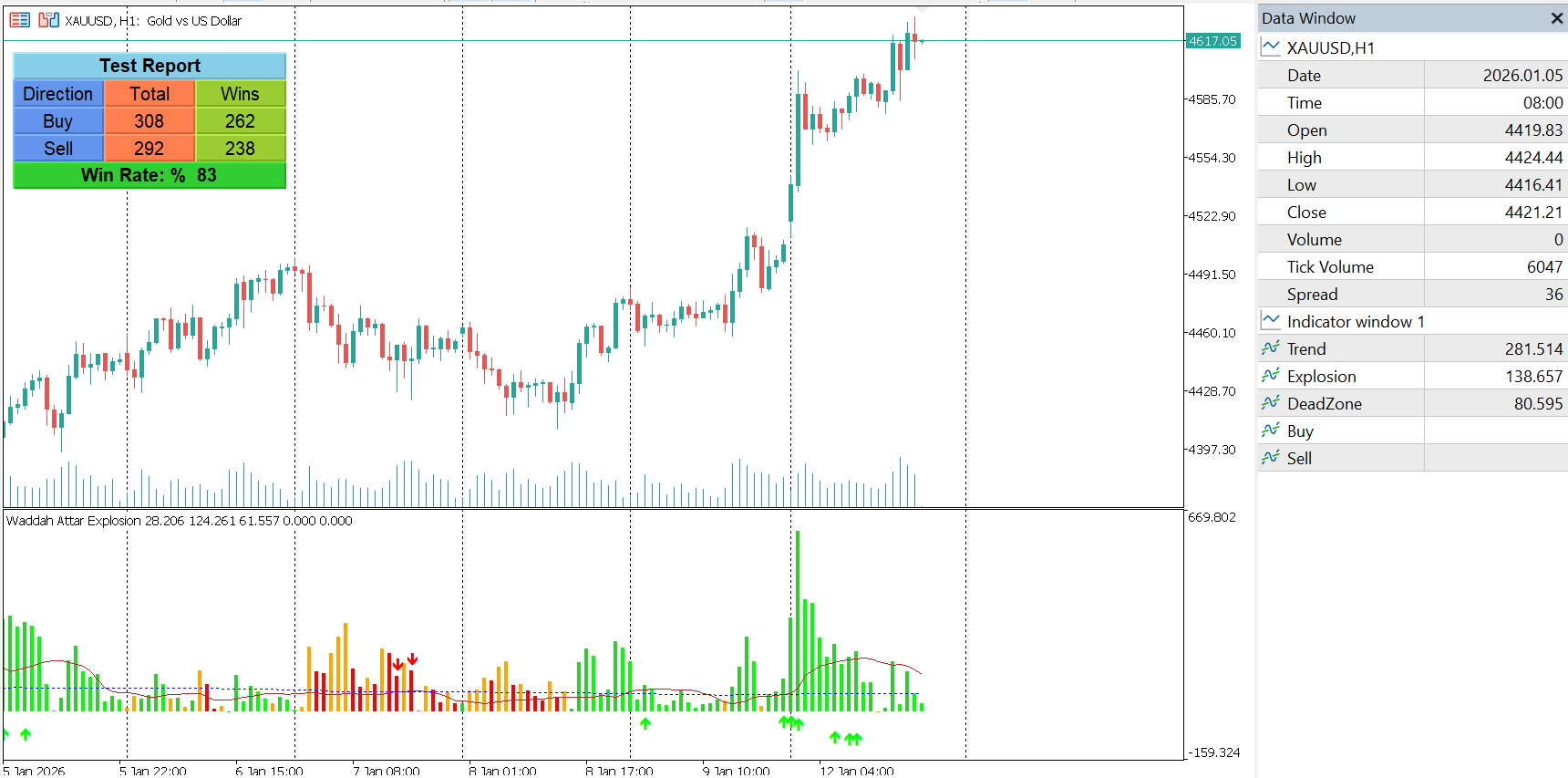
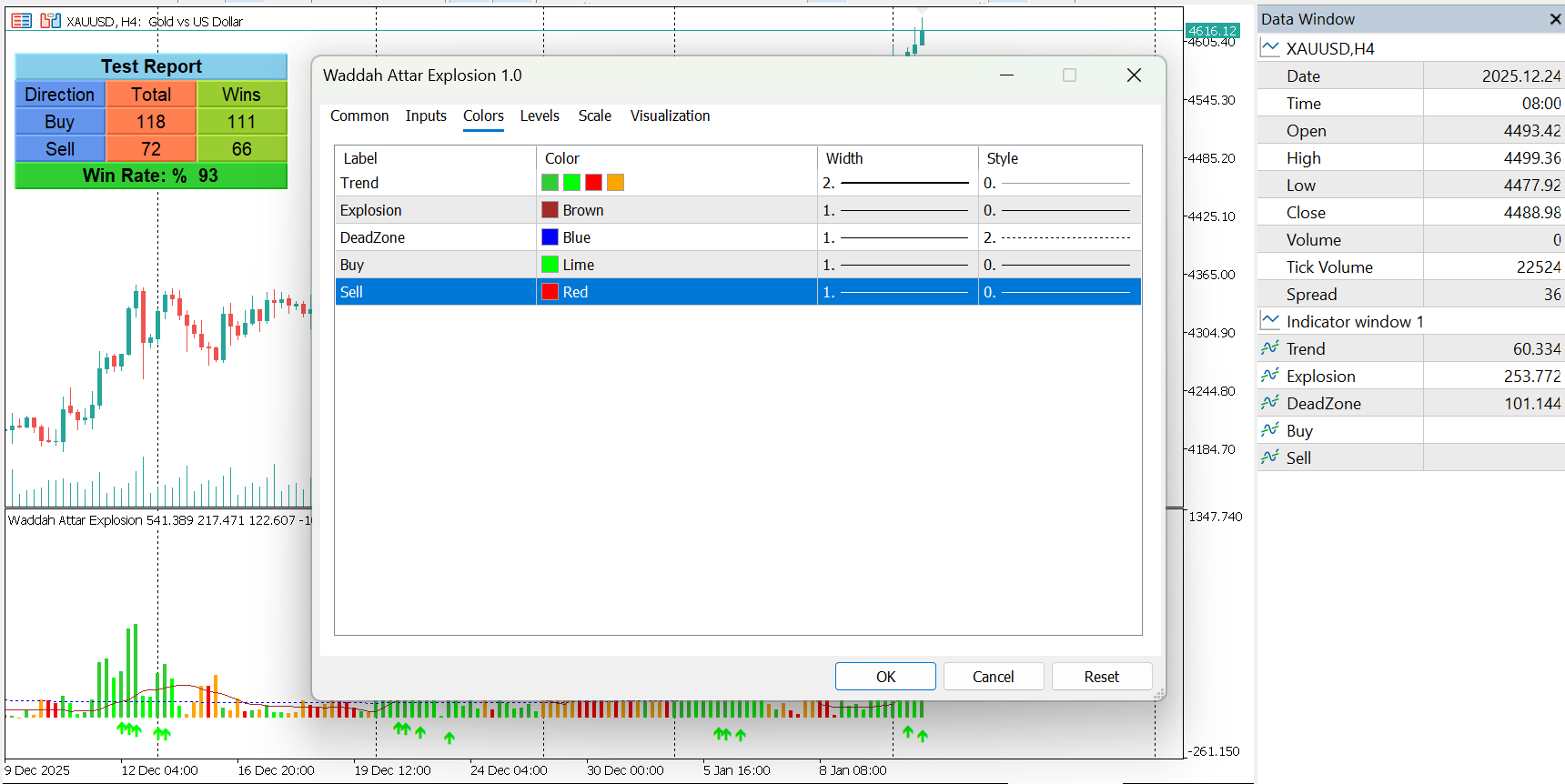
  • Color-coded momentum histogram

  • Explosion (volatility) line

  • Dead Zone filter line

  • Buy and Sell arrow signals

  • Separate indicator window for clarity

All visuals are drawn using indicator buffers only.

Alerts & Notifications

The indicator includes optional real-time alerts:

  • Popup alerts on buy and sell signals

  • Optional push notifications to mobile devices

Alerts are triggered only on confirmed signals.

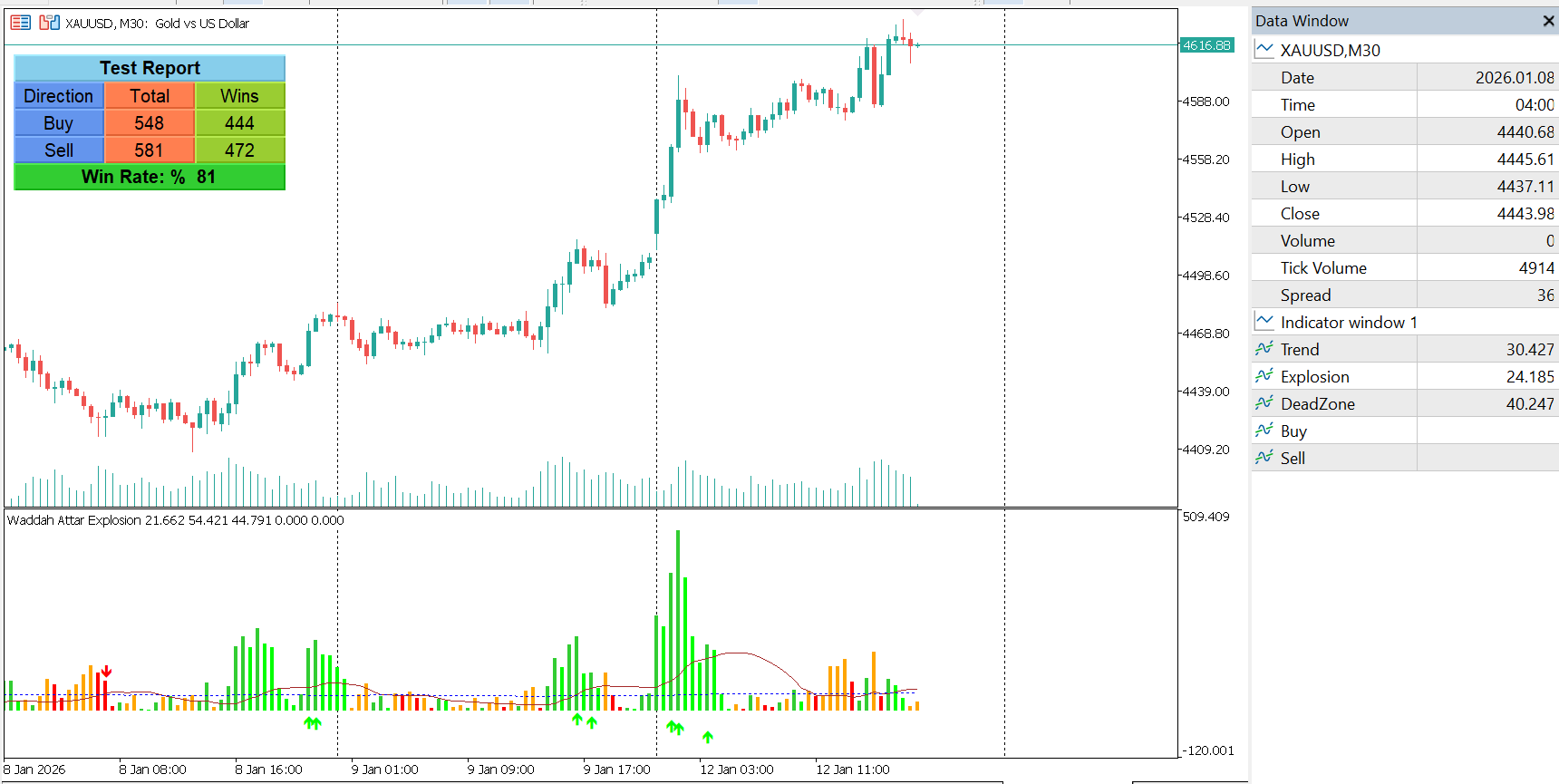
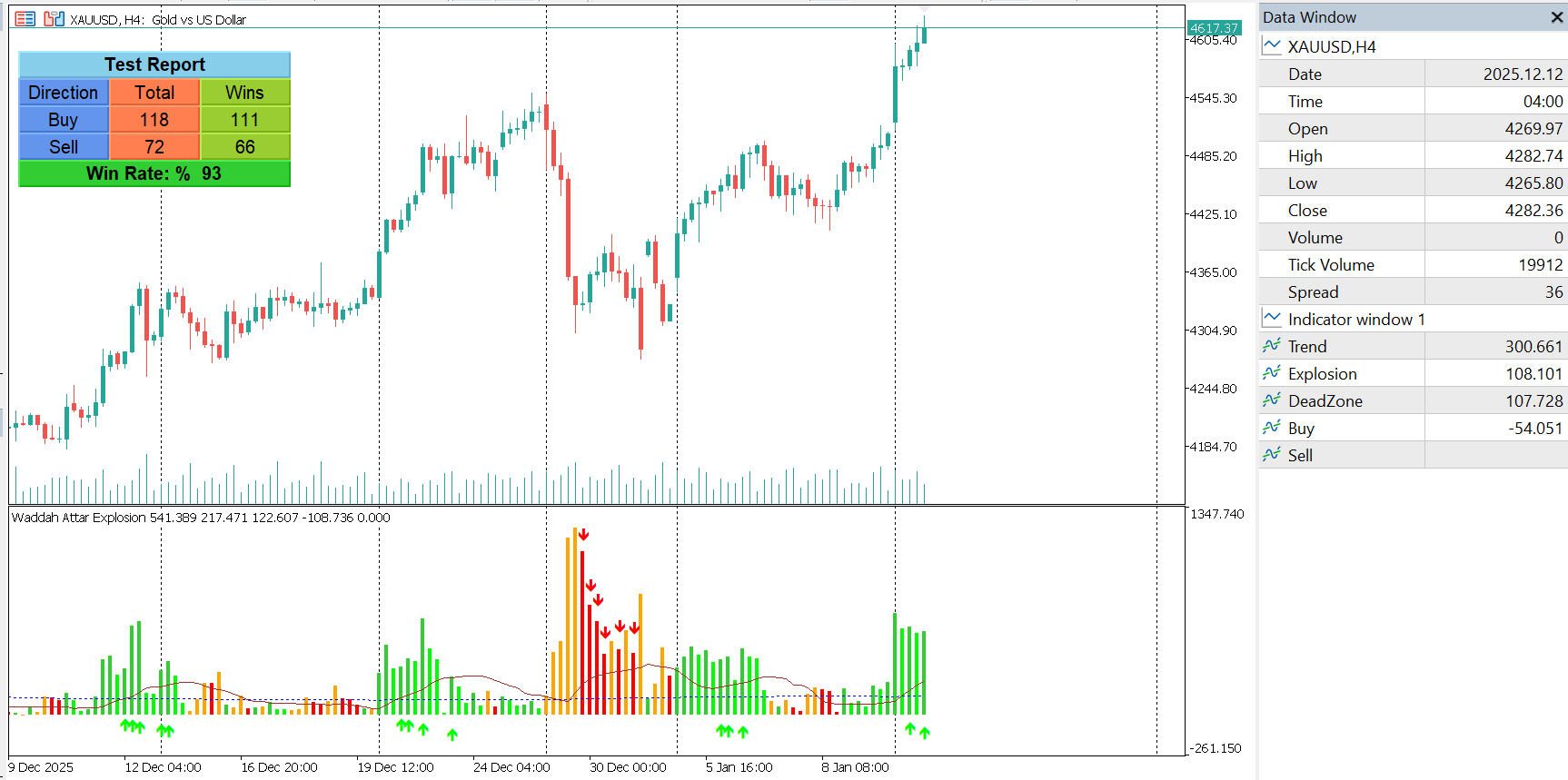
Built-in Signal Tester

An optional on-chart signal tester is included for analytical purposes:

  • Simulates historical buy and sell signals

  • Uses user-defined take-profit and stop-loss points

  • Displays total trades, winning trades, and win rate directly on the chart

This feature is intended for signal evaluation only and does not represent real trading performance.

Customization Options

  • Momentum sensitivity

  • Fast and slow EMA lengths

  • Volatility channel length and multiplier

  • Light or dark chart theme

  • Alert and notification settings

  • Tester parameters (TP, SL, start date)

Compatibility

  • Works on all symbols supported by MetaTrader 5

  • Compatible with all timeframes

  • EA-friendly (buffer-based output only)

  • No repainting of alerts after signal formation

Disclaimer

This indicator is provided for educational and analytical purposes only.
It does not provide investment advice and does not guarantee trading results.

Waddah Attar Explosion
HAP MACD

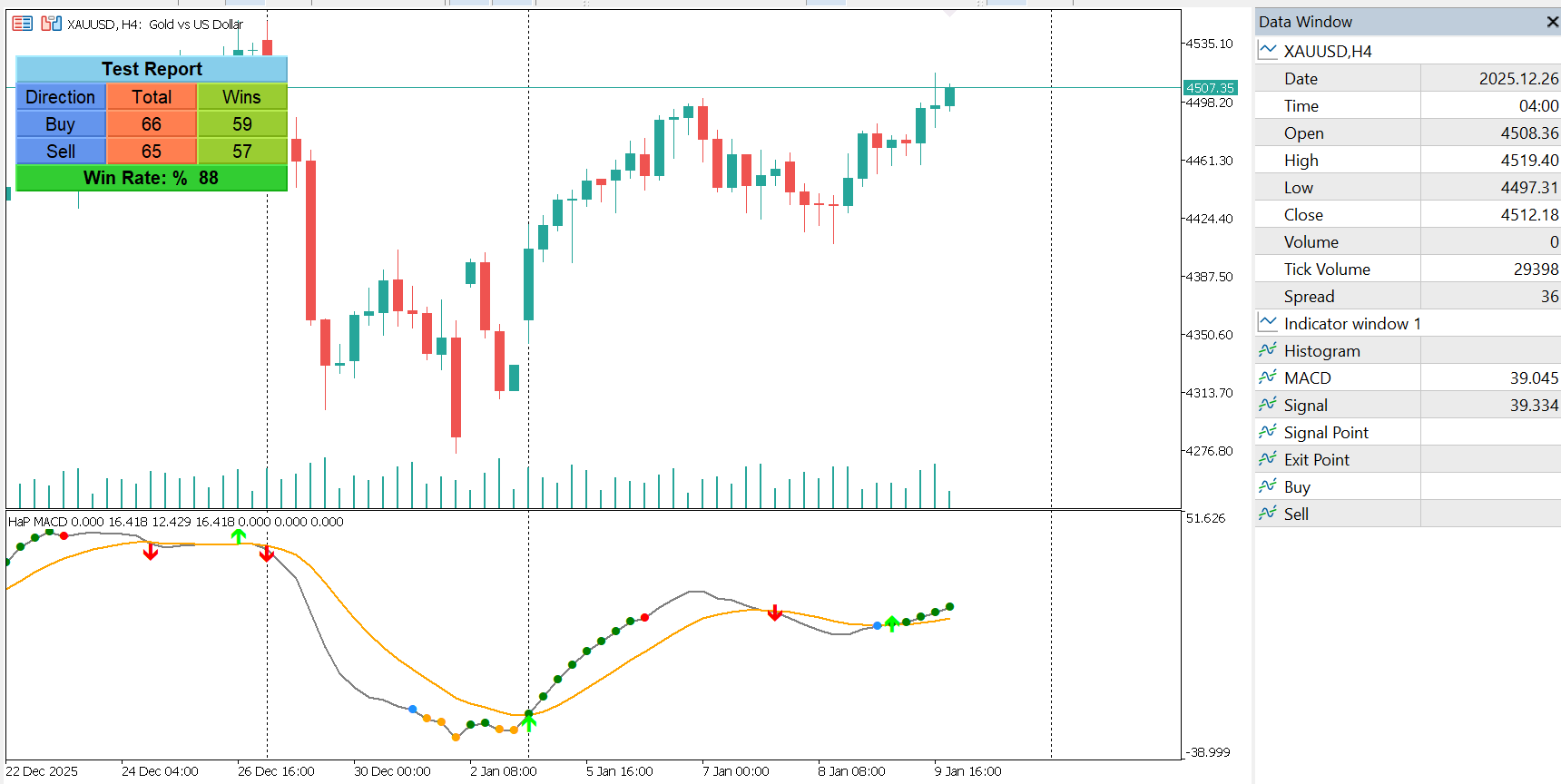
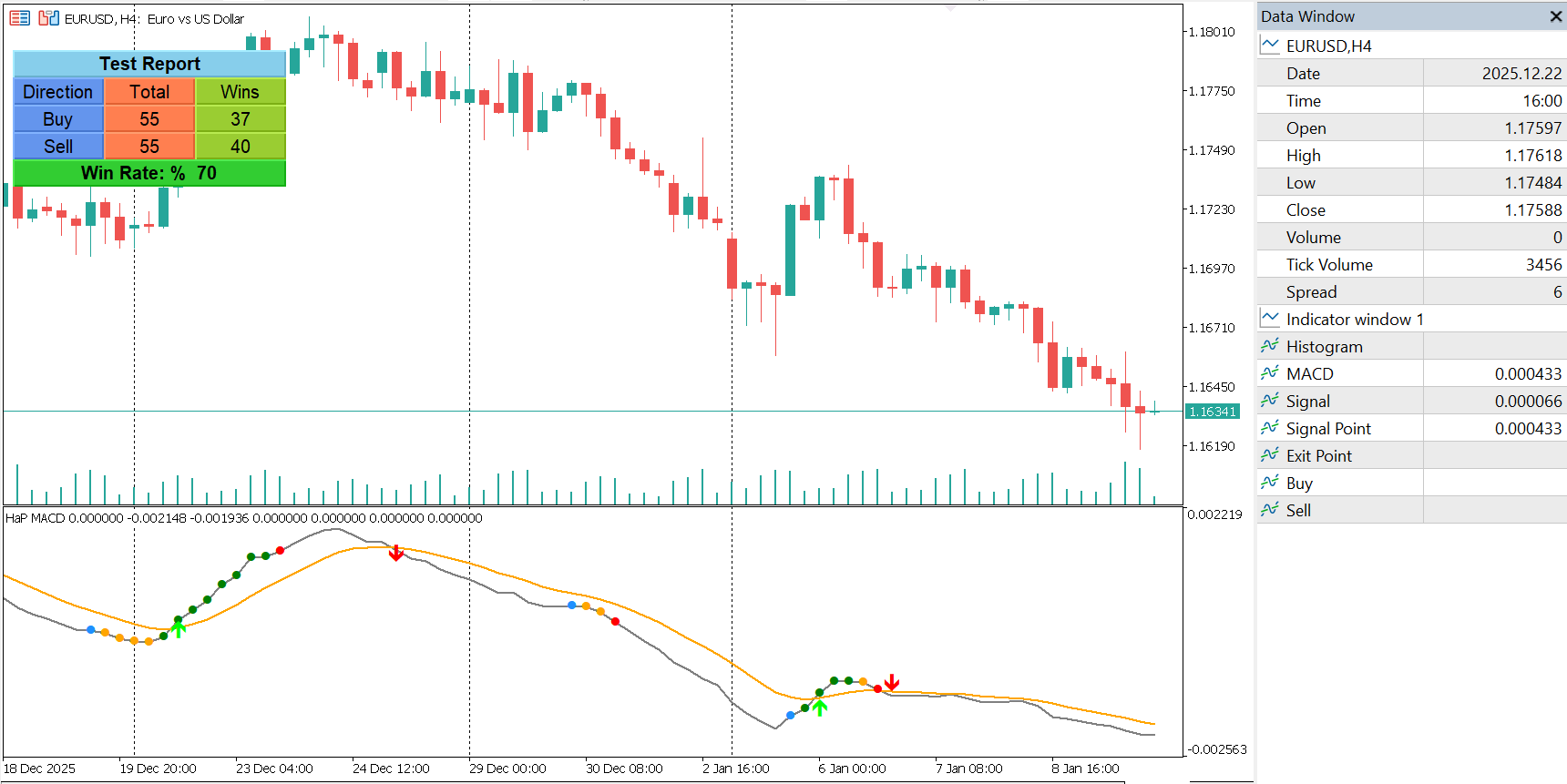
HaP MACD Leader Signals and Analyzer

HaP MACD – Advanced DEMA Assisted Signal Indicator

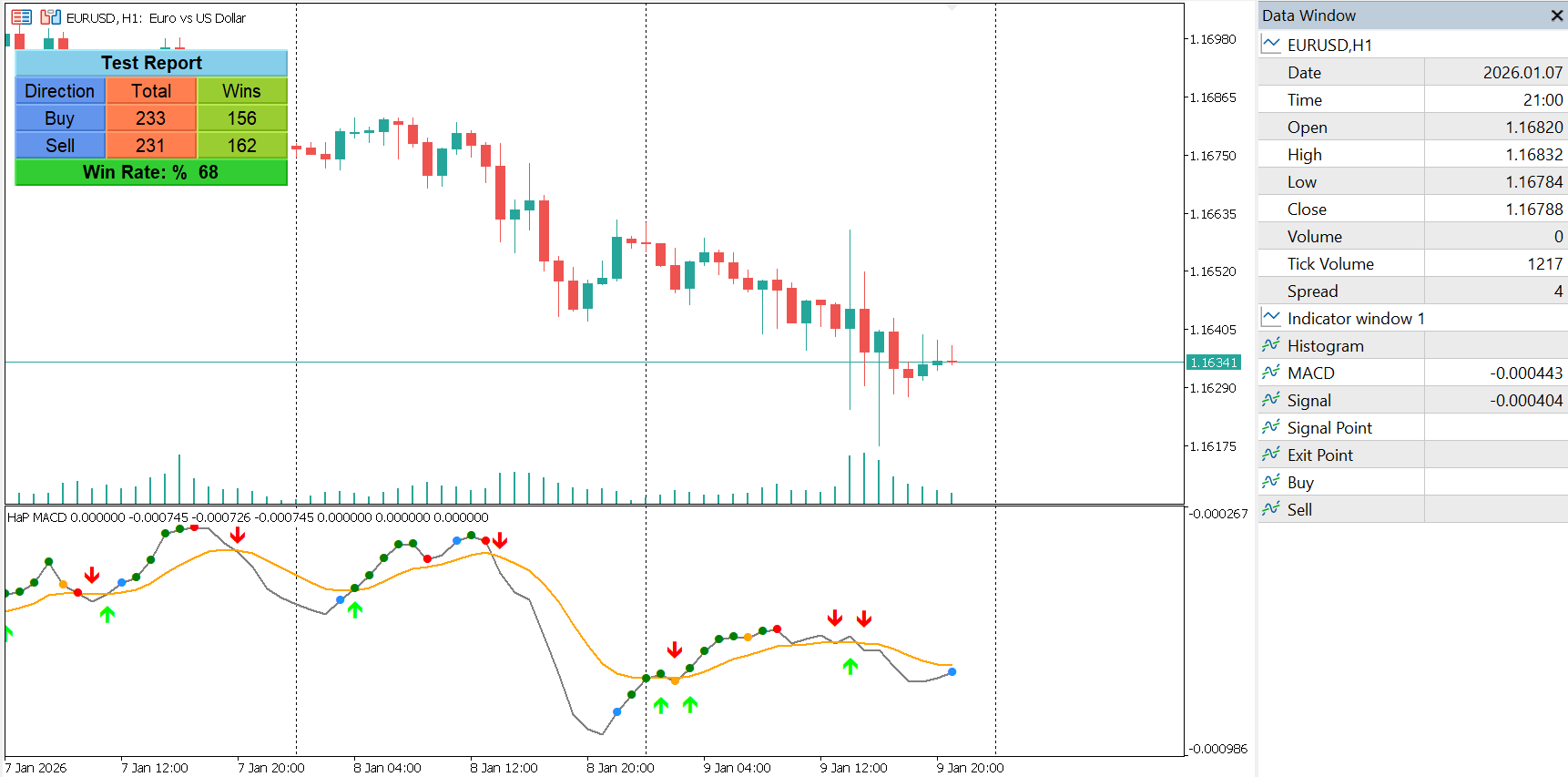
HaP MACD is an evolution of the classic MACD, designed to provide faster momentum feedback and clearer trend interpretation while preserving the familiar MACD structure trusted by traders.

Core Concept

The indicator combines two calculation layers:

  • A standard MACD for core trend representation

  • A DEMA-based MACD component for signal evaluation and momentum state detection

This dual-layer approach significantly reduces lag commonly associated with traditional moving average smoothing while maintaining smooth and readable output.

Visual Signal Logic

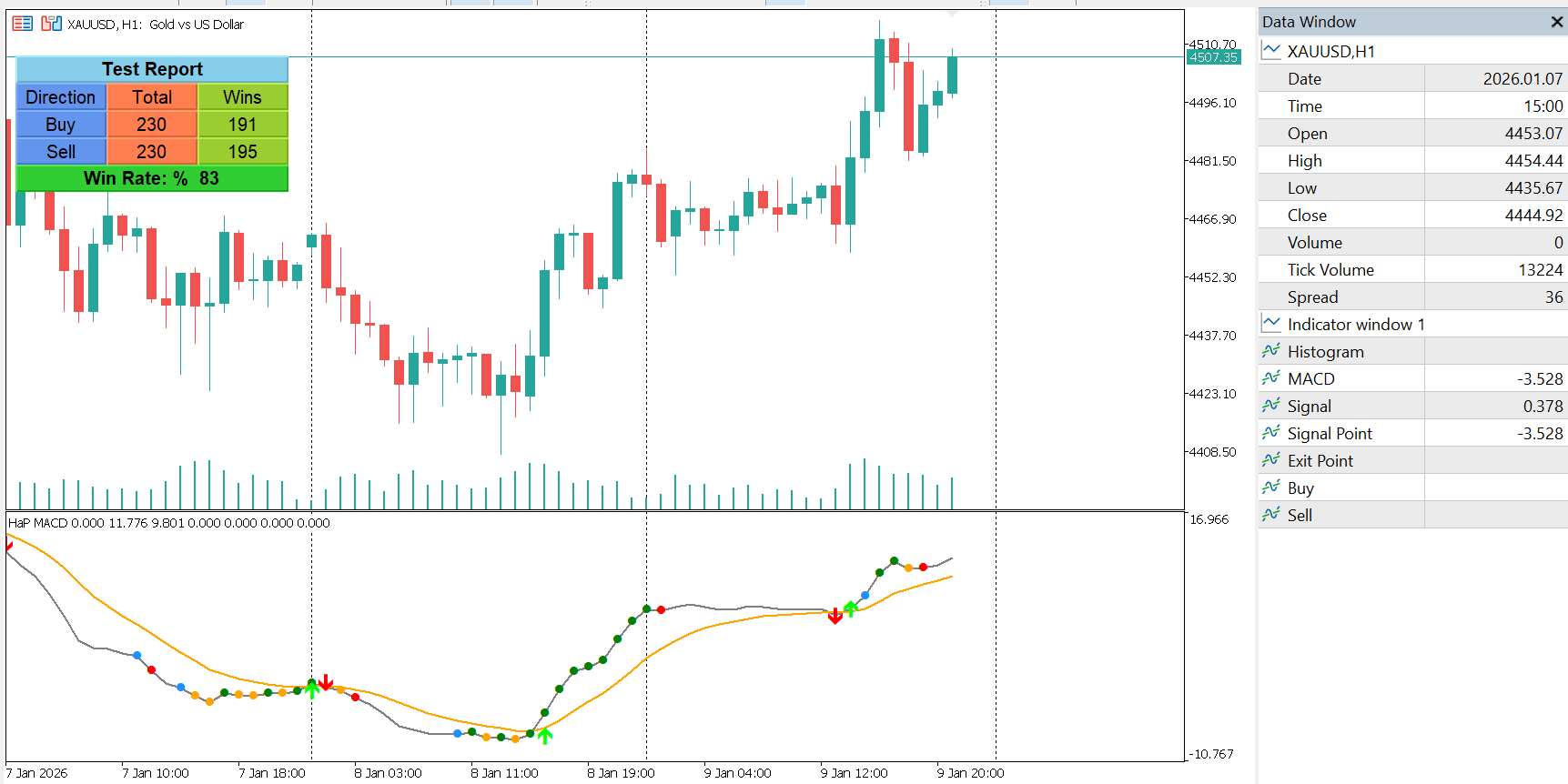
HaP MACD visualizes momentum conditions using a structured color-coded signal system plotted directly on the MACD line. These signal points allow traders to clearly identify different market phases without relying solely on line crossovers.

Signal States:

  • Entry Signal – Appears when DEMA conditions first align with bullish momentum

  • Strong Momentum – Indicates trend continuation with increasing MACD value

  • Momentum Warning – Signals weakening momentum while the trend remains active

  • Exit Signal – Indicates the bullish condition has ended

This structure helps traders monitor trend quality and momentum transitions visually and efficiently.

Crossover Signals

Classic MACD crossovers are supported and can be displayed using optional buy and sell arrow buffers, allowing traders to combine traditional MACD logic with enhanced momentum analysis.

Performance & EA Compatibility

All visual elements are drawn using indicator buffers only.
No graphical objects are used for signals or lines, ensuring:

  • High execution speed

  • Low CPU usage

  • Full compatibility with Expert Advisors

  • Reliable behavior during strategy testing

Alerts & Notifications

An integrated alert system notifies users when buy or sell signals occur.
Optional push notifications are available for real-time monitoring.

Built-in Signal Tester

For analytical purposes, HaP MACD includes a built-in historical signal tester.
It evaluates past signals over a user-defined period and displays summarized statistics directly on the chart.

This feature is intended for signal observation and analysis only and does not represent real trading performance.

Customization Options

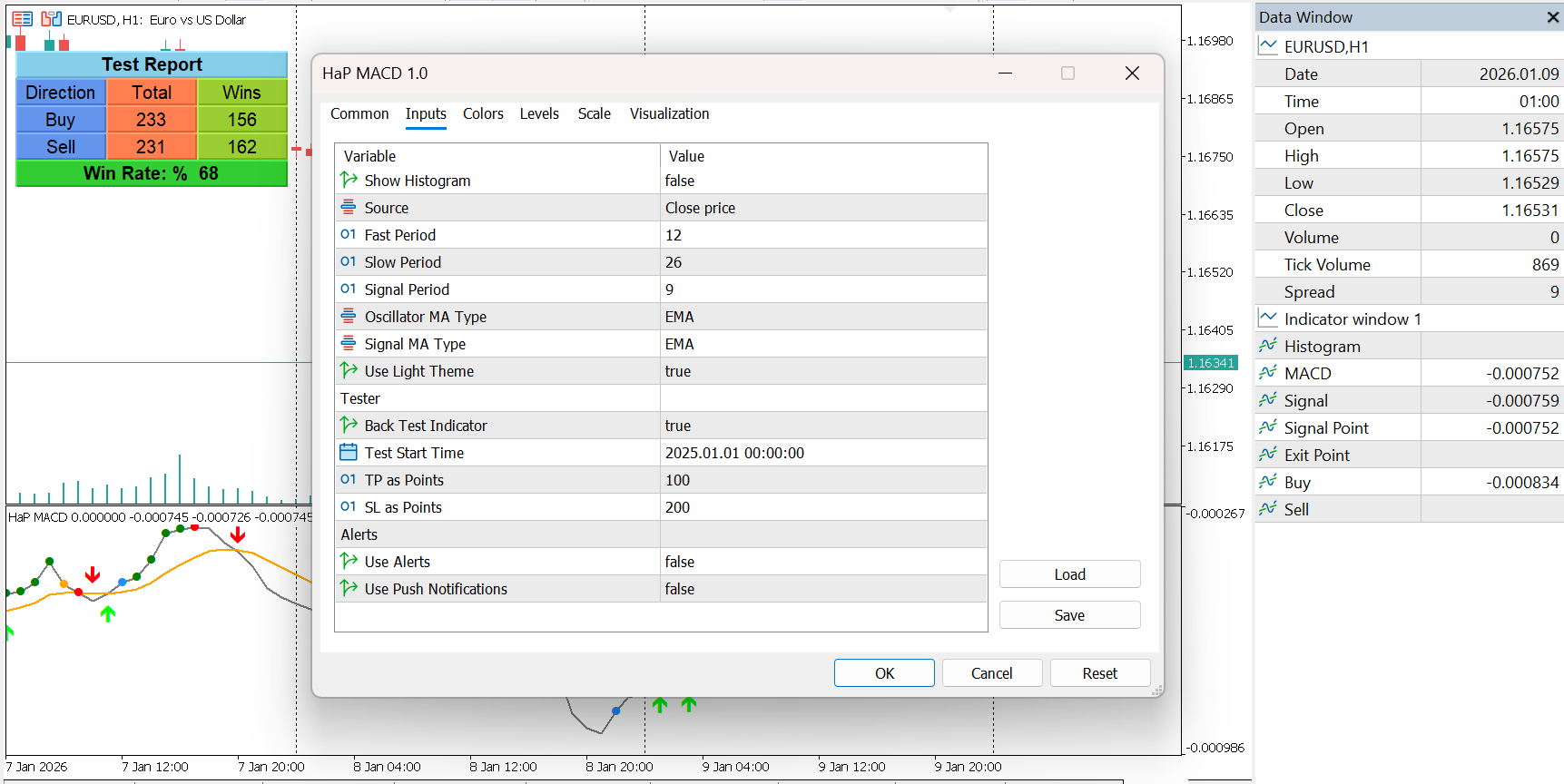
  • Choice of EMA or SMA for oscillator and signal calculations

  • Optional histogram display

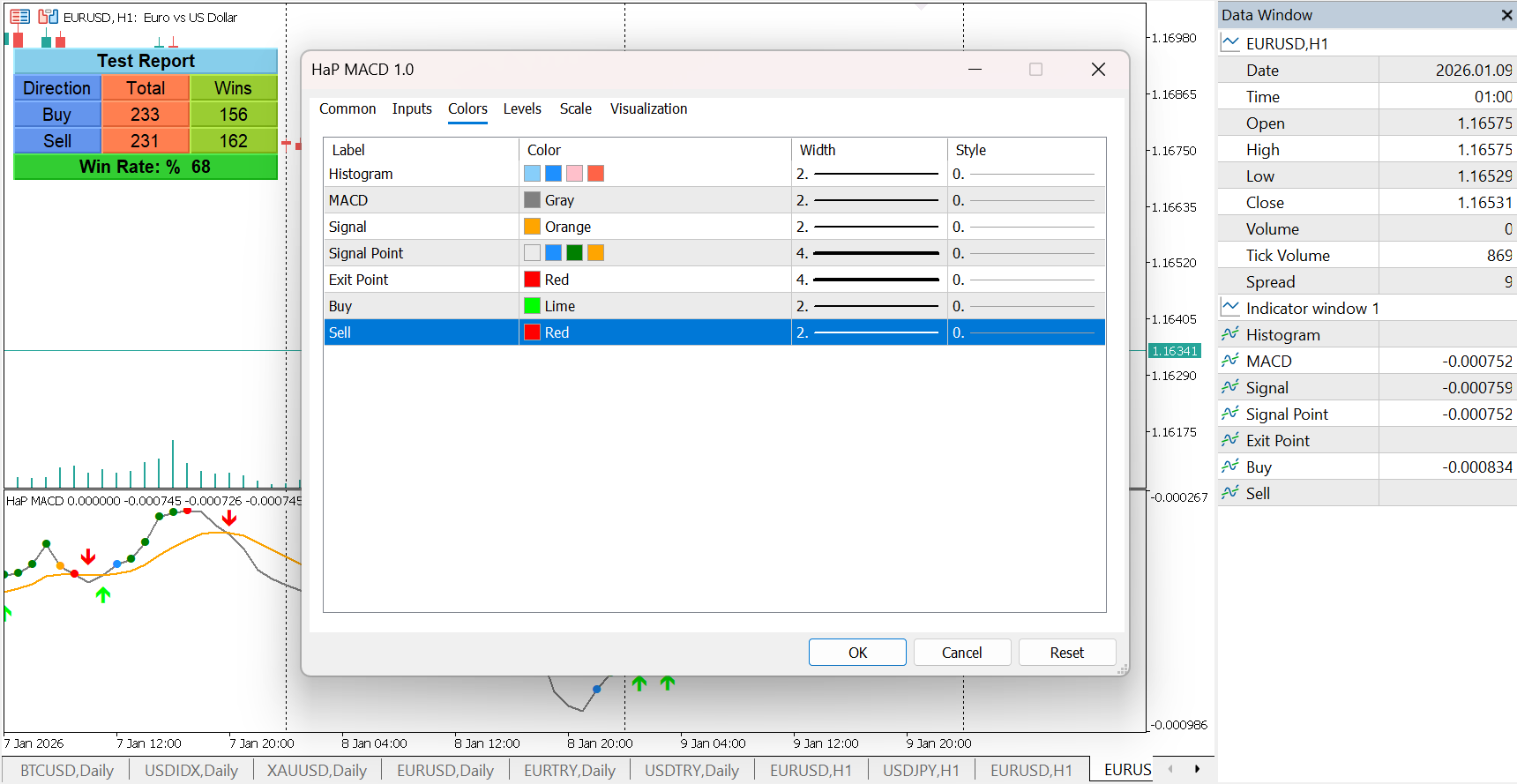
  • Light and dark theme support

  • Adjustable periods and visual settings

Recommended Usage

HaP MACD is suitable for traders who rely on momentum-based analysis and want clearer visual feedback on trend strength and momentum changes. It can be used as a standalone indicator or combined with other technical tools for confirmation.

Compatibility

  • Works on all symbols supported by MetaTrader 5

  • Works on all timeframes

  • Fully EA-friendly

Disclaimer

This indicator is provided for educational and analytical purposes only.
It does not provide trading advice and does not guarantee results.
HAP MACD
HAP MACD
HAP MACD
HAP MACD
HAP MACD
HAP MACD
Isolated Peak & Bottom Indicator for MT5

Isolated Peak and Bottom Indicator for MT5

Isolated Peak & Bottom – Trend Exhaustion and Reversal Indicator for MT5

An uptrend defined by higher highs does not create new highs every single day. At some point, price pauses, corrects, or reverses. The key challenge for traders is distinguishing between a temporary correction and the actual end of a trend.

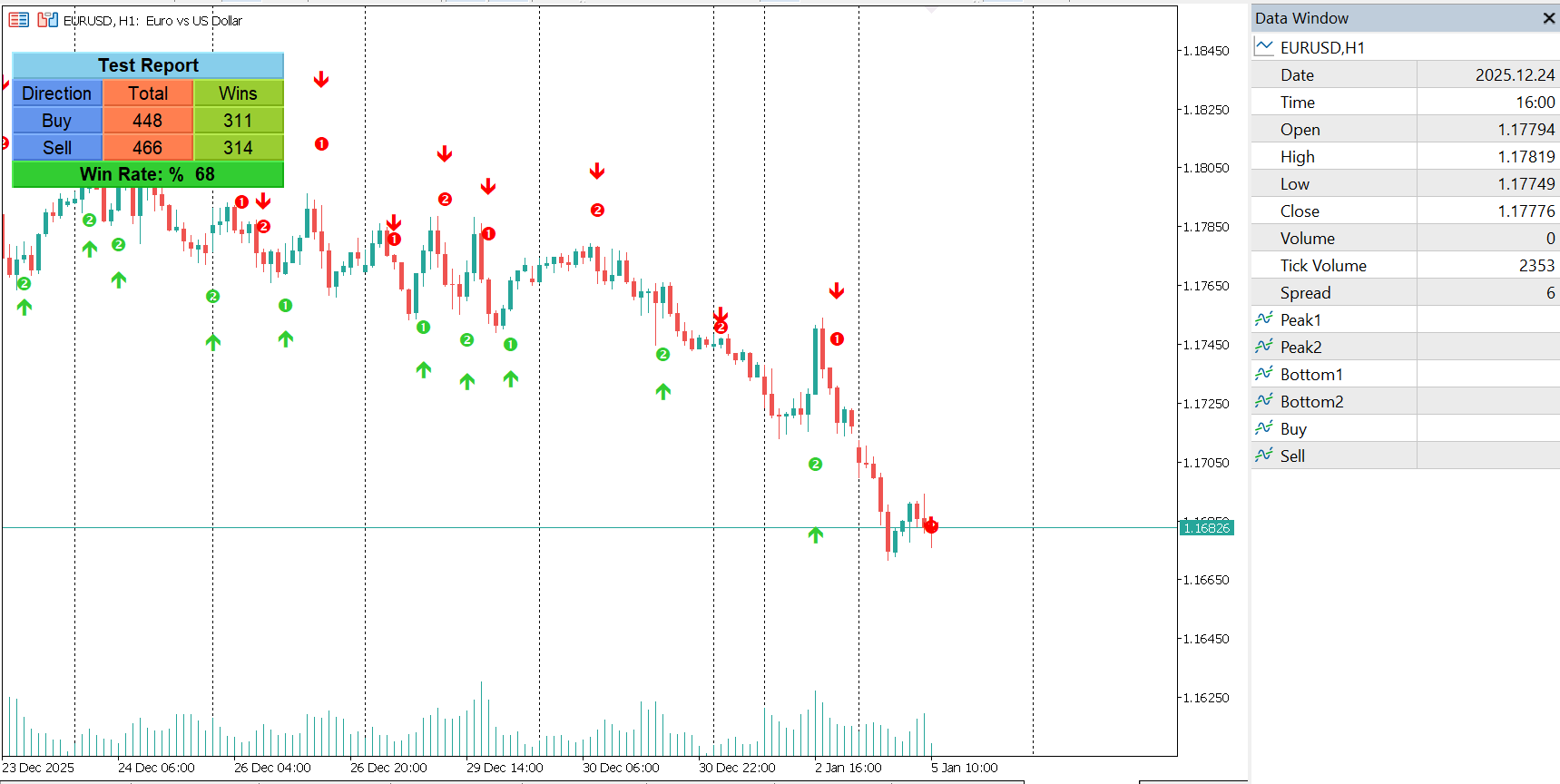
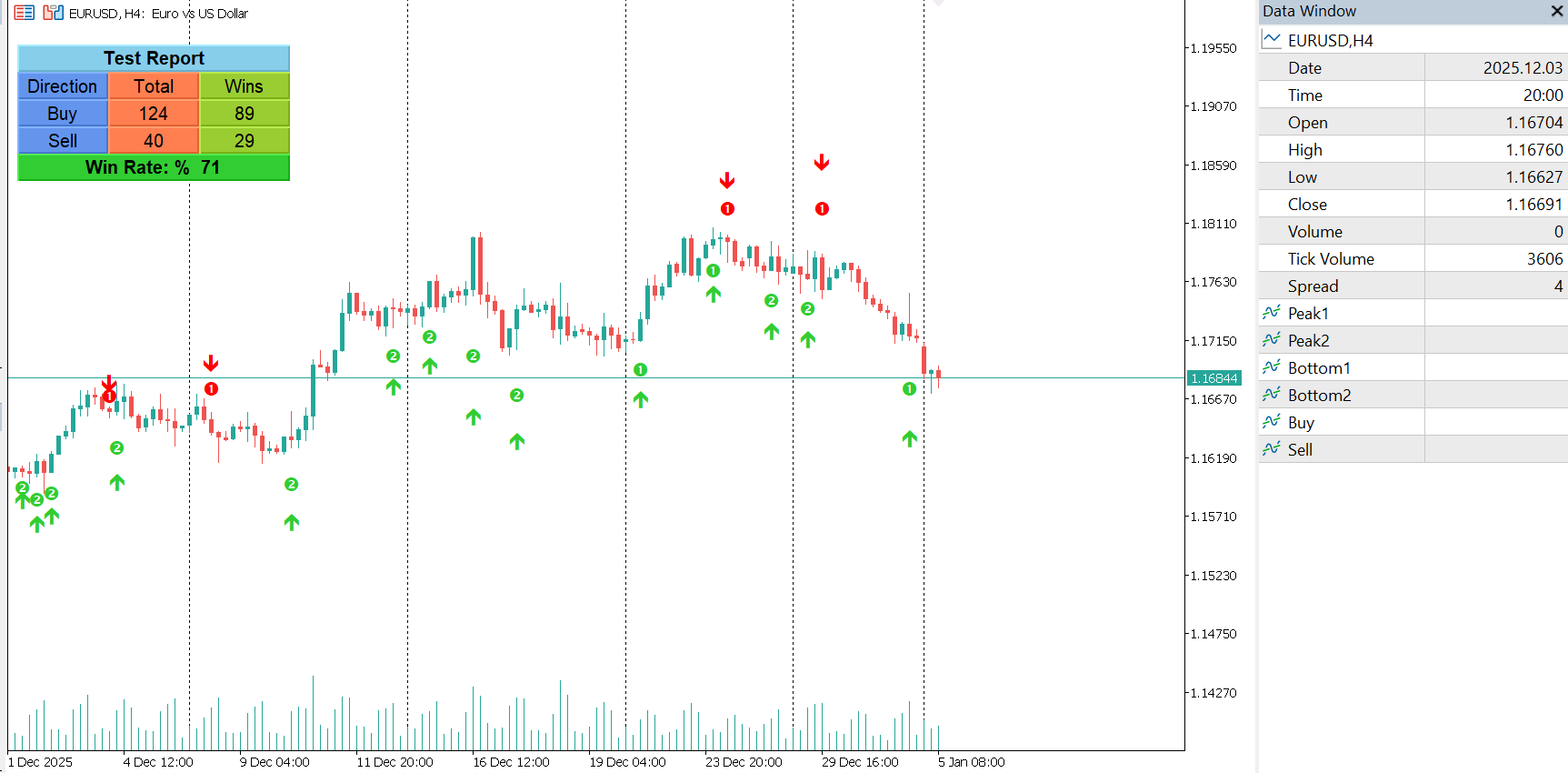
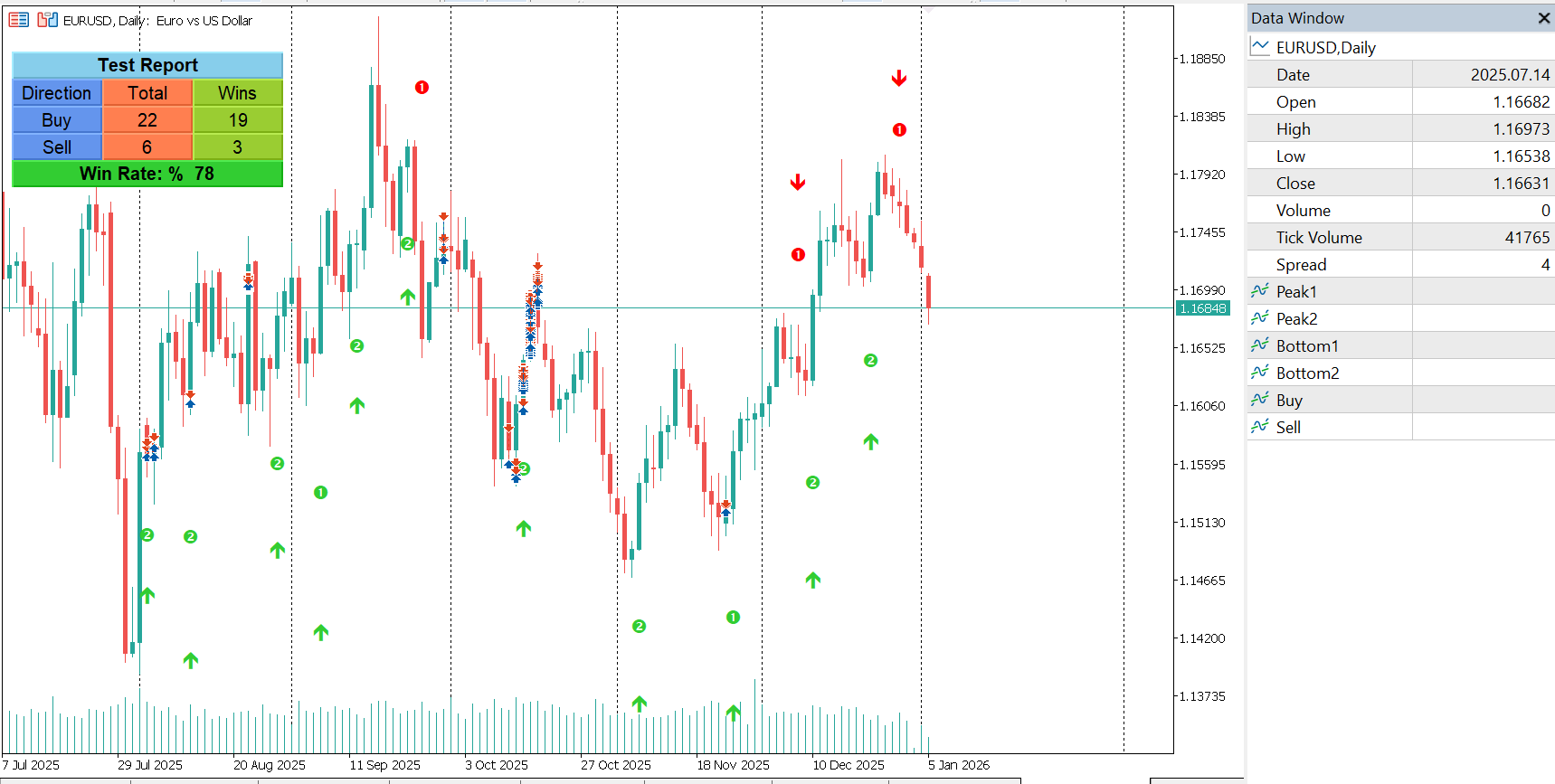
The Isolated Peak & Bottom indicator is designed to address this exact problem.

Concept Behind the Indicator

This indicator is based on the Isolated High / Low technique, a proven price action approach used to identify potential trend exhaustion points.

Isolated Peak (End of an Uptrend)

  • The highest point reached during an uptrend is defined as an Isolated Peak

  • The lowest point of the previous day becomes the signal level

  • If this signal level is broken within two candles, the uptrend is considered finished

  • If it is not broken within two candles, the uptrend is assumed to continue

This logic helps traders separate normal pullbacks from real trend reversals.

Isolated Bottom (End of a Downtrend)

The same logic applies in reverse for downtrends:

  • The lowest point during a downtrend is defined as an Isolated Bottom

  • The highest point of the previous day acts as the signal level

  • A break of this level within two candles signals a potential trend reversal to the upside

Why This Technique Works

Markets move in fractals, meaning the same behavior repeats itself across all timeframes.
For this reason, the Isolated Peak & Bottom technique can be applied to:

  • Yearly charts

  • Daily charts

  • Intraday charts

  • Tick charts

There is no fixed timeframe requirement, making the indicator flexible and widely usable.

The historical success rate of this technique is relatively high, especially when used to determine trend direction rather than exact entry timing.

Practical Trading Benefits

  • Helps identify trend exhaustion

  • Filters out emotional market noise

  • Assists in defining trend direction

  • Works well as a confirmation tool

  • Suitable for discretionary and automated trading

Indicator Implementation

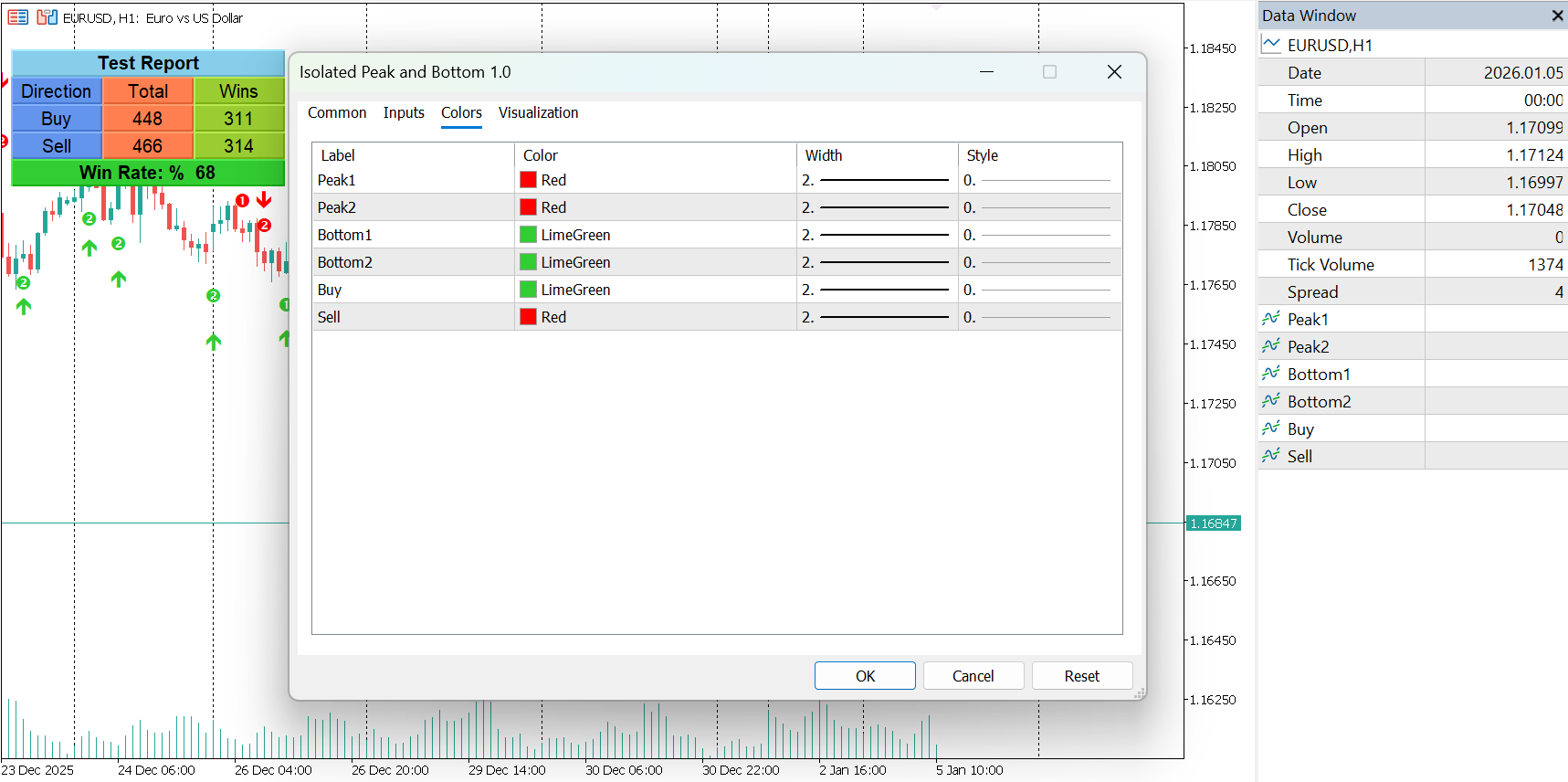
  • Separate buffers for isolated peaks and isolated bottoms

  • BUY and SELL signal buffers included

  • Fully buffer-based (no graphical objects for signals)

  • Very fast execution and low resource usage

  • Fully compatible with Expert Advisors

Alerts

  • Optional popup alerts

  • Optional push notifications


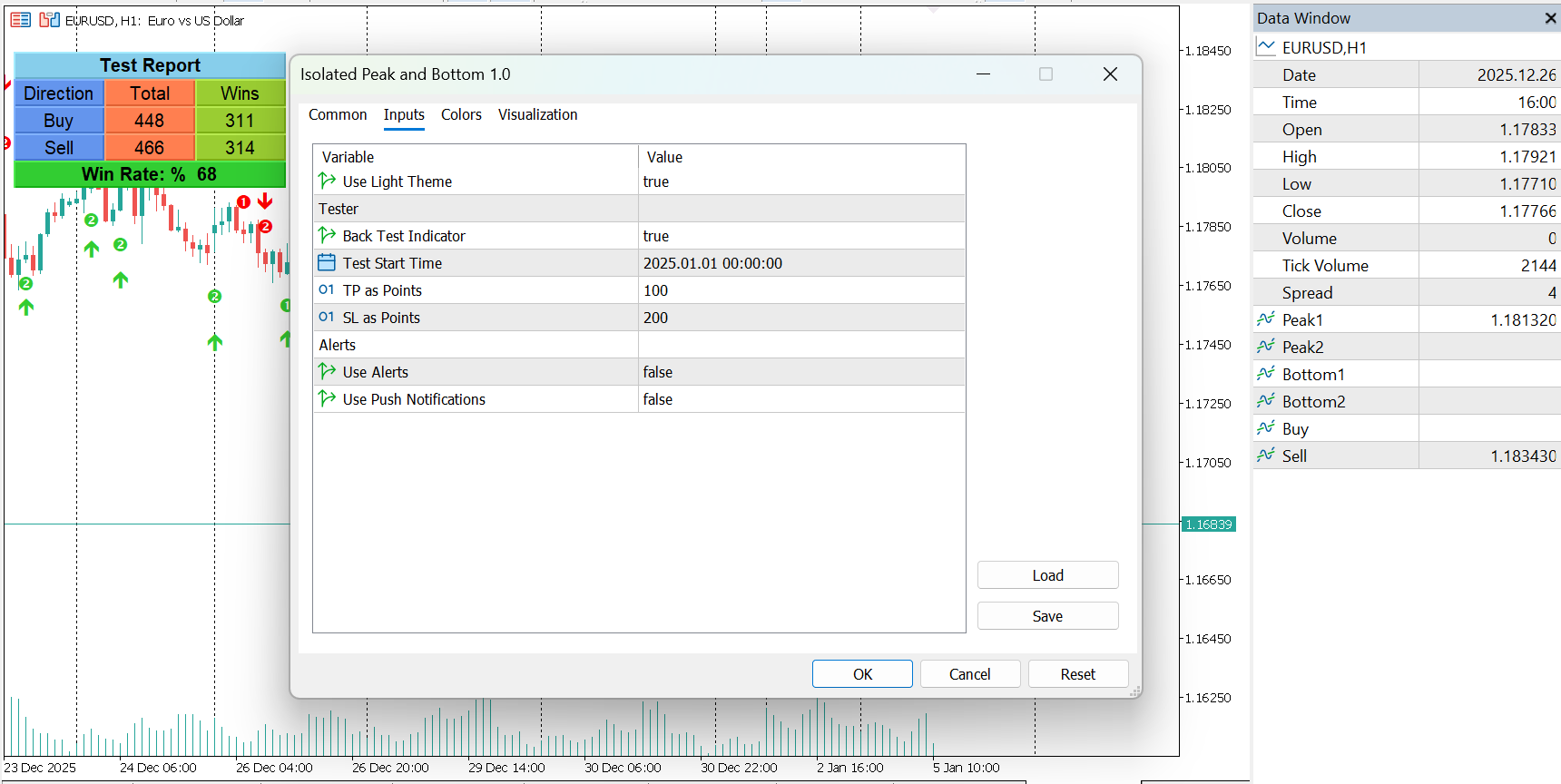
Built-in Backtesting Panel

The indicator includes an optional visual backtesting mode, which:

  • Simulates BUY and SELL signals

  • Tracks total trades and winning trades

  • Displays win rate directly on the chart

  • Allows TP and SL testing in points

  • Lets you define a custom test start date

This feature helps traders quickly evaluate signal behavior on historical data without running a full Strategy Tester.

Limitations

As with any technical method, false signals may occur during:

  • Extreme volatility

  • Strong news events

  • Highly emotional market conditions

For best results, this indicator should be used as part of a complete trading system with proper risk management.

Conclusion

Isolated Peak & Bottom is a powerful price action tool for traders who want a clearer view of trend endings and potential reversals.
It provides structure, discipline, and objective logic to an area of trading that is often driven by emotion.

Isolated Peak & Bottom Indicator for MT5
MOST – Moving Stop Loss Indicator for MT5

MOST – Moving Stop Loss Indicator for MT5

MOST – Moving Stop Loss Indicator for MT5

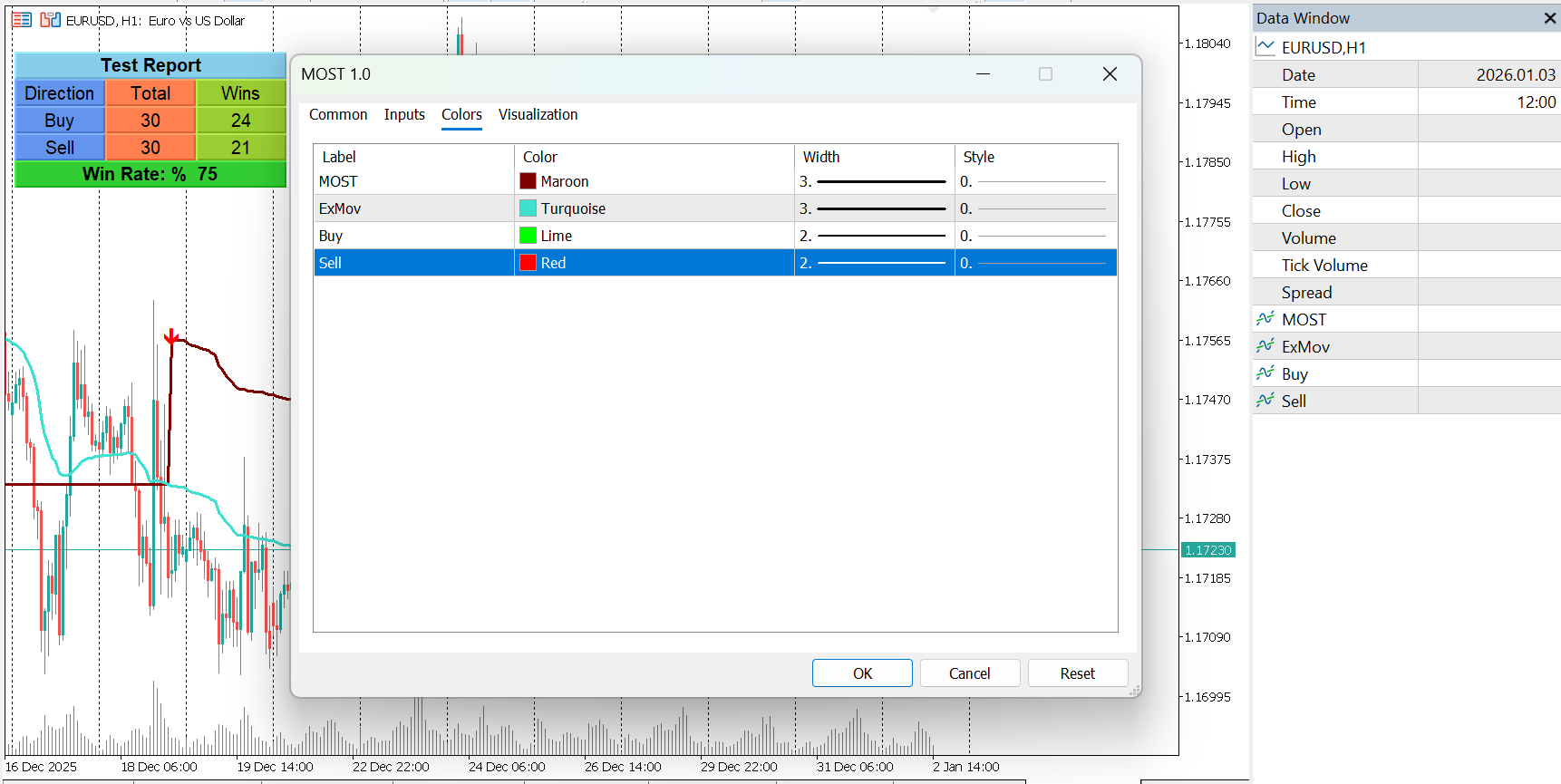
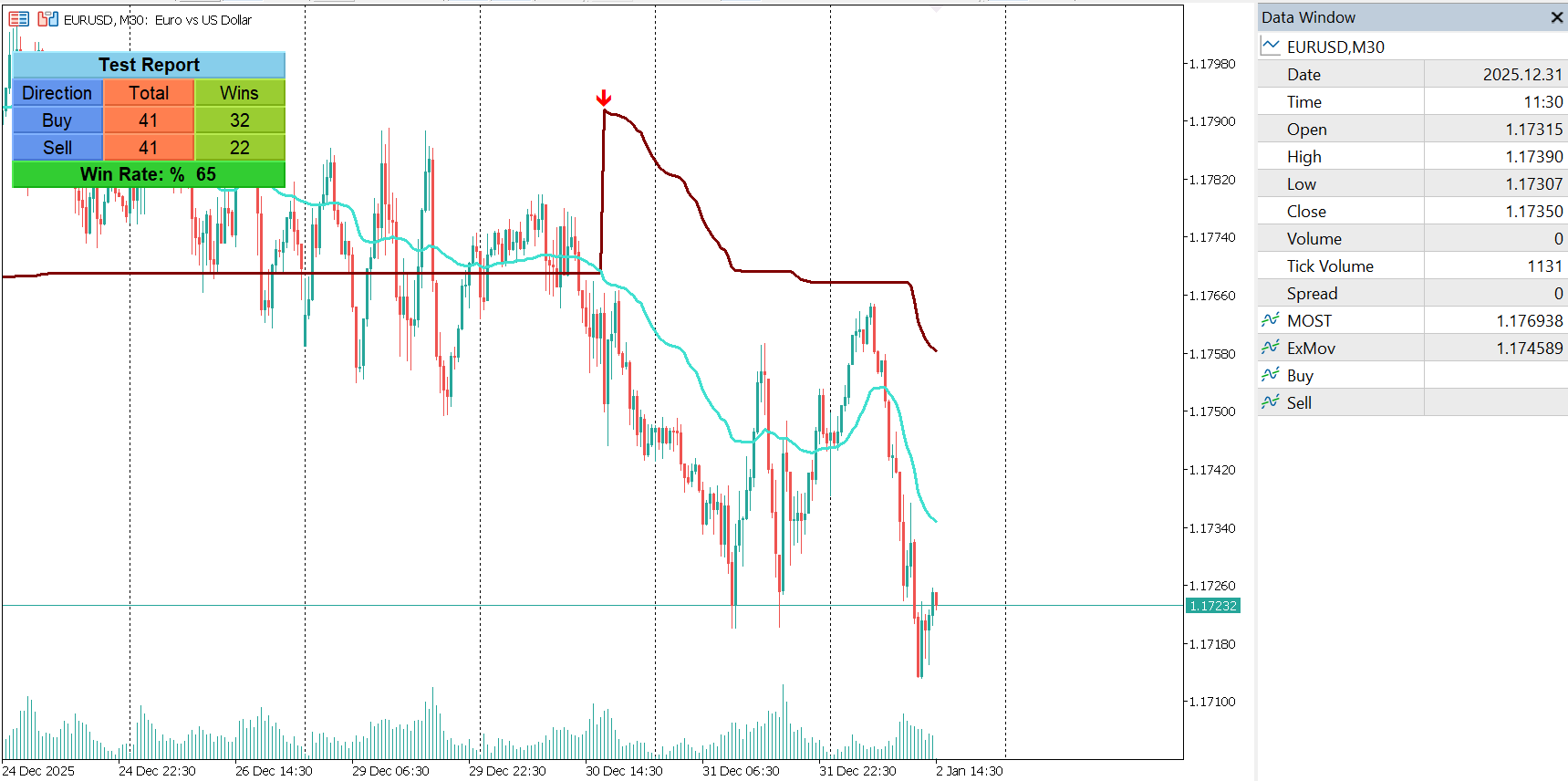
MOST (Moving Stop Loss) is a professional trend-following and signal-generating indicator for MetaTrader 5. It is based on the original concept developed by economist Anıl Özekşi and adapted for MT5 with extended functionality and multiple moving average options.

MOST is designed to act as a dynamic trailing stop while also providing clear BUY and SELL signals, making it suitable for both discretionary traders and systematic strategies.

Core Concept

Unlike classic trailing stop indicators that rely directly on price bars, MOST calculates its stop levels using a percentage-based distance from a moving average.
This approach smooths sudden price fluctuations and reduces false signals caused by short-term volatility.

Key differences compared to traditional trailing stops:

  • Uses a moving average instead of raw price

  • Stop distance is defined as a percentage of the moving average

  • Generates two-directional signals (BUY and SELL), not just trend bias

Trading Logic

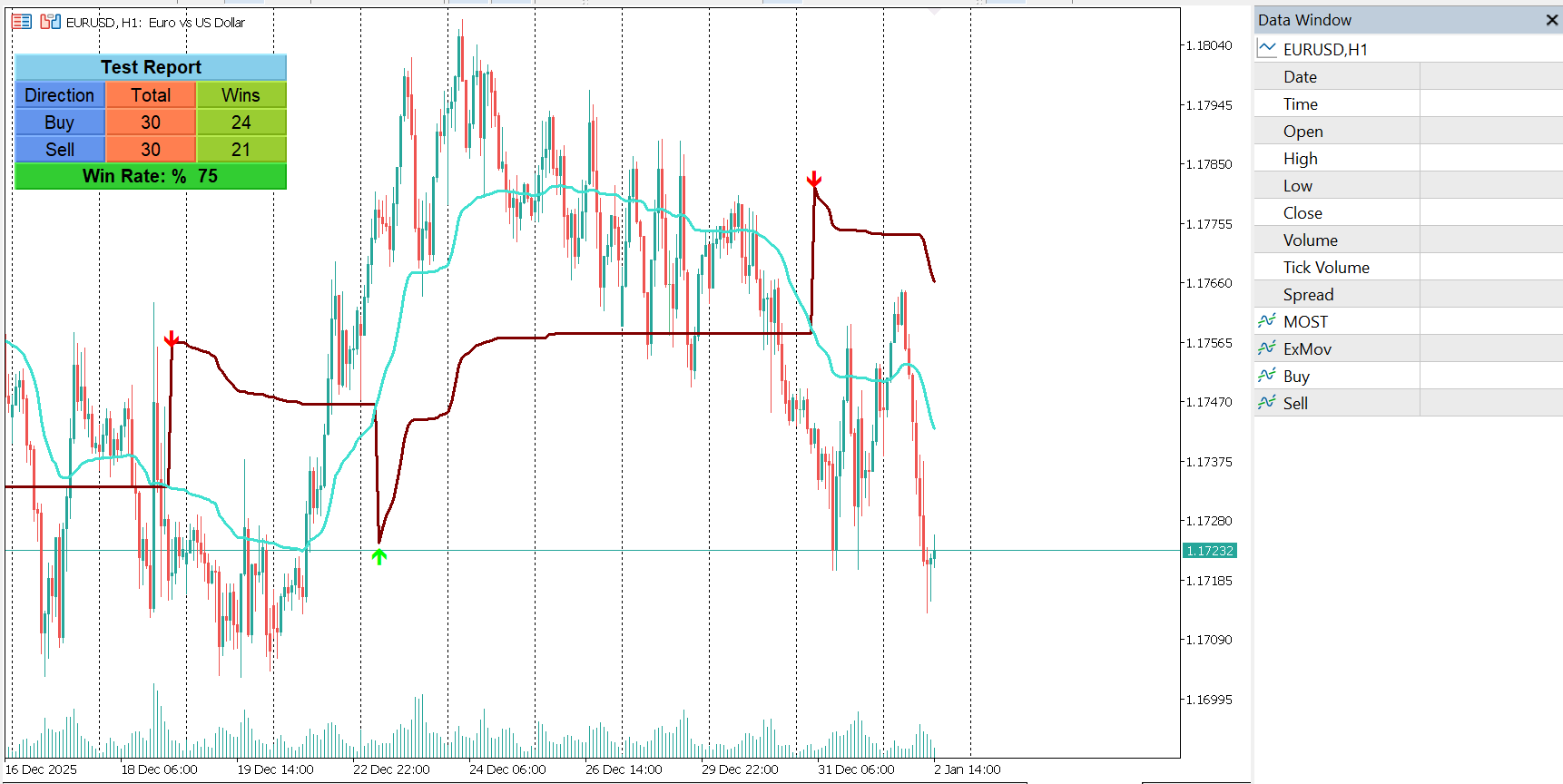
  • BUY Signal
    Triggered when the Exponential Moving Value (ExMov) crosses above the MOST line

  • SELL Signal
    Triggered when ExMov crosses below the MOST line

  • Trend Conditions

    • Long condition: ExMov remains above MOST

    • Short condition: ExMov remains below MOST

This structure allows traders to identify both trend direction and entry timing using a single indicator.

Moving Average Flexibility

MOST supports multiple moving average types, allowing adaptation to different market conditions, including sideways and trending markets.
The original developer recommends Variable Moving Average (VAR / VIDYA) for ranging markets.

Available options:

  • SMA – Simple Moving Average

  • EMA – Exponential Moving Average

  • WMA – Weighted Moving Average

  • TMA – Triangular Moving Average

  • VAR – Variable Index Dynamic Average (VIDYA)

  • WWMA – Welles Wilder Moving Average

  • ZLEMA – Zero Lag Exponential Moving Average

  • TSF – Time Series Forecast

  • HULL – Hull Moving Average

Key Features

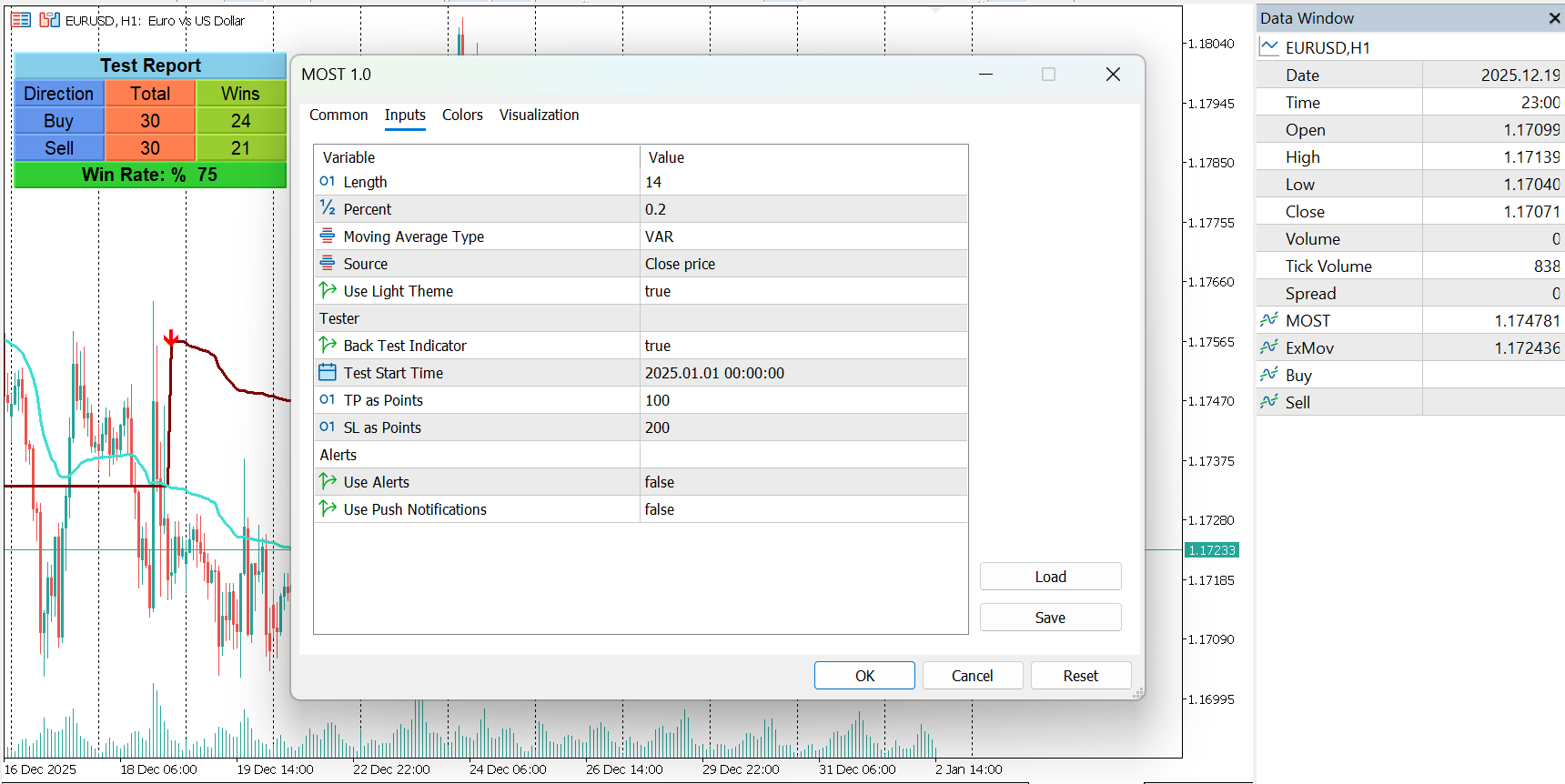
  • Dynamic moving stop loss based on EMA percentage

  • Clear BUY and SELL arrow signals

  • Adjustable EMA length and stop percentage

  • Multiple moving average calculation methods

  • Suitable for trend following and breakout confirmation

  • Optional alerts and push notifications

  • Built-in visual clarity for fast decision-making

  • Backtesting panel for historical performance analysis

Practical Usage

MOST can be used as:

  • A standalone trend and signal indicator

  • A confirmation tool for Expert Advisors

  • A trailing stop reference for manual trade management

  • A filter to avoid false entries in volatile markets

It works on all symbols and timeframes supported by MetaTrader 5.

Notes

This indicator is provided for educational and analytical purposes only.
No trading system can guarantee profit

MOST – Moving Stop Loss Indicator for MT5
MACD Leader – Zero-Lag Trend & Momentum Indicator for MT5

MACD Leader Indicator for MT5

MACD Leader – Zero-Lag Trend & Momentum Indicator for MT5

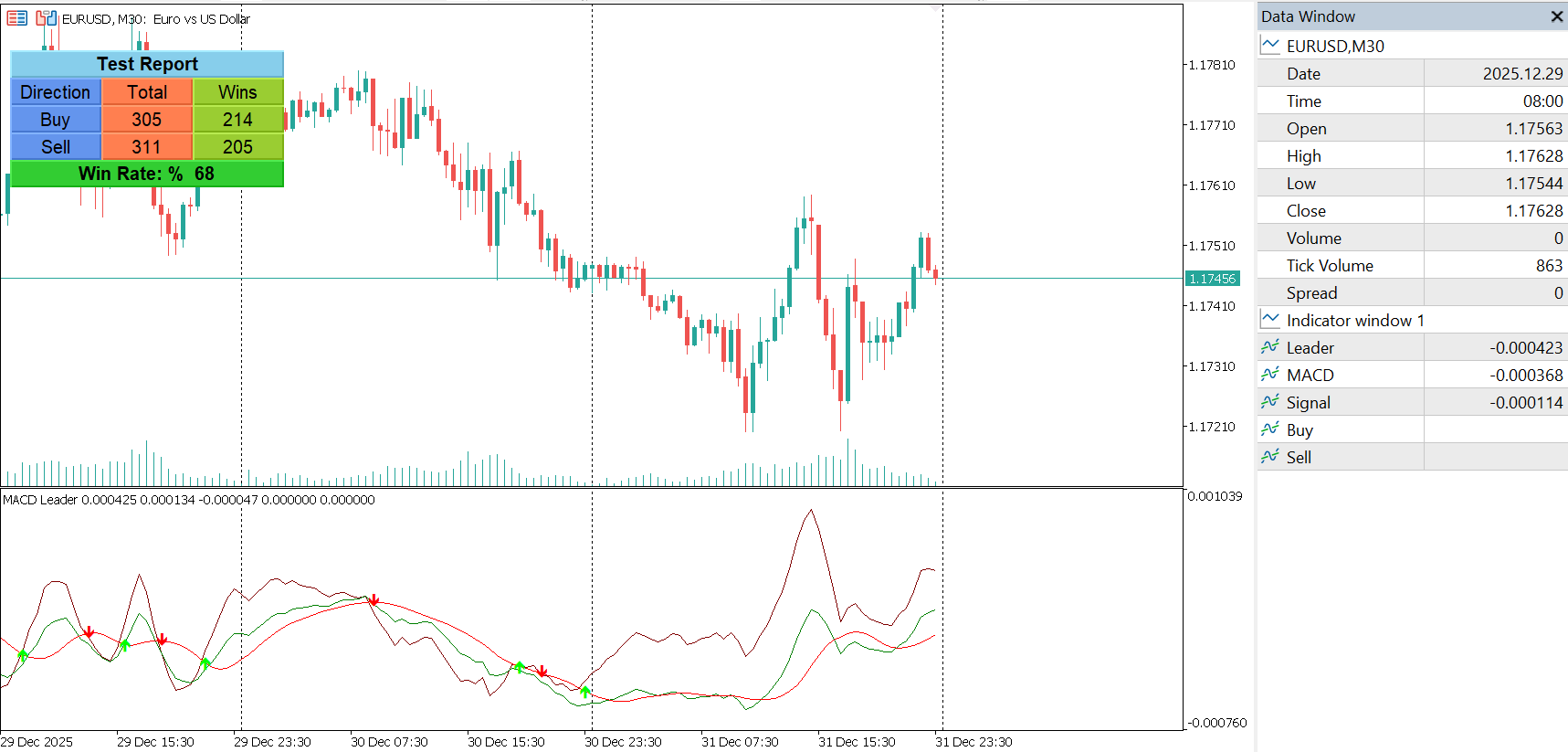
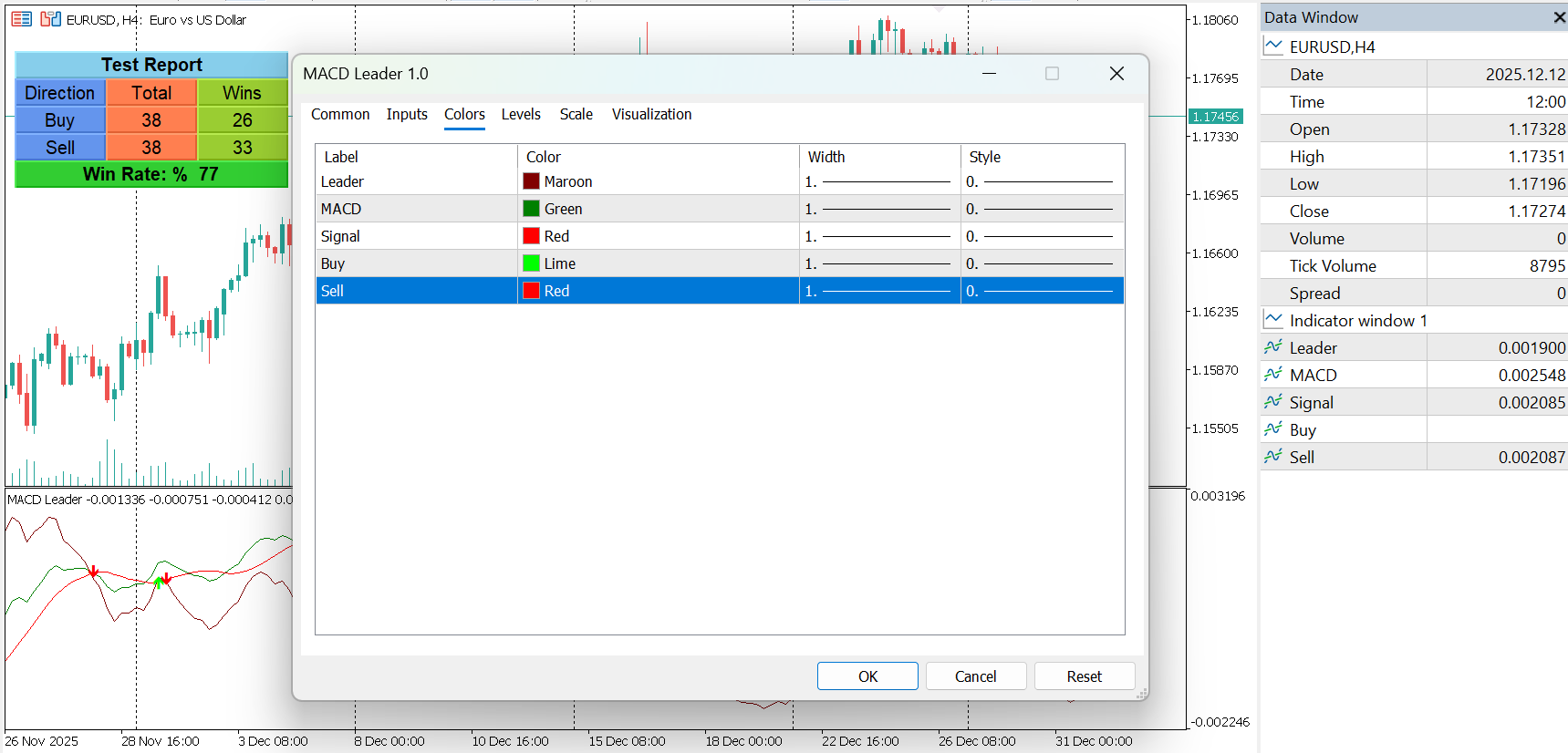
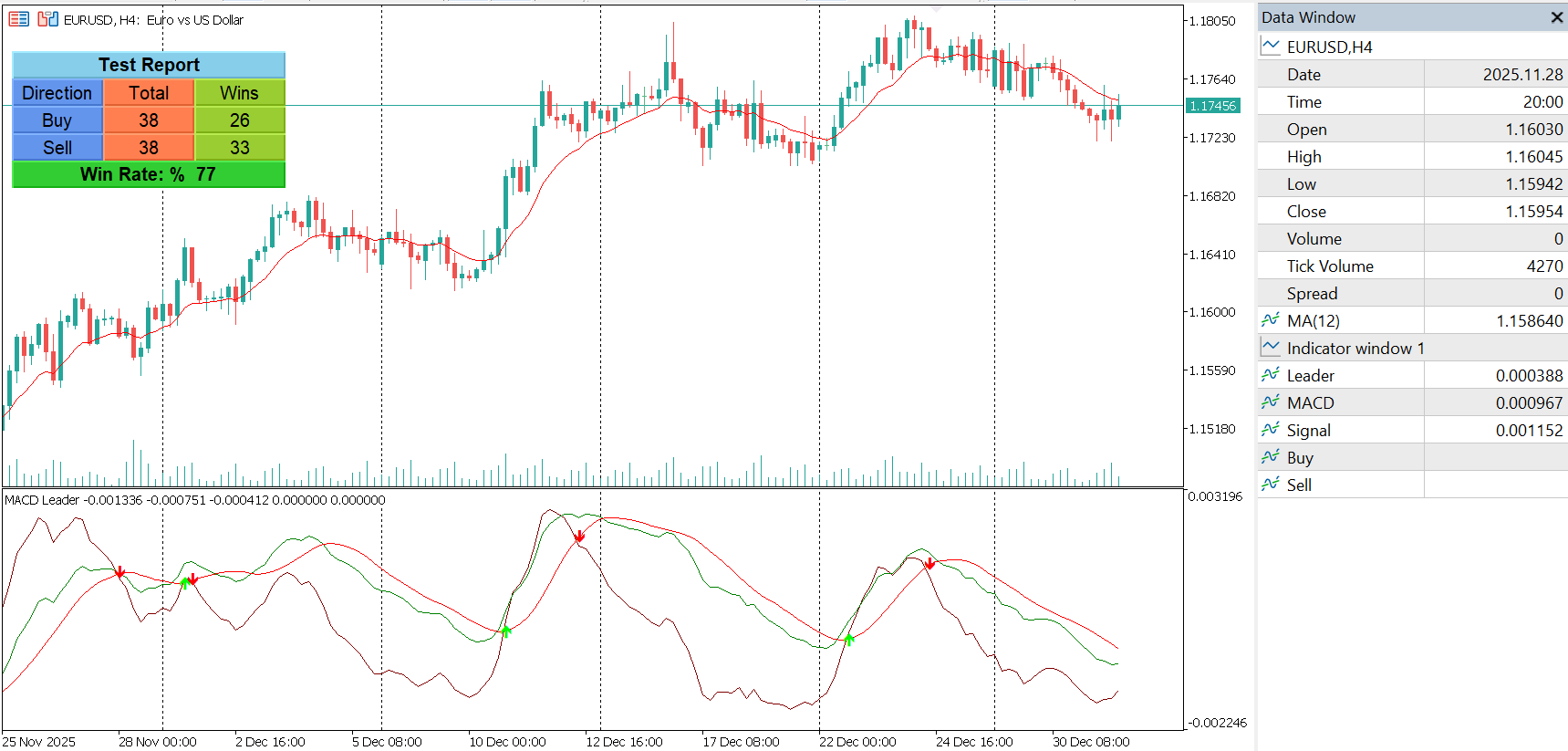
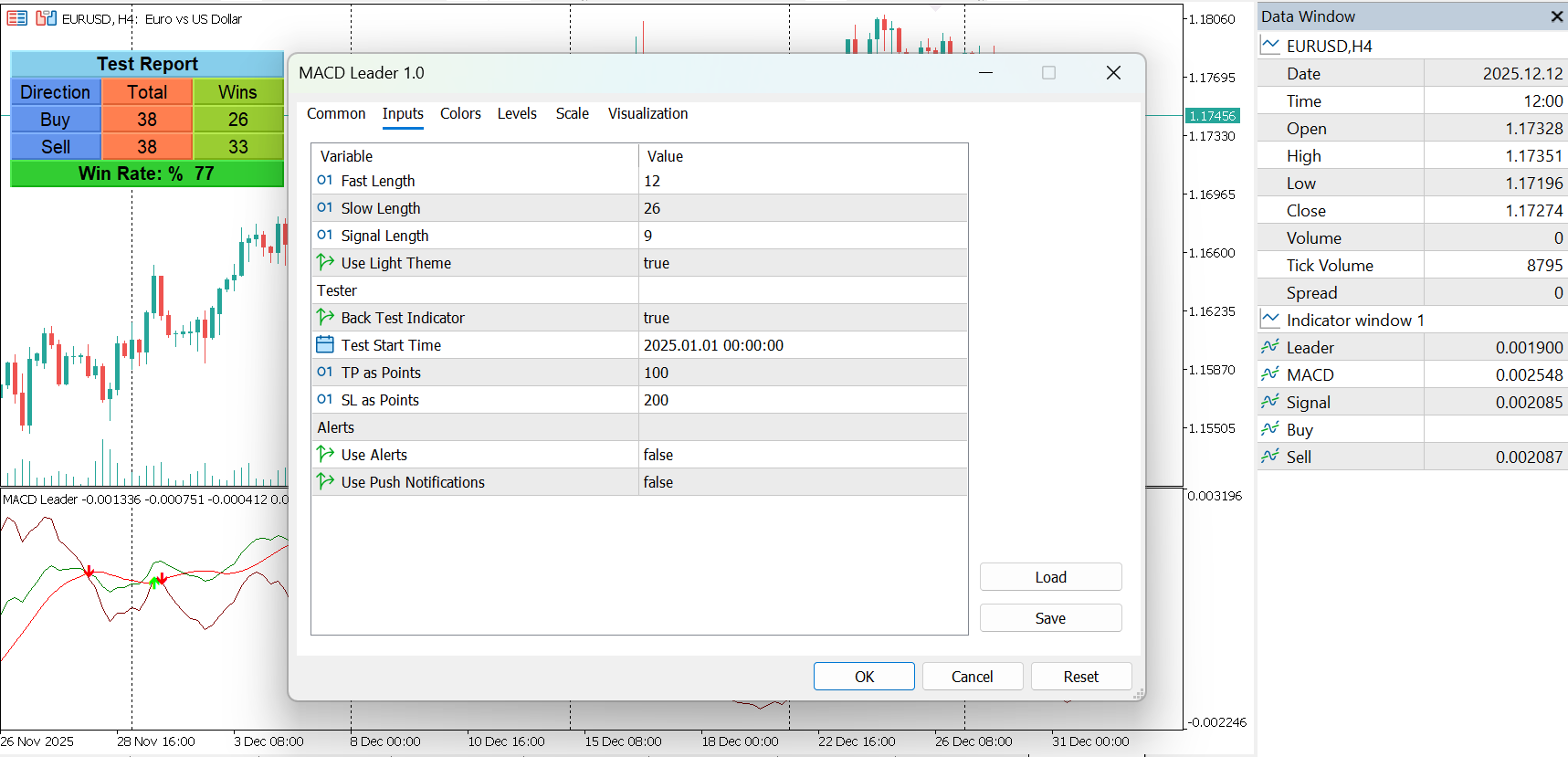
MACD Leader is an advanced momentum and trend-following indicator for MetaTrader 5, designed to reduce the inherent lag of traditional MACD by applying a zero-lag smoothing technique. It provides earlier signals while preserving the smoothness and structure traders expect from MACD-based tools.

Smoothing methods introduce delay, and since MACD relies on moving averages, it naturally lags behind price. While lag cannot be completely eliminated, it can be significantly reduced. MACD Leader achieves this by adding a component of the price–moving average difference back into the calculation. This approach is commonly referred to as Zero-Lag (near zero-lag) smoothing.

Originally proposed by Giorgos E. Siligardos, the Leader concept is designed to lead the traditional MACD, particularly during important market transitions and emerging trend changes.

Key Features

  • Zero-Lag MACD Leader Line
    A leading signal derived from enhanced moving average calculations that reacts faster than classic MACD.

  • Traditional MACD & Signal Line Included
    MACD and Signal lines are plotted in the same sub-window and use the same scale for easy comparison.

  • Earlier Trend Change Detection
    The Leader line often turns before the MACD line during critical market situations.

  • Clear Buy & Sell Signals
    Visual arrow signals are generated when the Leader crosses the Signal line.

  • Smooth and Stable Output
    Despite being faster, the indicator maintains smoothness comparable to standard MACD.

  • Built-in Alert System
    Optional on-screen alerts and push notifications for new buy or sell signals.

  • Integrated Visual Back-Test Panel
    Optional testing mode displays total trades, wins, and win rate directly on the chart.

  • Customizable Parameters
    Adjustable fast, slow, and signal lengths to match different trading styles and instruments.

How It Works

MACD Leader enhances standard MACD by:

  • Calculating fast and slow exponential moving averages

  • Measuring the price deviation from those averages

  • Applying exponential smoothing to the deviation

  • Adding the smoothed deviation back to the original moving averages

The result is a Leader line that reacts earlier than standard MACD while remaining stable and readable.

Trading Applications

  • Trend following strategies

  • Momentum confirmation

  • Early trend reversal detection

  • MACD divergence analysis

  • Multi-timeframe analysis

The indicator can be used as a standalone signal tool or as a confirmation filter within a broader trading system.

Important Notes

  • This indicator does not repaint

  • No future data is used

  • Works on all symbols and timeframes supported by MT5

  • Intended for educational and analytical purposes only

  • Trading involves risk; past performance does not guarantee future results

MACD Leader – Zero-Lag Trend & Momentum Indicator for MT5
RMI Trend Sniper Indicator for MT5

RMI Trend Sniper Indicator for MT5

RMI Trend Sniper Indicator for MT5

Overview

RMI Trend Sniper is a trend-following technical indicator designed to help traders identify potential buy and sell opportunities based on momentum, volatility, and trend direction. The indicator combines Relative Momentum Index (RMI) logic with volume-weighted and volatility-aware calculations to provide structured, visually clear trading signals directly on the chart.

It is intended for educational and analytical purposes and can be used as part of a broader trading strategy.

How It Works

RMI Trend Sniper blends momentum and volume analysis by combining elements of the Relative Strength Index (RSI) and the Money Flow Index (MFI). These values are processed to detect positive and negative momentum shifts, which are then aligned with short-term trend direction and volatility conditions.

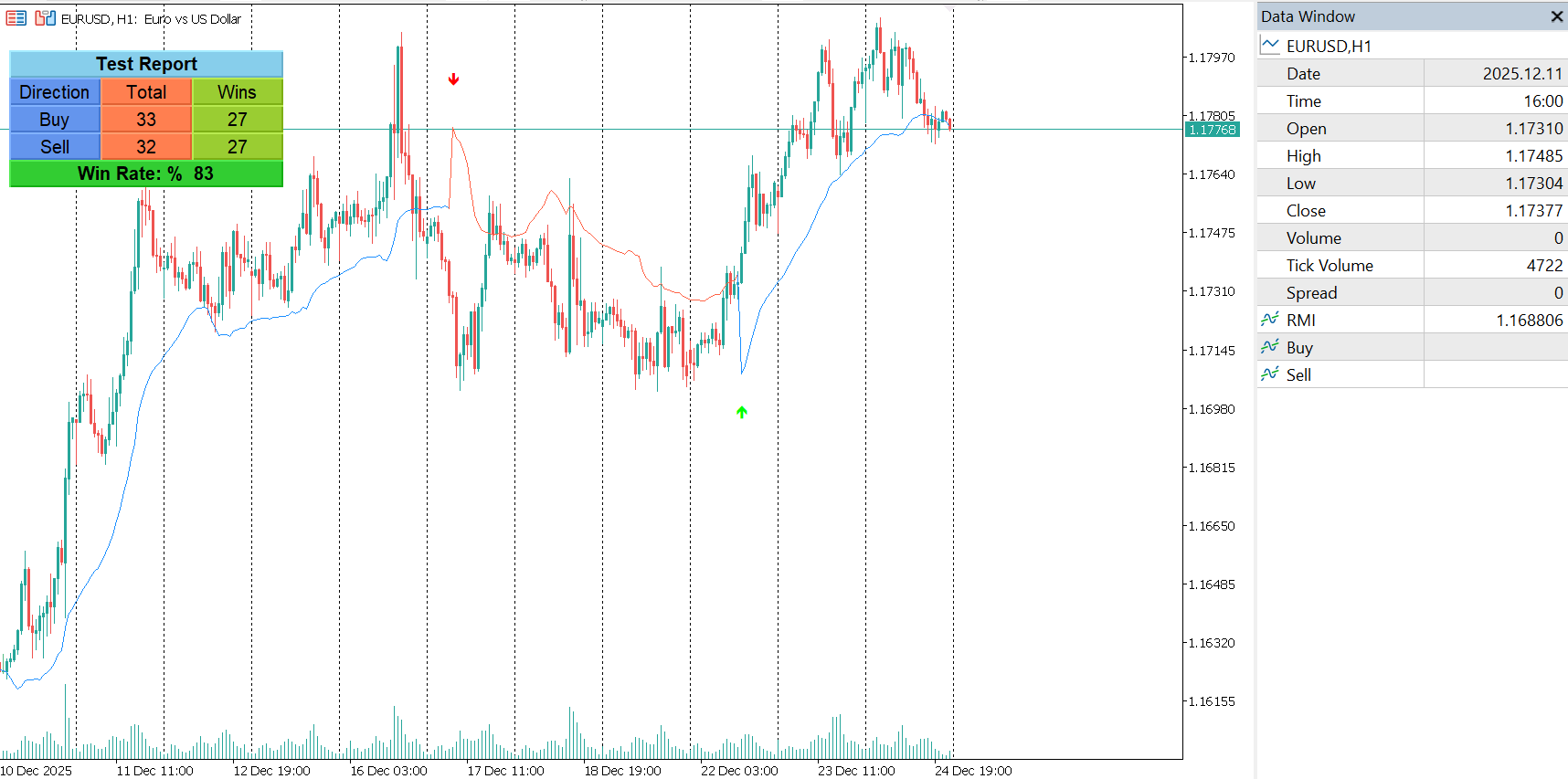
A Range Weighted Moving Average (RWMA) forms the core trend reference, while adaptive volatility bands are calculated using the Average True Range (ATR). Buy and sell signals are generated when momentum conditions change and trend direction confirms the shift.

Signals are displayed in real time using arrows on the chart.

Key Features

Momentum-Based Signal Logic
The indicator evaluates market momentum using a hybrid RSI–MFI calculation to identify bullish and bearish conditions.

Trend Confirmation
Signals are filtered using a short-term exponential moving average of price changes to help confirm directional strength.

Positive and Negative Conditions

  • The positive condition evaluates the previous and current RMI values along with a positive change in the 5-period EMA.

  • The negative condition evaluates the current RMI value combined with a negative change in the 5-period EMA.

Dynamic Volatility Bands
Adaptive bands are plotted around the Range Weighted Moving Average, reflecting current market volatility and helping visualize potential price expansion or contraction.

Clear Visual Signals

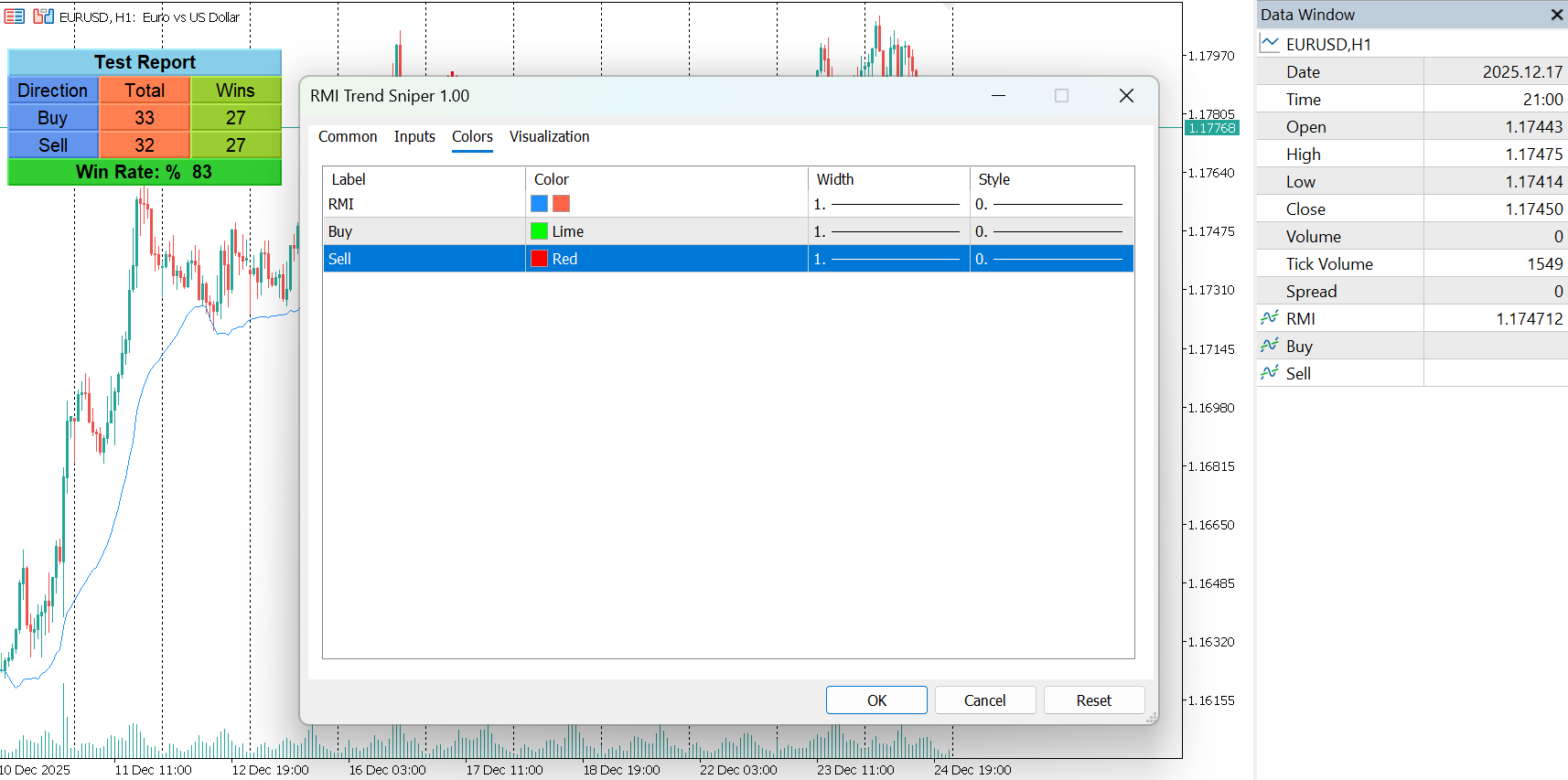
  • Color-coded RMI line to distinguish bullish and bearish momentum

  • Buy and sell arrows plotted directly on the chart

  • Optional light chart theme for improved visibility

Integrated Alerts
Optional pop-up alerts and push notifications are available when new buy or sell signals appear.

Built-in Signal Backtesting Panel
An optional on-chart testing panel allows historical evaluation of signals using configurable take-profit and stop-loss levels. Results such as total trades, wins, and win rate are displayed directly on the chart for quick review.

Inputs and Customization

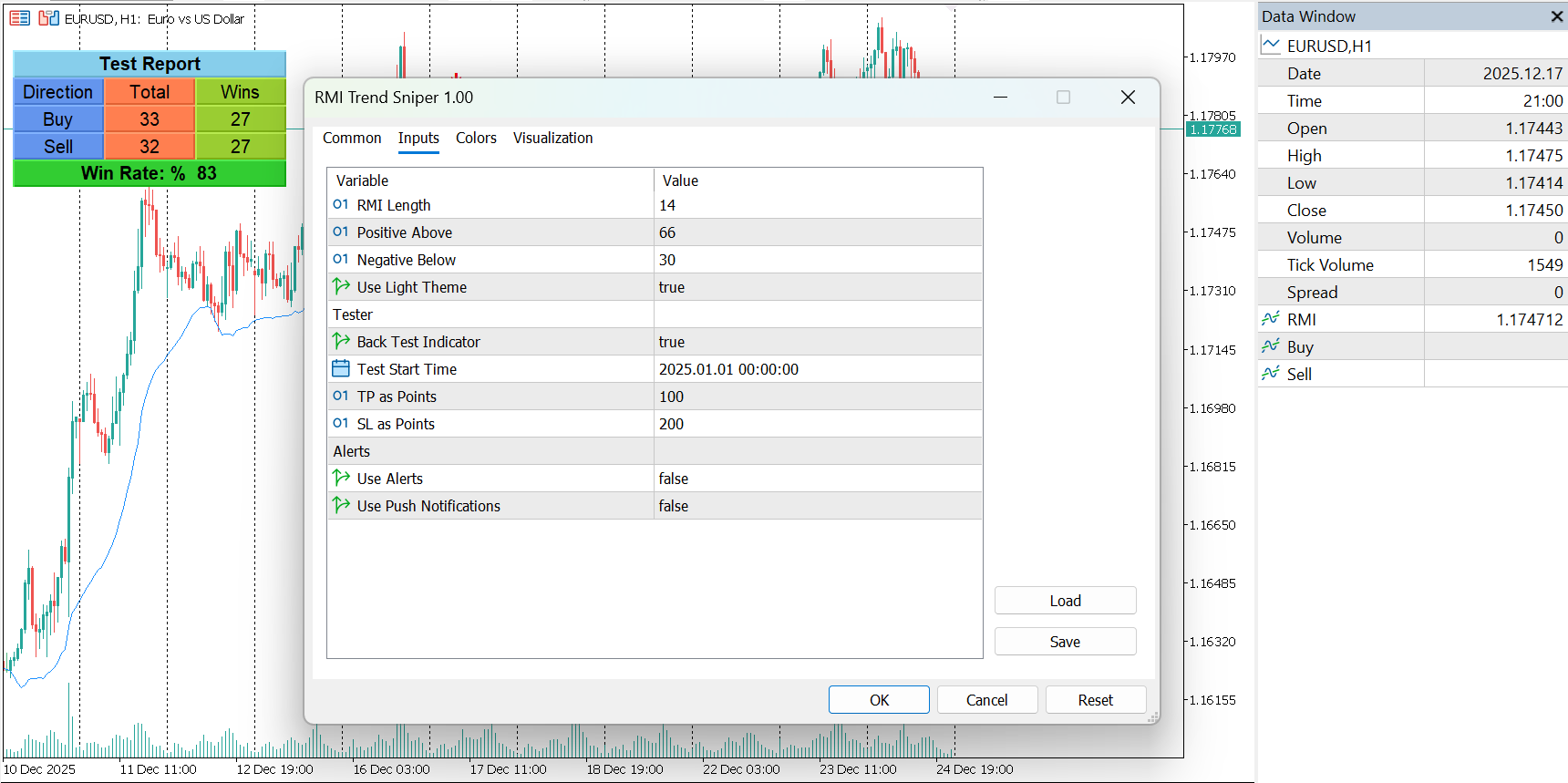
  • RMI length and momentum thresholds

  • Visual appearance settings

  • Alert and notification options

  • Backtesting start date, take-profit, and stop-loss levels

All parameters are adjustable to match different instruments, timeframes, and trading styles.

Usage Notes

RMI Trend Sniper is best used as a trend confirmation and momentum analysis tool. Traders may combine it with price action analysis, support and resistance levels, or higher-timeframe trend filters for additional confirmation.

RMI Trend Sniper Indicator for MT5
OTTO indicator for MT5

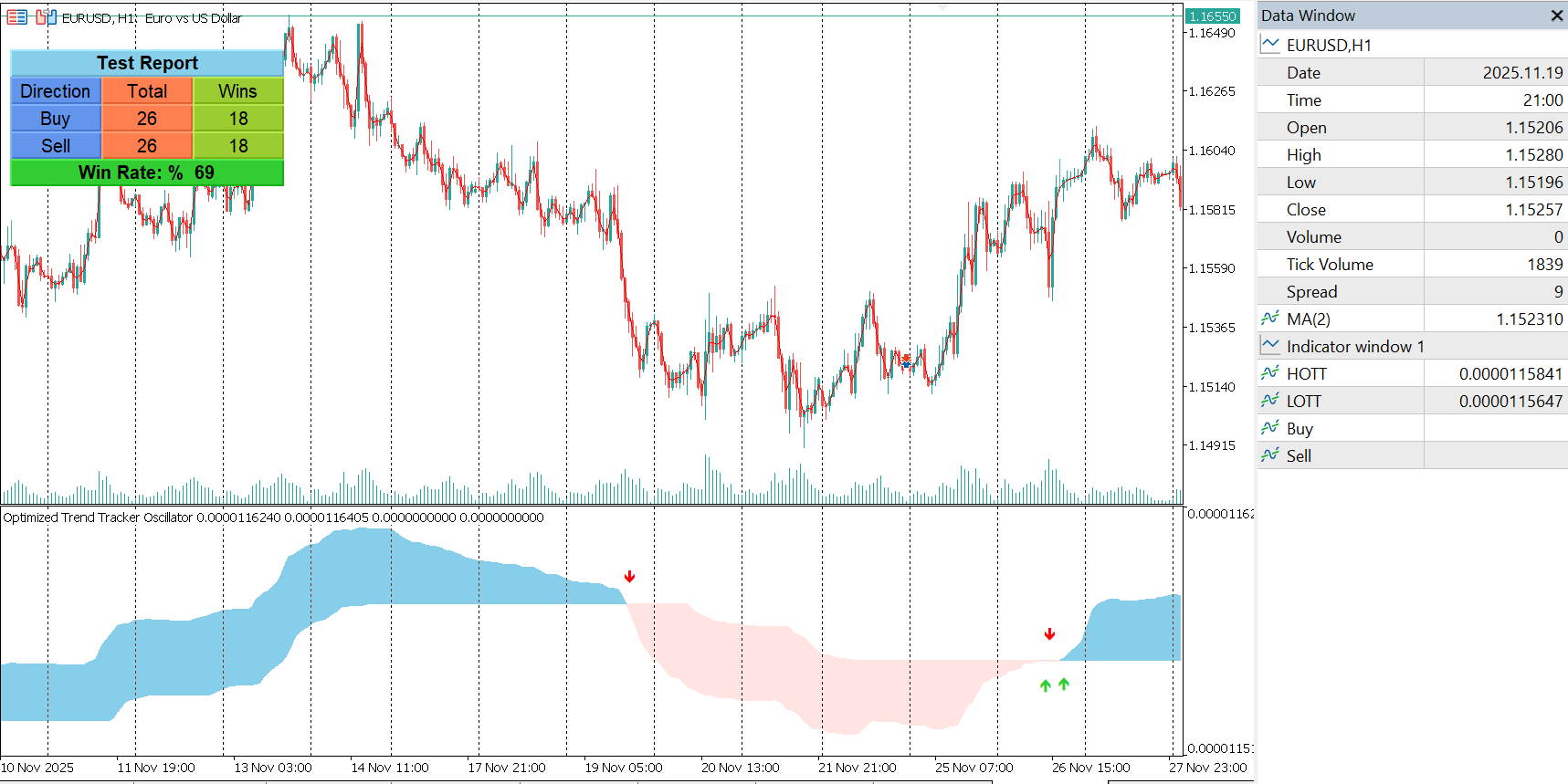
Optimized Trend Tracker Oscillator Indicator for MT5 (OTTO)

Optimized Trend Tracker Oscillator Indicator for MT5 (OTTO)

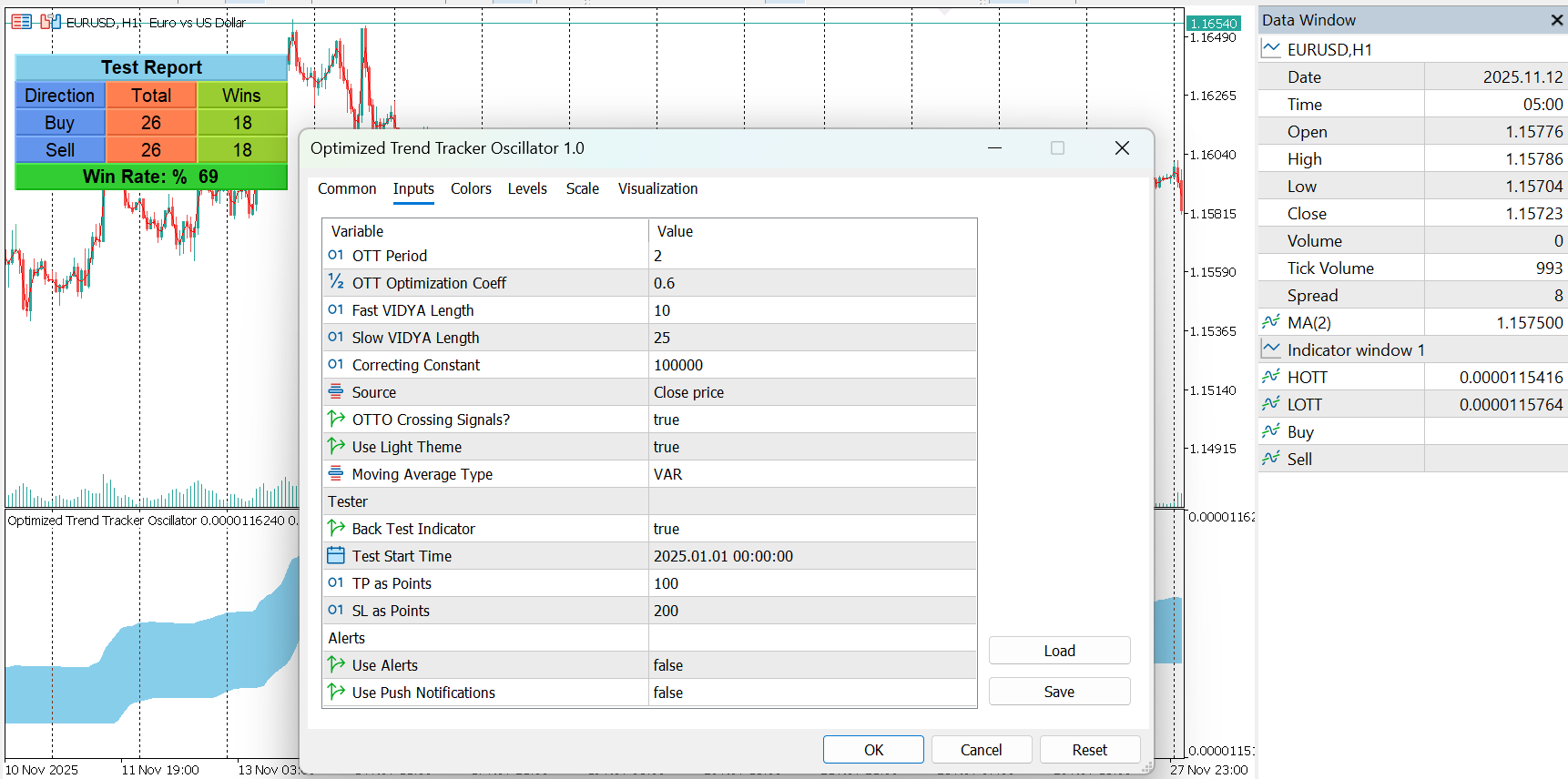
A precision-engineered trend tracking oscillator designed for traders who demand clarity, adaptability, and multi-layered signal confirmation. OTTO combines adaptive volatility modelling, advanced moving averages, and trend-stop logic to produce an oscillator that reacts intelligently to market structure rather than noise.

This indicator is suitable for traders who want early trend detection, dynamic stop-zones, and visually clean cross-over signals without repainting.
It does not place trades and does not guarantee profit. Use at your own discretion.

Key Features

1. Adaptive Volatility Engine (VAR / CMO-Driven Smoothing)

The indicator uses a two-stage volatility adaptation mechanism:

  • Stage 1: Calculates a CMO-weighted adaptive value of the source price.

  • Stage 2: Applies a second volatility-adjusted smoothing to the transformed price array.
    This structure allows the oscillator to respond quickly during high momentum while avoiding false signals in ranging markets.

2. Multi-Type Moving Average Framework (10 modes)

Choose from multiple MA types for the oscillator baseline:

  • SMA

  • EMA

  • WMA

  • DEMA

  • TMA

  • VAR Adaptive MA

  • WWMA

  • ZLEMA

  • TSF

  • Hull MA

Every MA is internally optimized for buffer-based calculations to ensure speed and accuracy even during heavy backtests.

3. Trend-Stop Logic (OTT Core Mechanism)

The oscillator uses an optimized trend-stop system based on:

  • Calculated baseline

  • Dynamic offset (% factor)

  • Trend direction switching

  • Long-stop and short-stop stabilization logic

This creates a stable trend tracker that adapts to price acceleration and deceleration.

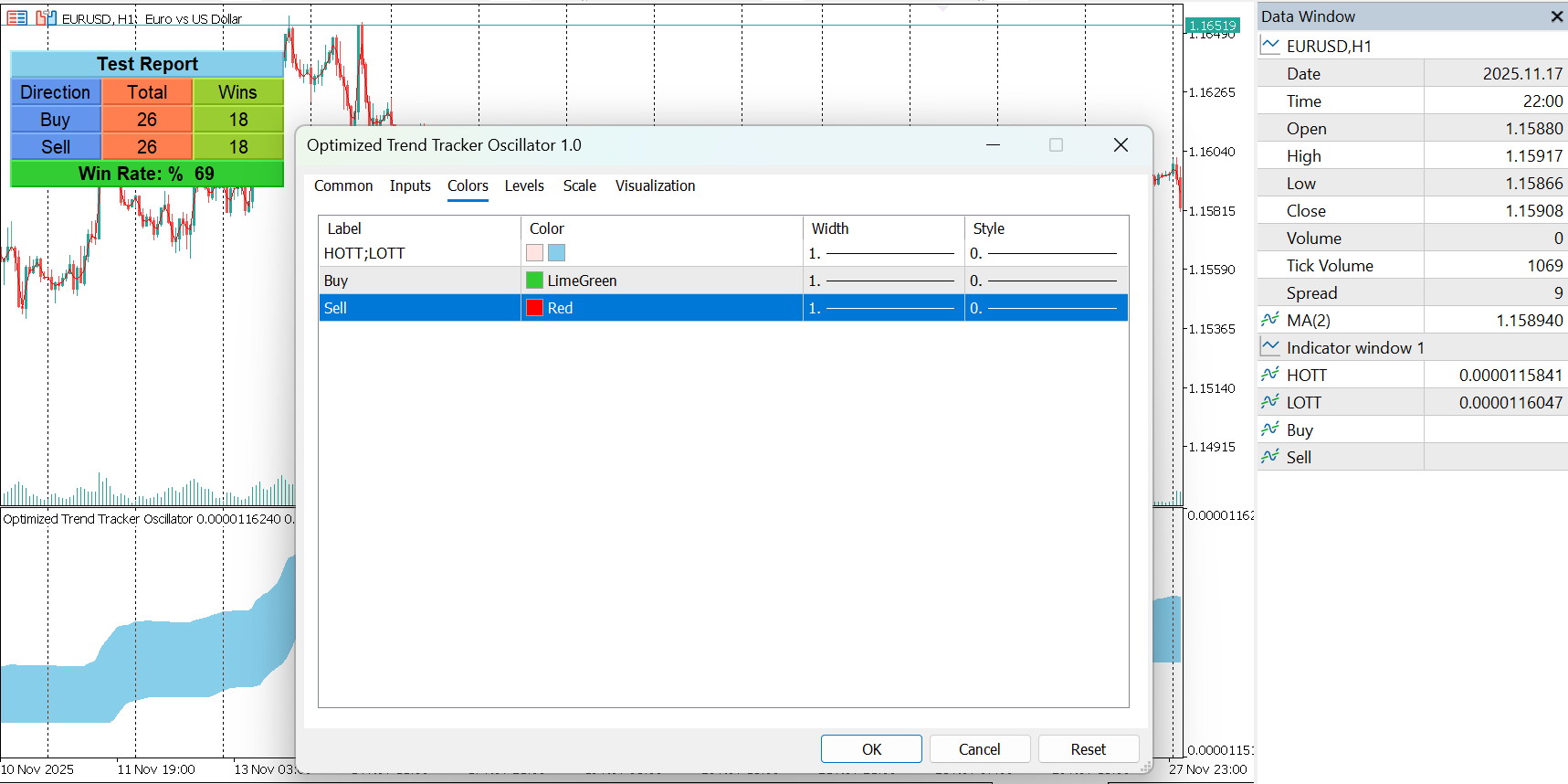
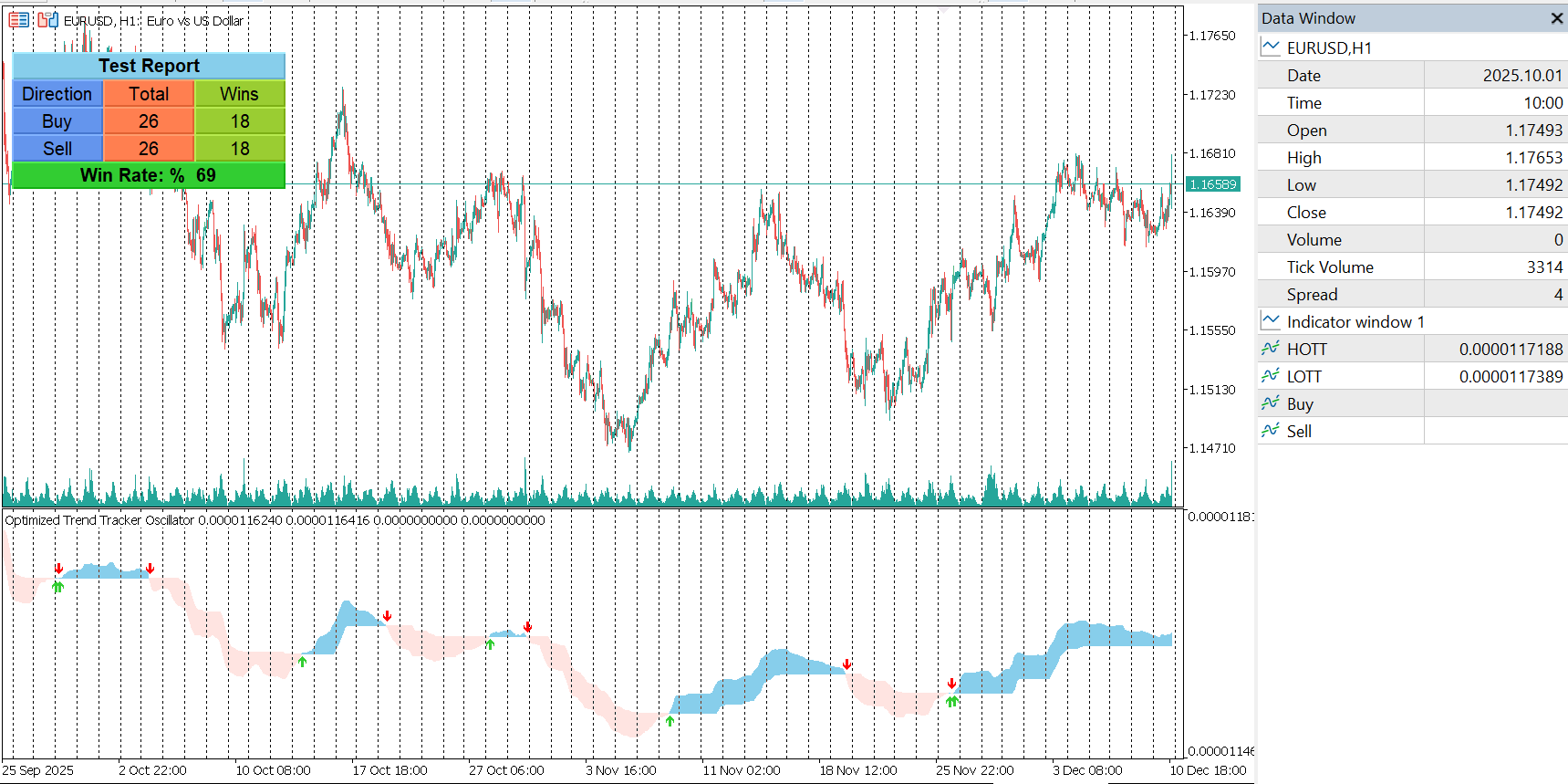
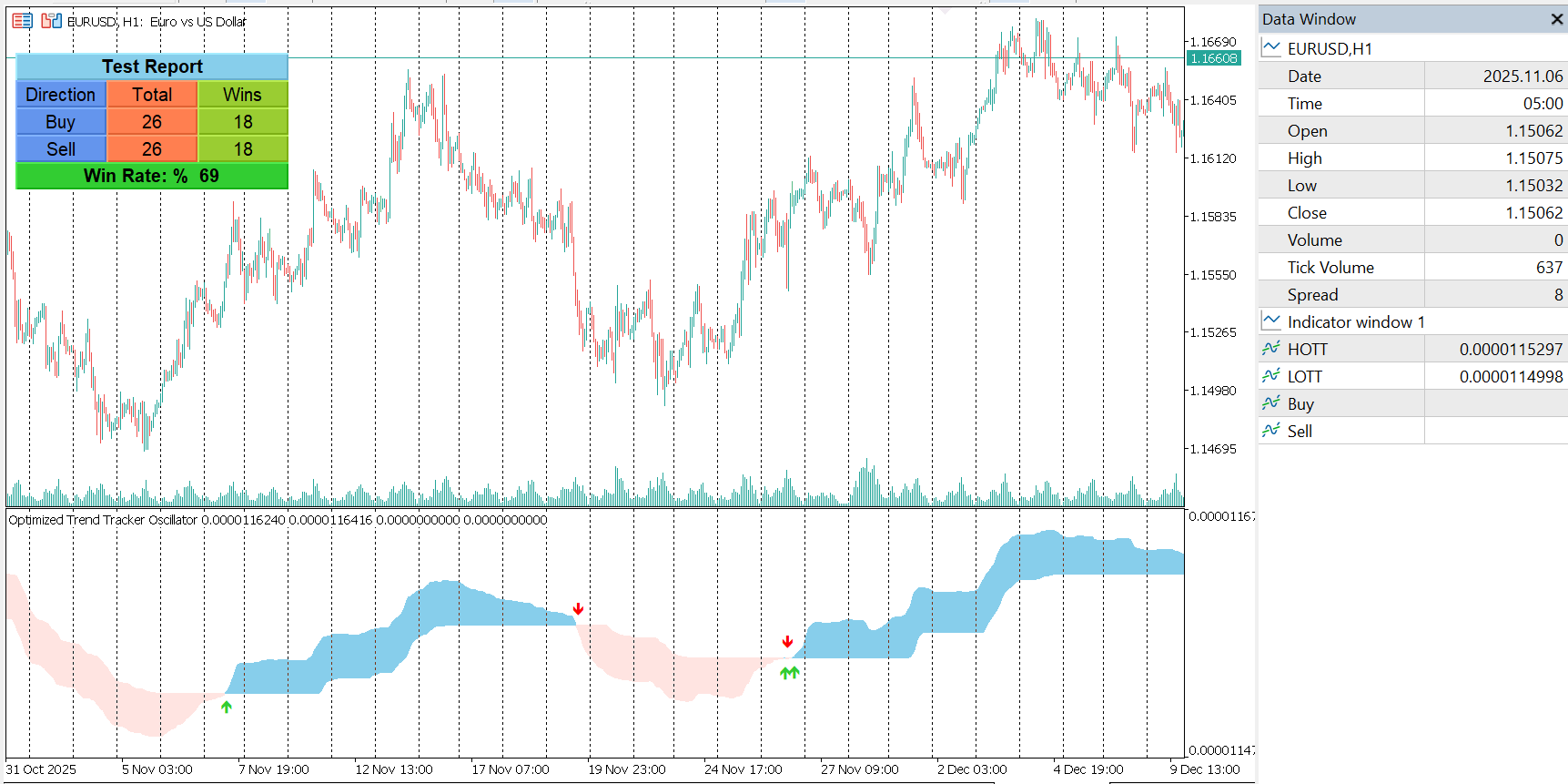
4. Clean OTTO Visualization

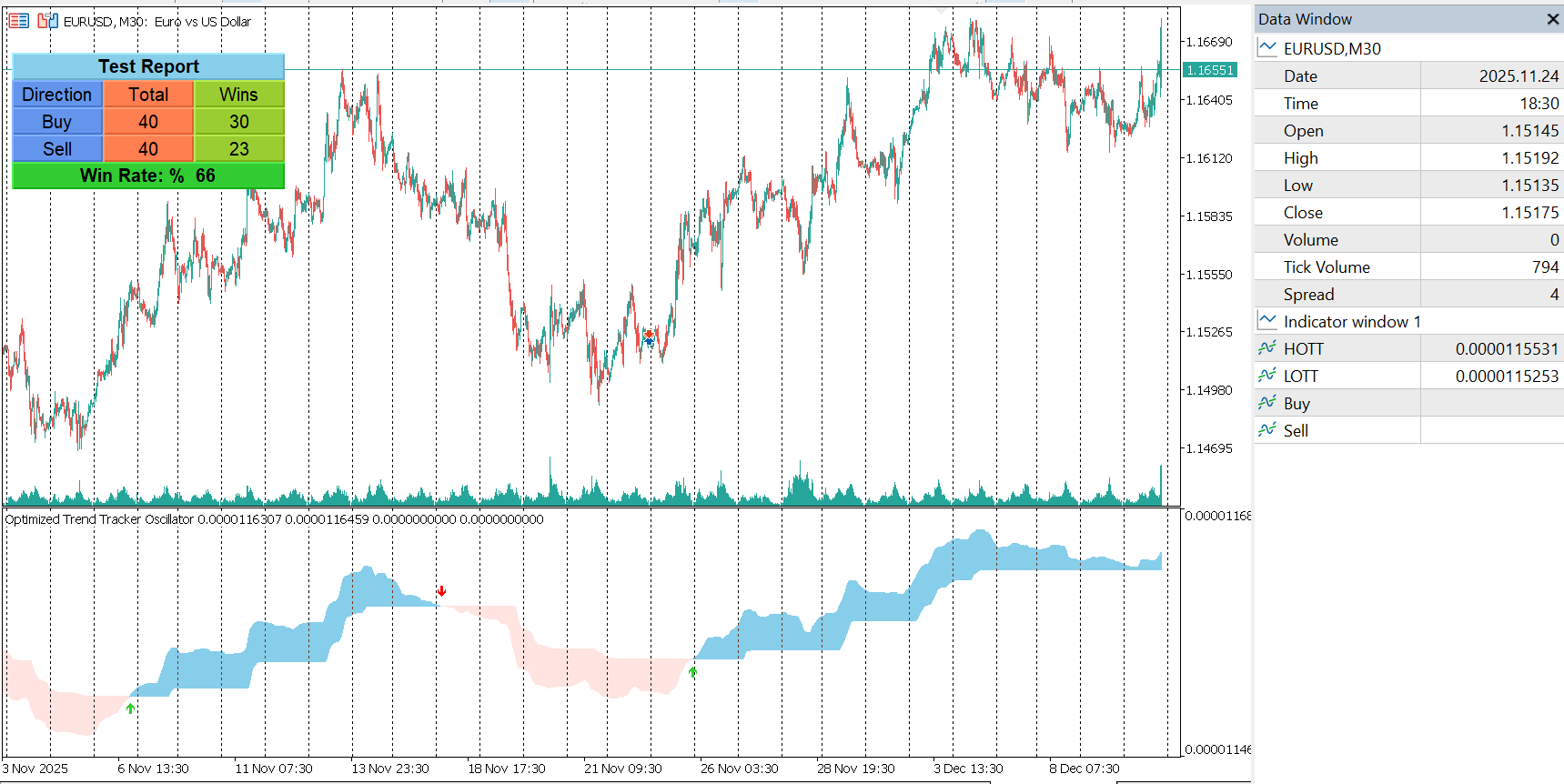
The indicator draws two main components:

  • HOTT: The optimized trend-stop value

  • LOTT: The transformed data stream 

A filling zone makes trend changes visually clear without clutter.

5. Buy and Sell Signal Markers (Optional)

When enabled, the indicator generates crossover-based signals based on HOTT and LOTT interactions:

  • Buy when HOTT crosses below LOTT

  • Sell when HOTT crosses above LOTT

These signals are plotted with arrows using Wingdings for high visibility.

6. Theme Customization

Includes optional light theme auto-configuration, adjusting chart colors, background, grid, candle colors, and price lines for comfortable viewing.

7. Built-in Testing Panel (Optional)

The indicator includes a full backtest visualization mode for manual evaluation:

  • Buy/Sell counters

  • Total and winning trades

  • Win rate

  • Direction status

  • TP/SL simulation using points

  • Adjustable start date for custom ranges

All elements are displayed in a floating panel with movable UI buttons.

8. Alerts and Notifications

Optional alert system with support for:

  • Terminal alerts

  • Push notifications

Alerts trigger only on new confirmed signals.

9. Non-Repainting Structure

All signals are generated on closed candles.
The indicator does not repaint previous values.

Inputs Overview

Core Inputs

  • OTT period

  • Percent offset

  • Fast/slow VIDYA lengths

  • Correcting constant

  • MA type

  • Source price

Display and Functionality Options

  • Show/Hide crossover signals

  • Light theme mode

  • Tester mode with TP/SL rules and start date

  • Alerts and push notifications

Important Notes

  • This indicator is for educational and analytical purposes only.

  • It does not guarantee profit or provide investment advice.

  • Always test thoroughly before using in live trading.

  • Market conditions can change; use this tool as part of a broader strategy.

OTTO indicator for MT5
Nadaraya Watson Envelope Indicator for MT5

Nadaraya Watson Envelope Indicator for MT5

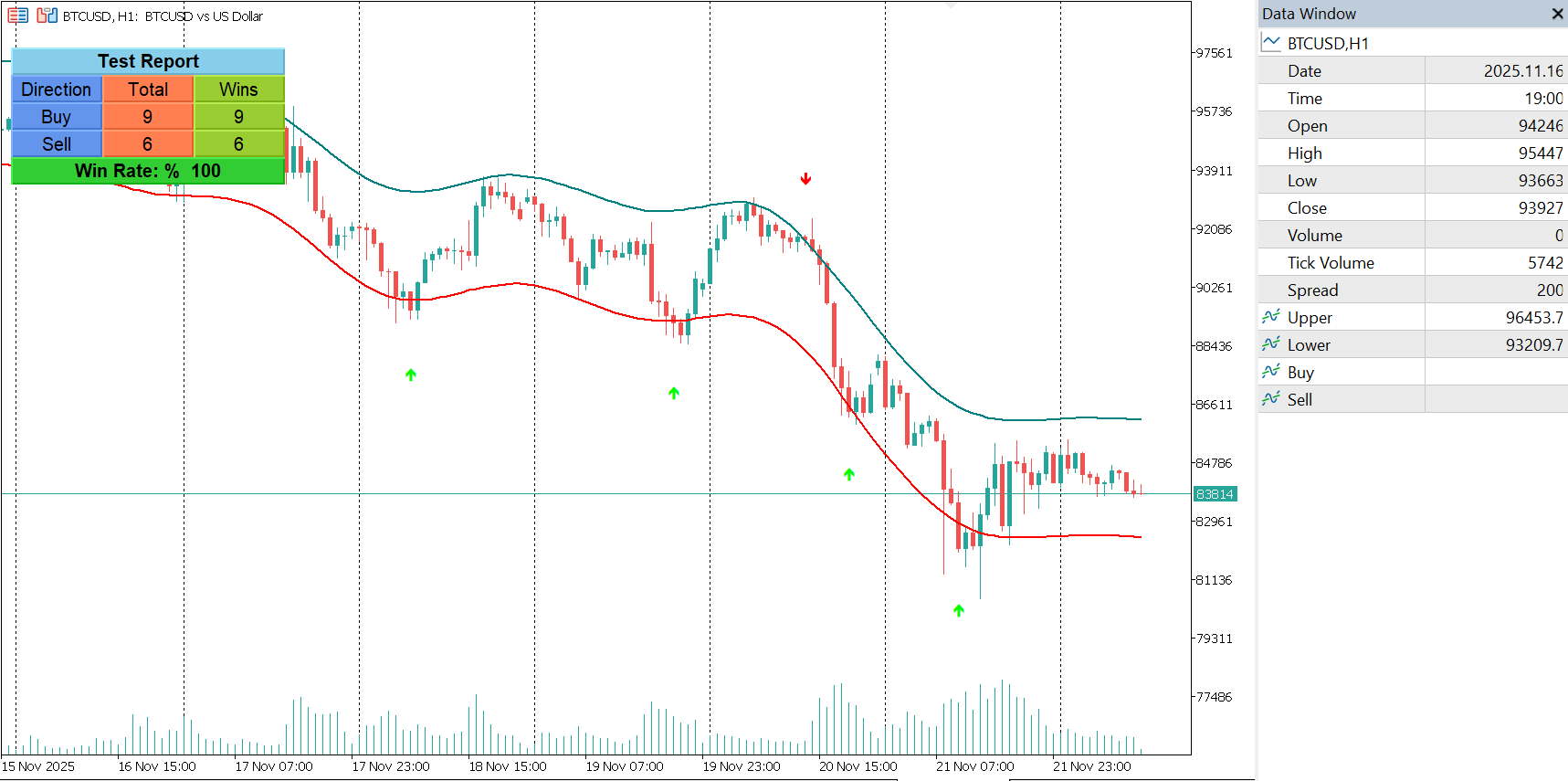
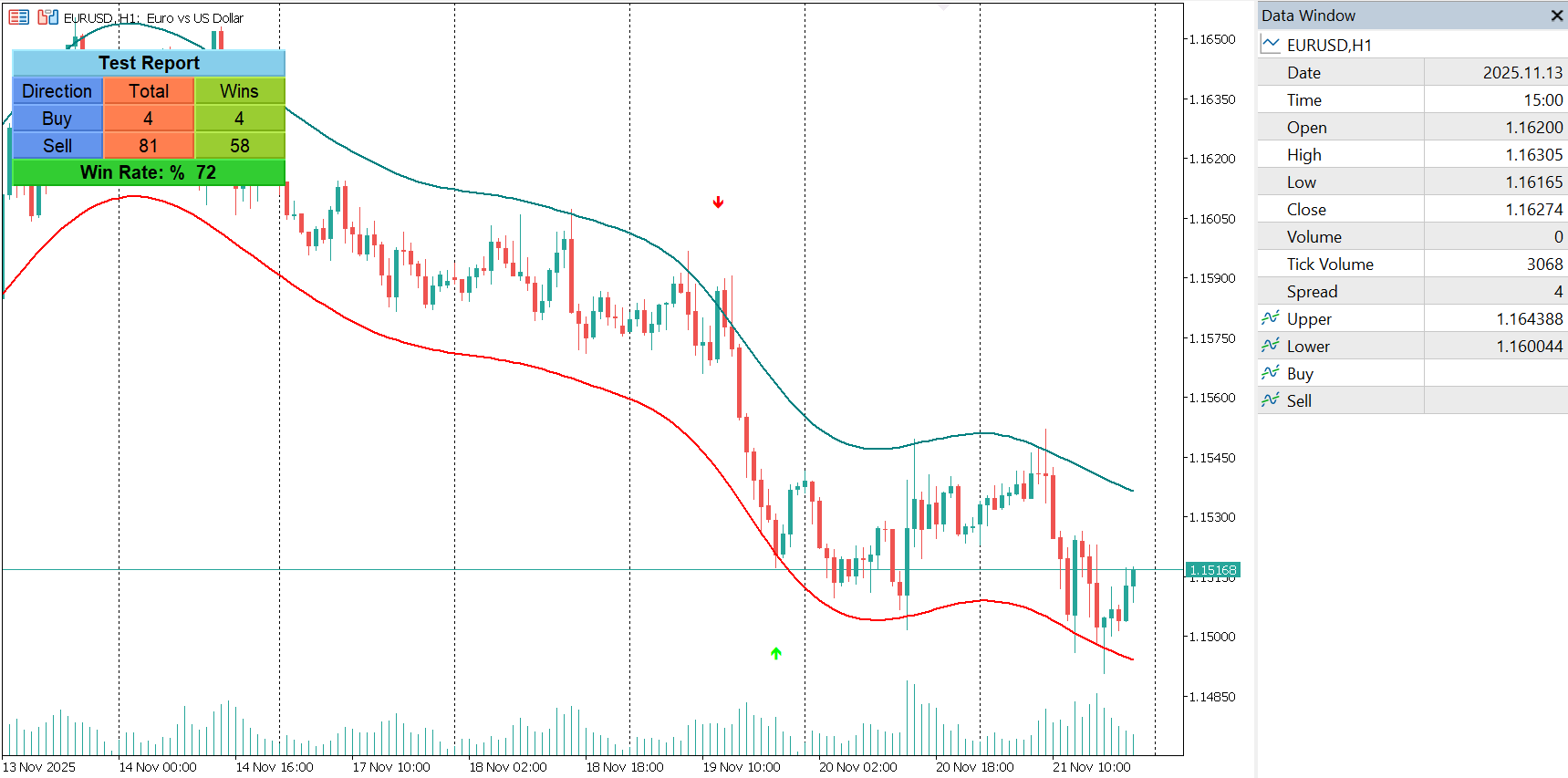
Nadaraya-Watson Envelope Indicator for MT5

Overview
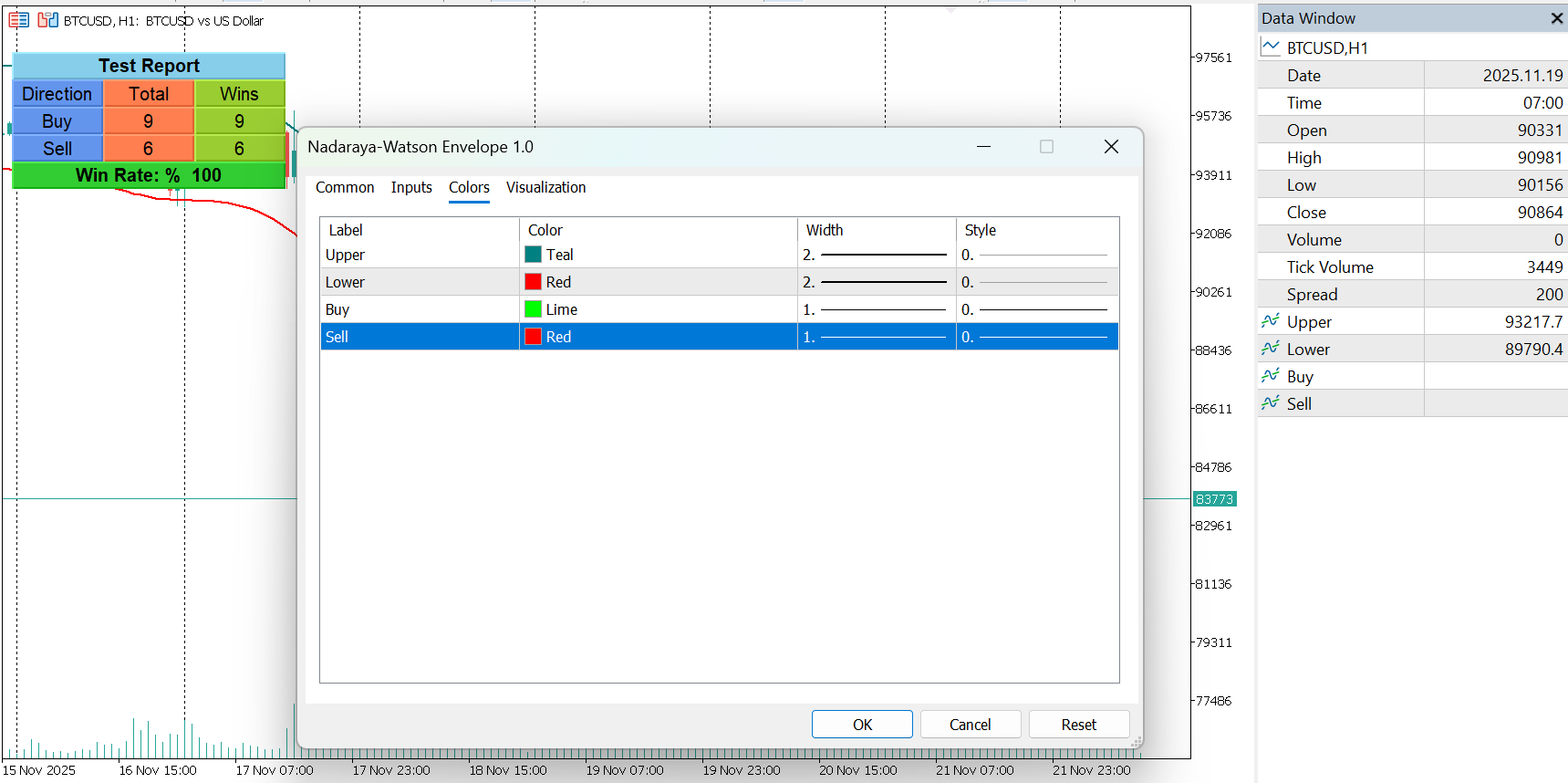
This indicator expands on the original Nadaraya-Watson smoothing methods by introducing a dynamic envelope system built using kernel regression. Unlike the standard Nadaraya-Watson estimator, this tool applies a contrarian approach: the envelope boundaries are designed to identify potential reversal zones when price extends too far from its smoothed trend estimate.

The indicator includes integrated alerts based on price crossings above or below the envelope bands. These signals are displayed as triangular markers, intentionally designed to remain on the chart in real time even when smoothing recalculations occur.

Users can choose between a repainting version for smoother visual output or a non-repainting version for stable, historically consistent results.
Usage

Non-Repainting Mode
In non-repainting mode, the indicator estimates the underlying trend using an endpoint Nadaraya-Watson estimator. The envelope boundaries are then derived by adding and subtracting the mean absolute deviation from this trend.
This produces results similar to classical channels or volatility bands, offering stable historical performance and clear reversal zones.

Repainting Mode
When repainting is enabled, the indicator uses a real-time Nadaraya-Watson estimator that updates continuously. While this can produce smoother envelopes, the historical output may shift.
Despite this, the triangle reversal markers always appear at the moment the cross occurs and remain locked in place, ensuring they are useful for real-time decision making.

Price moves beyond the upper or lower envelope often suggest potential mean-reversion opportunities. Crossings of the envelope boundaries generate the built-in reversal markers and can be used in alert conditions for signal automation.

Features

• Adaptive, kernel-smoothed envelope system
• Optional non-repainting trend estimation
• Real-time reversal markers for envelope crosses
• Integrated alert conditions for automated notifications
• Support for both contrarian trading and volatility-based analysis

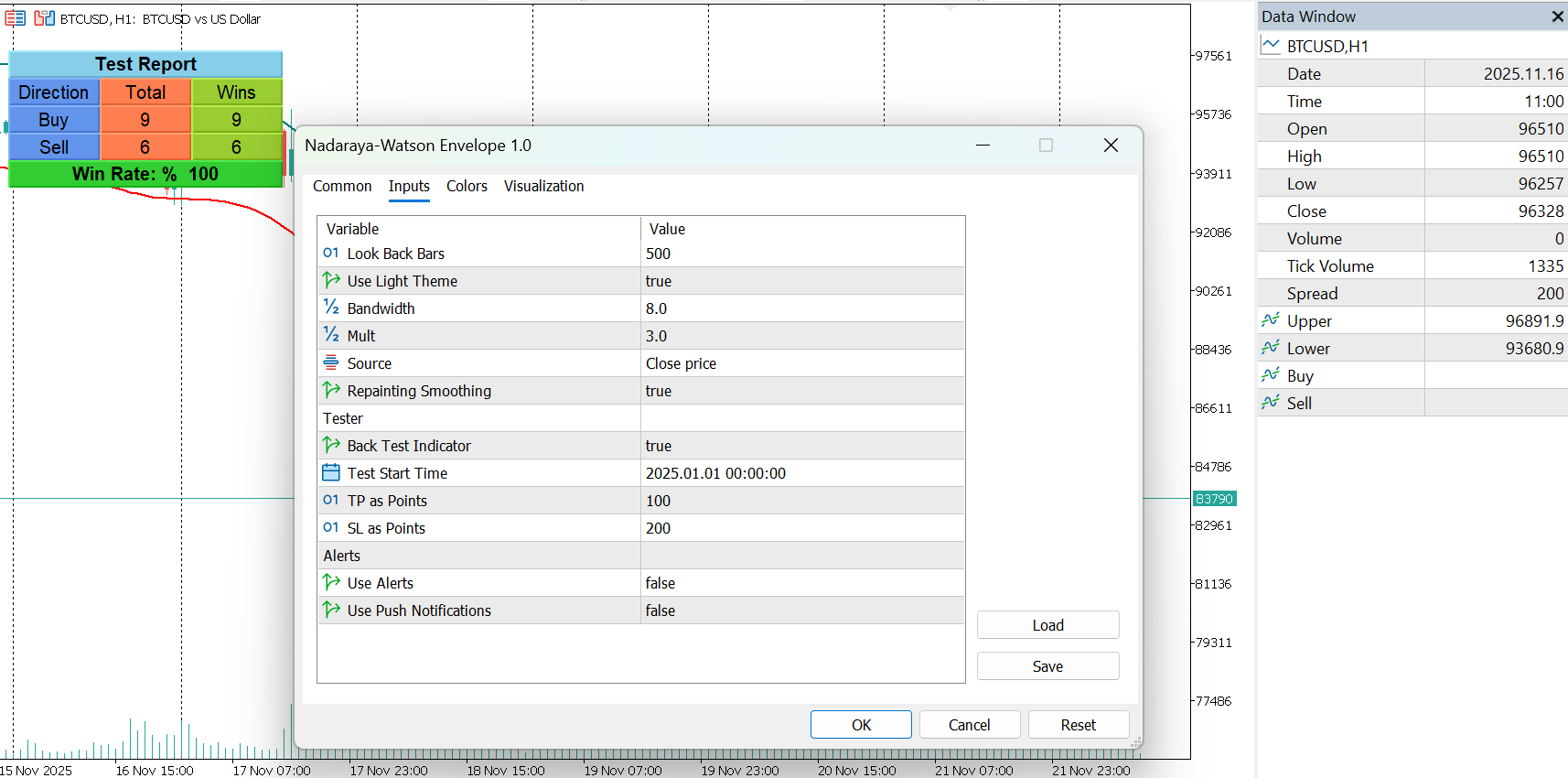
Settings

Bandwidth
Controls the smoothness of the envelope. Higher values produce smoother, slower-responding bands.

Mult
Controls the envelope width by determining how far the boundary extends from the smoothed trend.

Source
Defines the input series for calculations (e.g., close, open, hl2).

Repainting Smoothing
Chooses between repainting and non-repainting versions of the estimator.

Nadaraya Watson Envelope Indicator for MT5
Impulse MACD Indicator for MT5

Impulse MACD Indicator for MT5

Impulse MACD Indicator for MT5

Overview

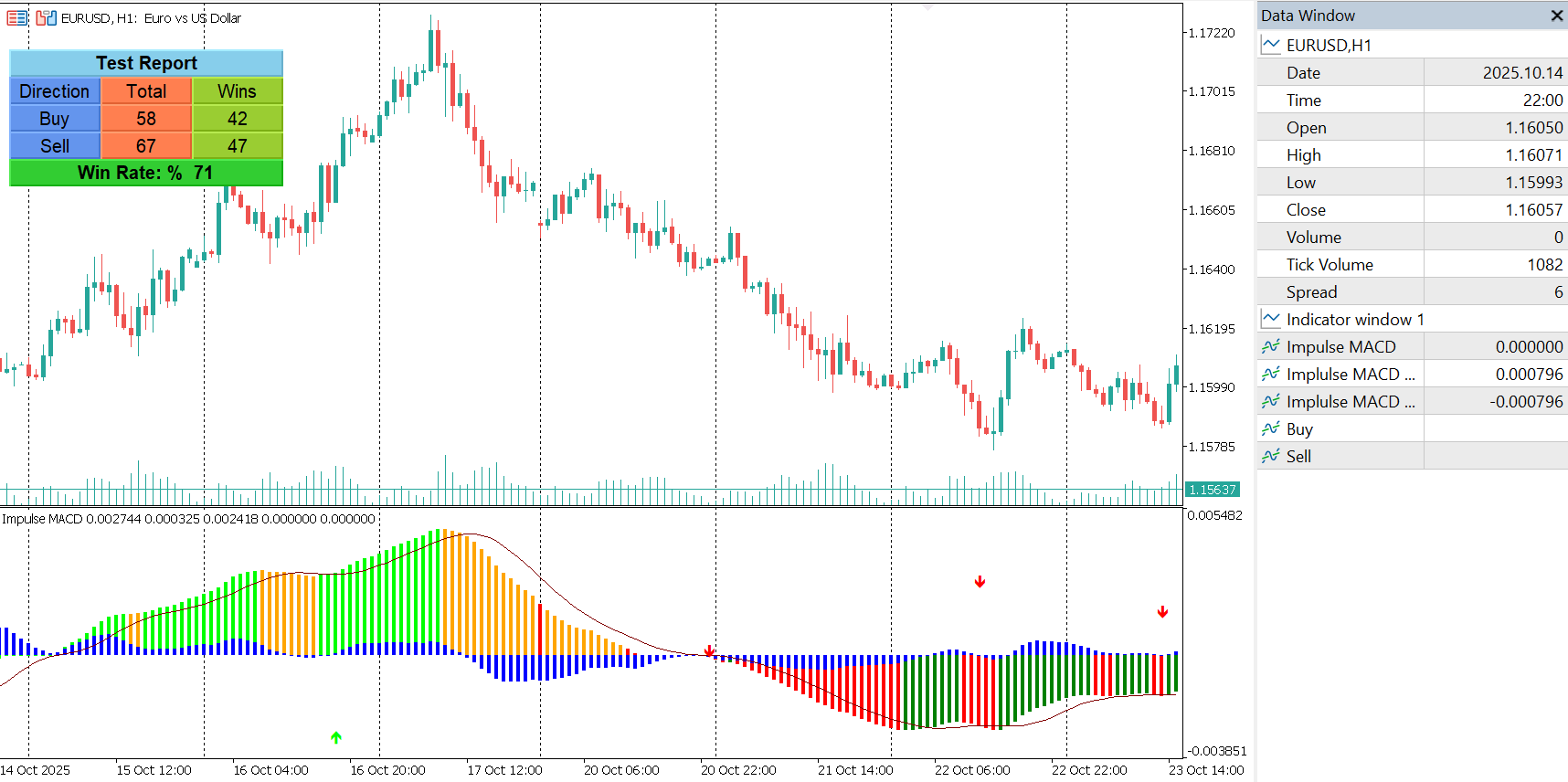
The Impulse MACD indicator is a momentum-based tool designed to help traders identify shifts in price strength by combining smoothed moving averages, zero-lag calculations, and color-coded momentum states. It enhances the traditional MACD concept by incorporating adaptive high-low channel logic, delivering clearer directional bias and early momentum detection.

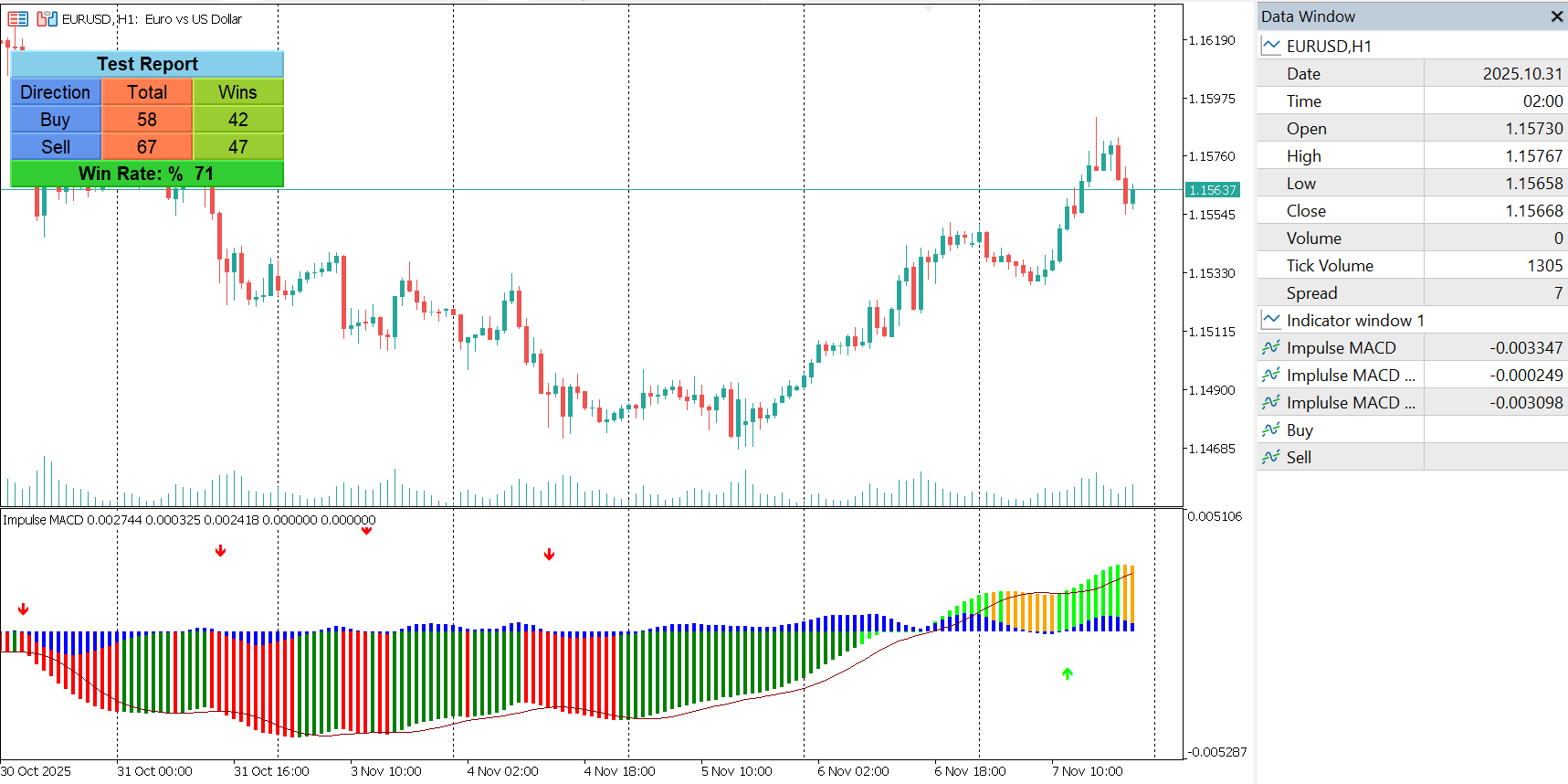
The indicator provides histogram coloring, a signal line, and integrated Buy/Sell signals based on momentum transitions. It is optimized for high-speed execution and supports automated testing and alert-driven workflows.

How It Works

The indicator calculates a smoothed mid-price momentum line and compares it to adaptive high–low bands. The difference between these components forms the Impulse MACD value.
Momentum color states change dynamically based on price interaction with the zero-lag moving average and high/low smoothed channels.

The histogram crossing the signal line generates actionable Buy/Sell signals, plotted directly in the subwindow.

Features

  • Zero-lag momentum engine for faster signal response.

  • Color-coded Impulse MACD histogram showing four distinct momentum states.

  • Signal line and MACD-style histogram for confirmation.

  • Automatic Buy and Sell arrow buffers based on momentum crossover logic.

  • Integrated alerts and push notifications for new signals.

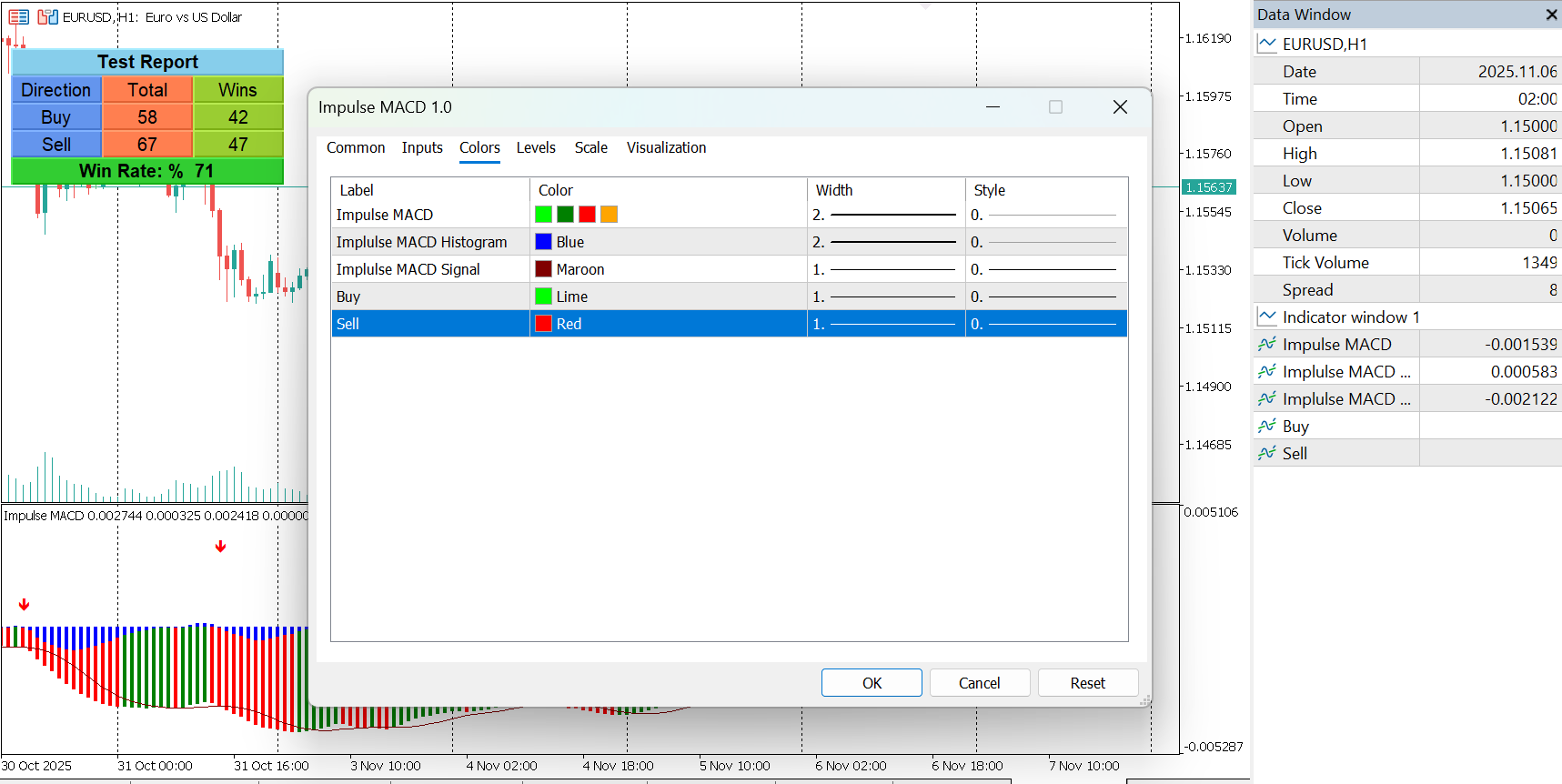
  • Built-in backtesting panel that calculates Buy/Sell counts, win/loss results, and total win rate directly on chart.

  • Fully buffer-based design for high-speed processing and EA compatibility.

  • Works across all symbols and timeframes.

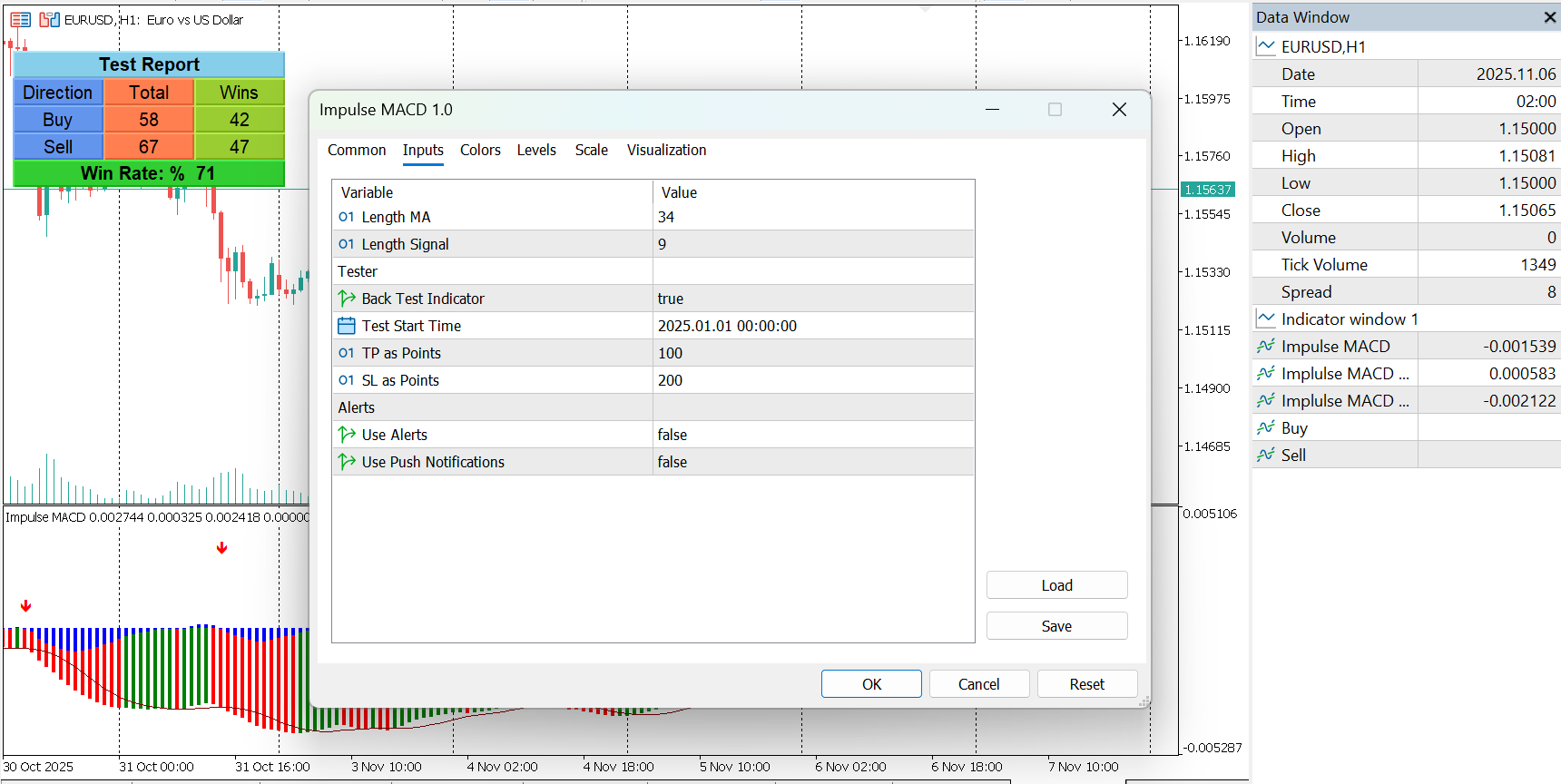
Inputs

  • MA Length: Controls the smoothing length applied to high and low channels.

  • Signal Length: Defines the smoothing of the MACD signal line.

Tester Section

  • Backtest toggle

  • Start date

  • Take Profit and Stop Loss in points

Alerts Section

  • Enable alerts

  • Enable push notifications

Usage

Use the Impulse MACD to identify:

  • Momentum shifts confirmed by histogram–signal crossovers

  • Early entries during accelerating trends

  • Weakening moves when momentum transitions into opposite states

  • Overextension or trend exhaustion through color changes

Traders can combine the indicator with price structure, volatility filters, or trend-following systems.

The built-in tester allows users to measure the performance of momentum signals directly on historical data without external tools.

Impulse MACD Indicator for MT5