
Optimized Trend Tracker Oscillator Indicator for MT5 (OTTO)
OTTO, the Optimized Trend Tracker Oscillator for MT5, gives adaptive, multi-layered trend signals for traders who want clarity. Settings and video demo.
- MetaTrader 5
- Works on VPS
- Lifetime support
See it on the chart
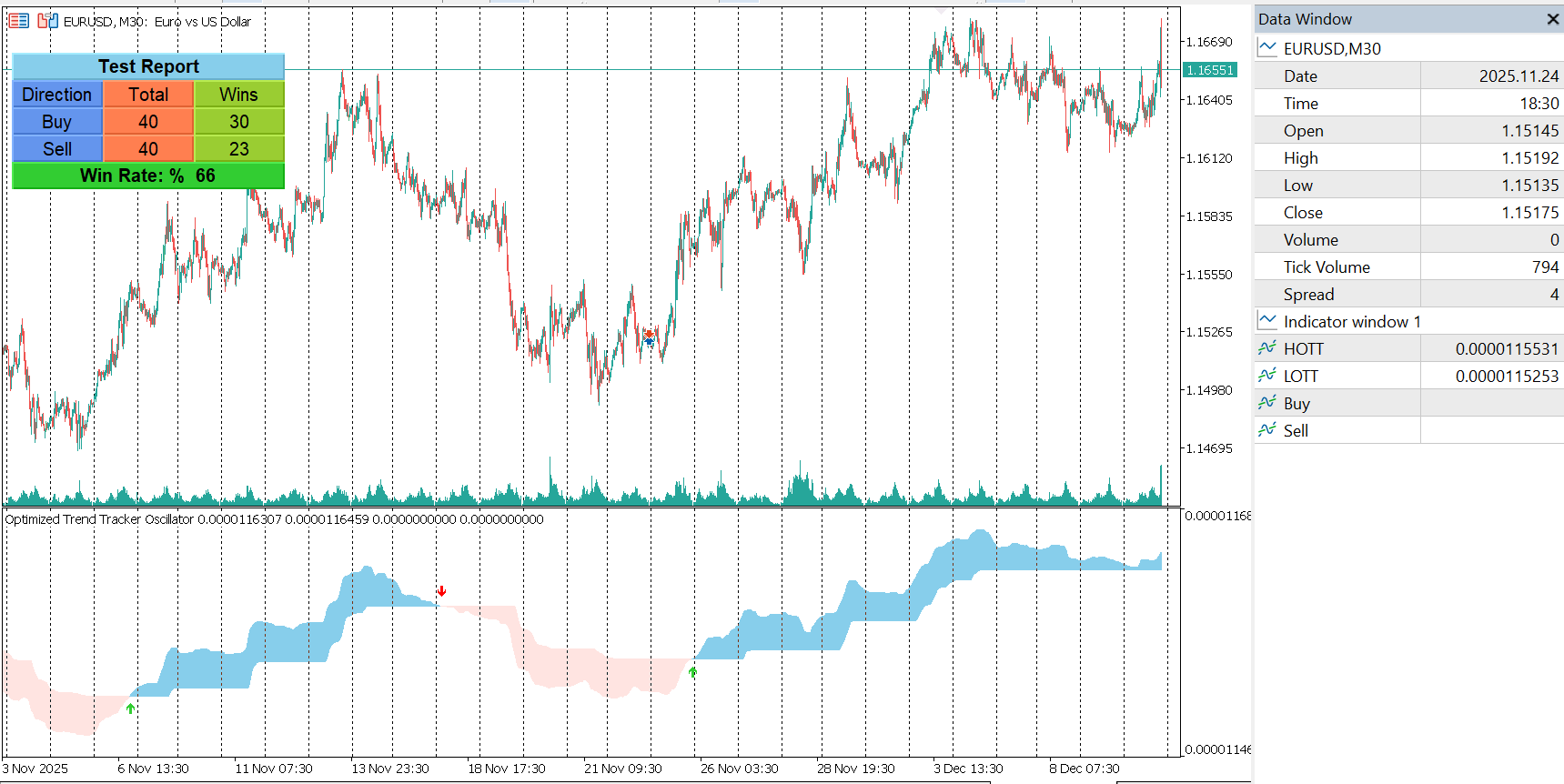 OTTO (Optimized Trend Tracker Oscillator) indicator running on an MT5 chart.
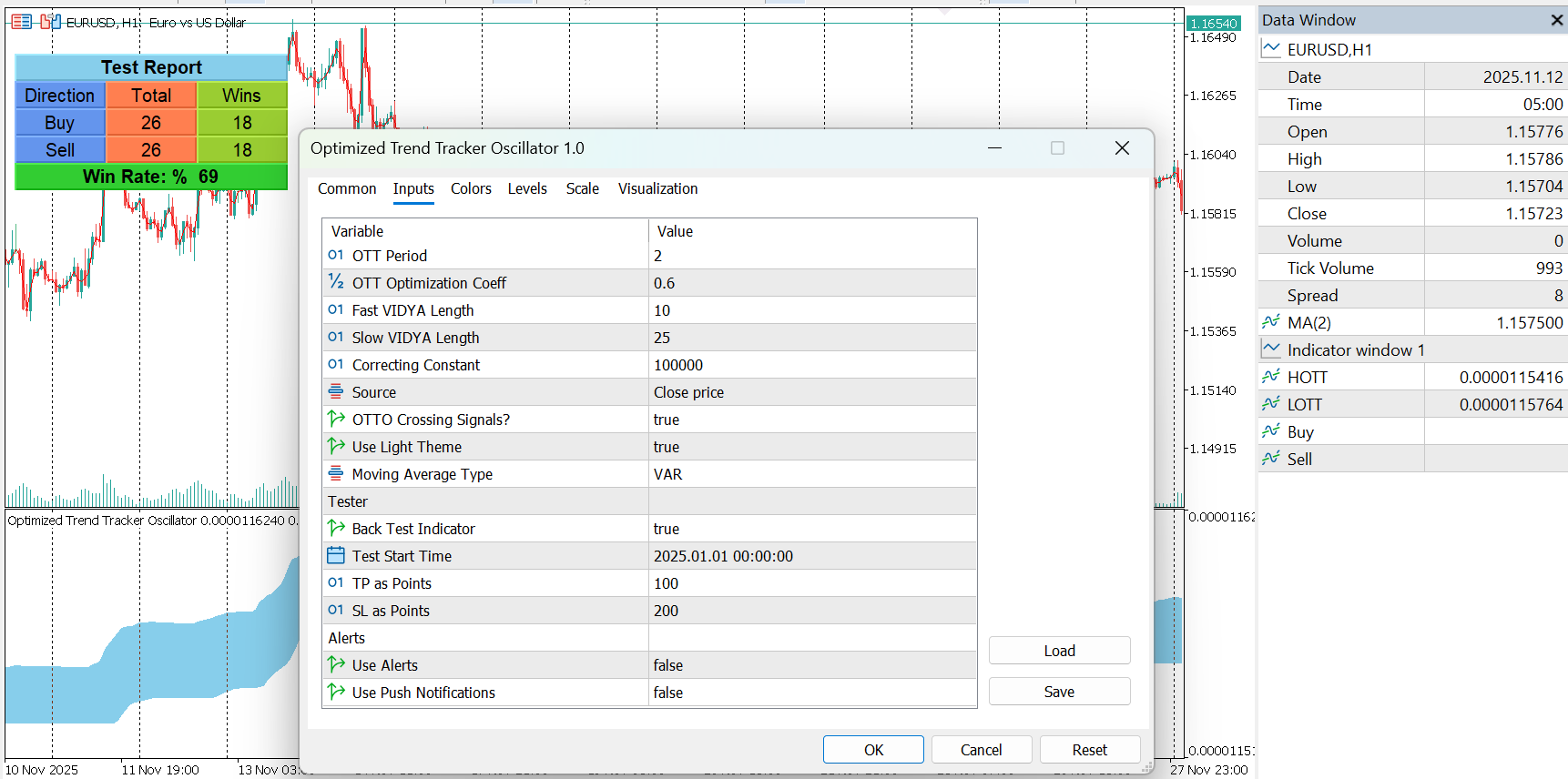 OTTO (Optimized Trend Tracker Oscillator) input parameters in MetaTrader 5.
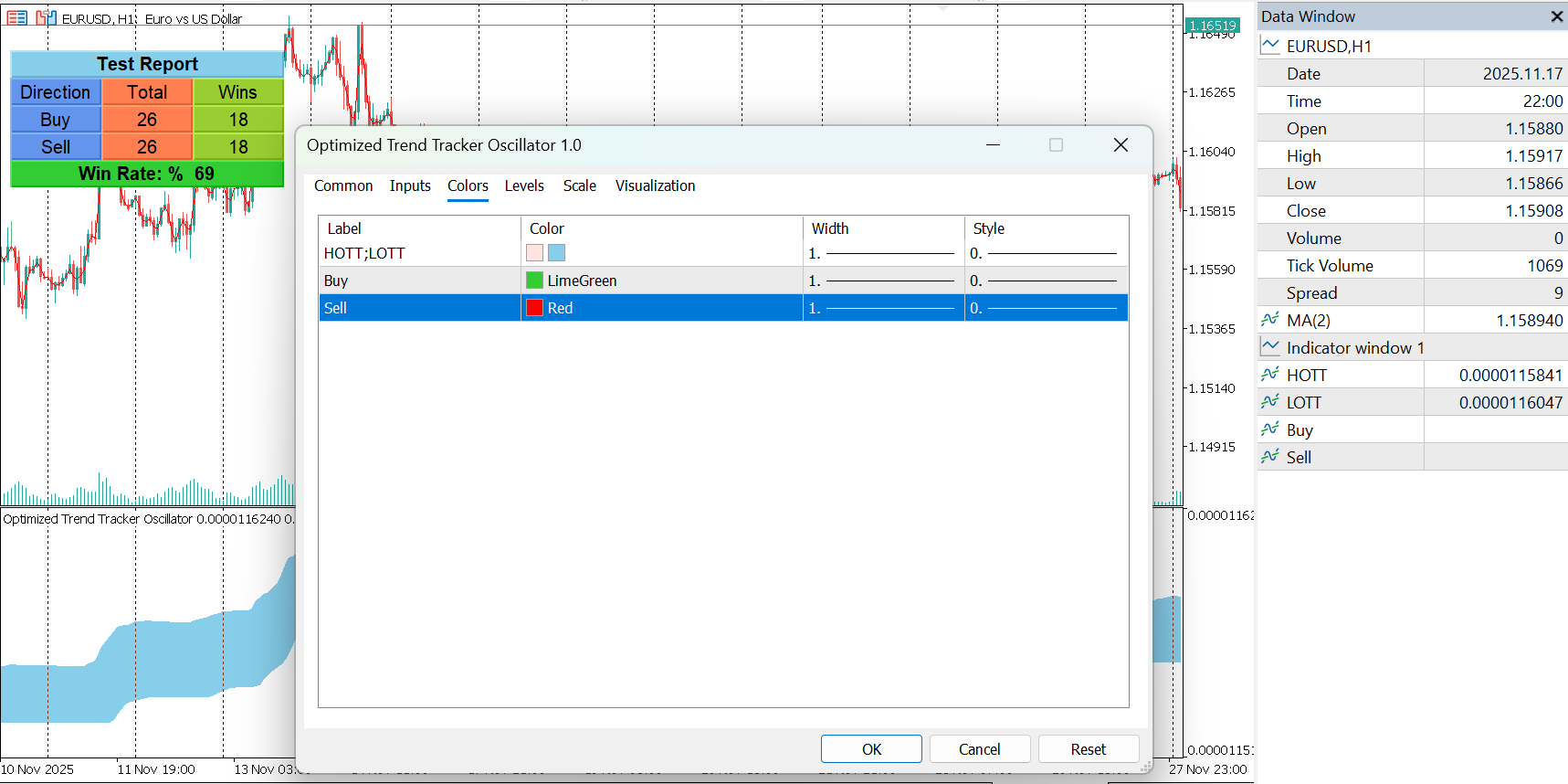 OTTO (Optimized Trend Tracker Oscillator) color and style settings in MetaTrader 5.
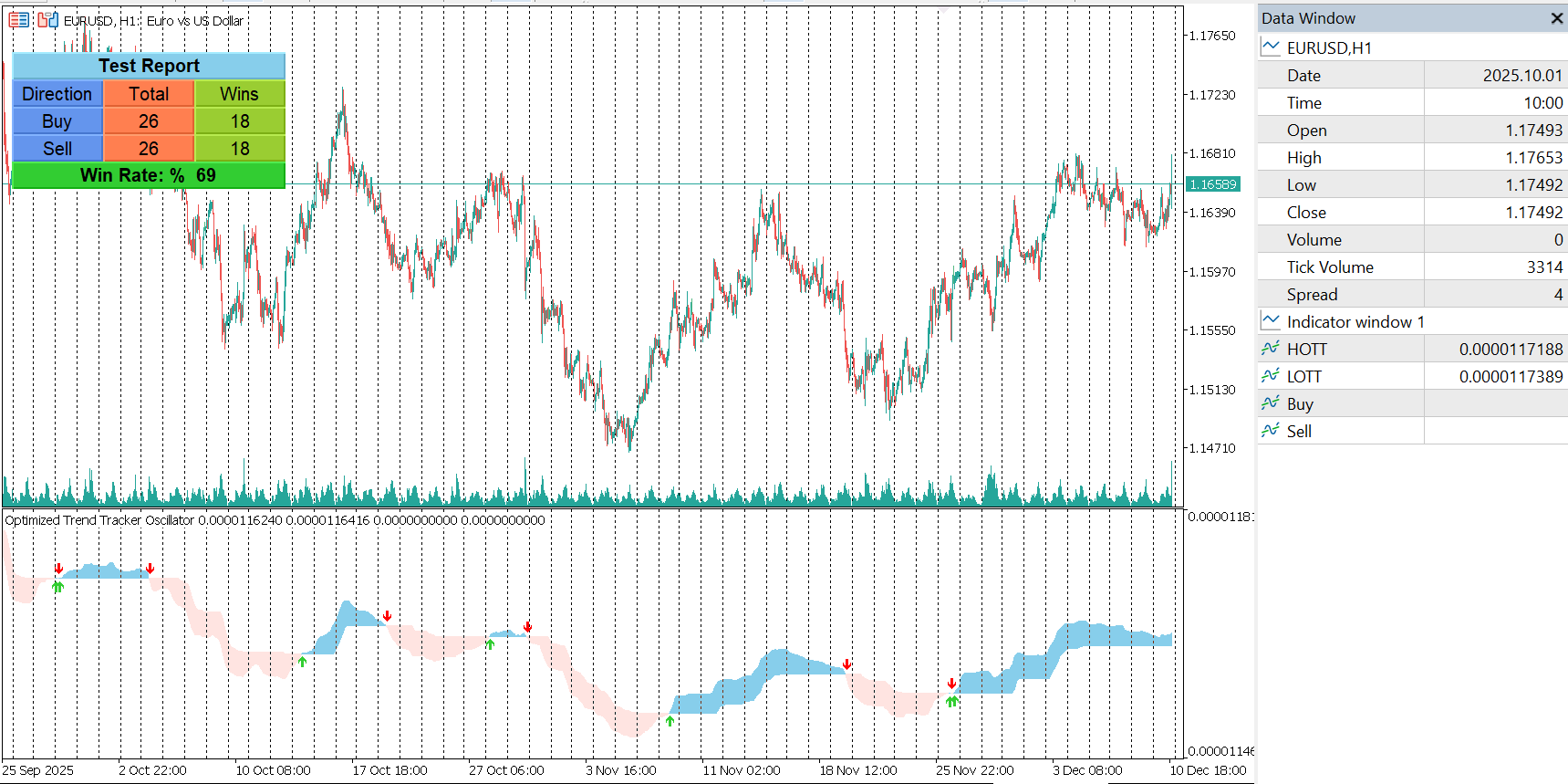 OTTO (Optimized Trend Tracker Oscillator) settings in MetaTrader 5.
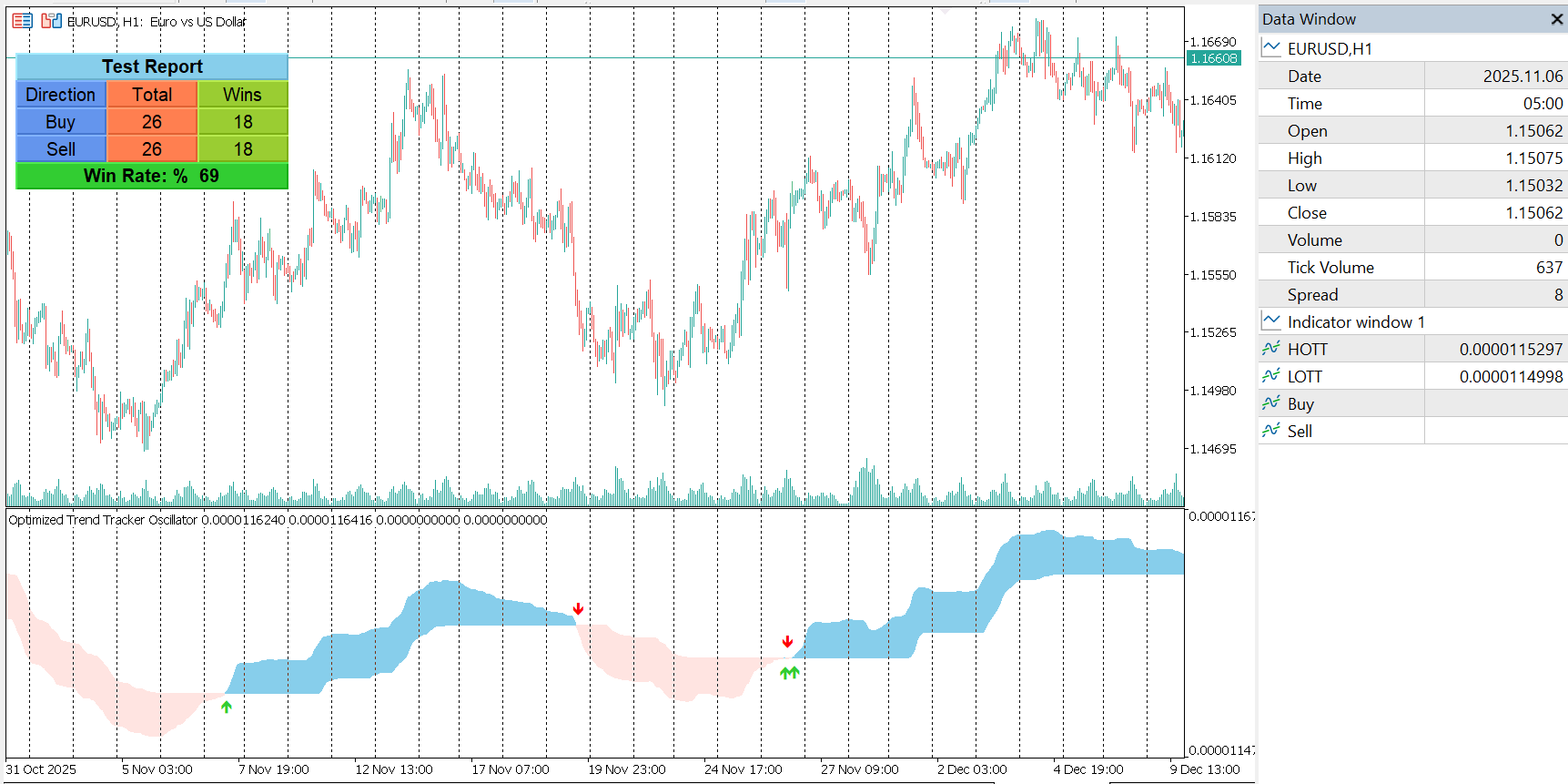 OTTO (Optimized Trend Tracker Oscillator) on an MT5 chart, example 2.
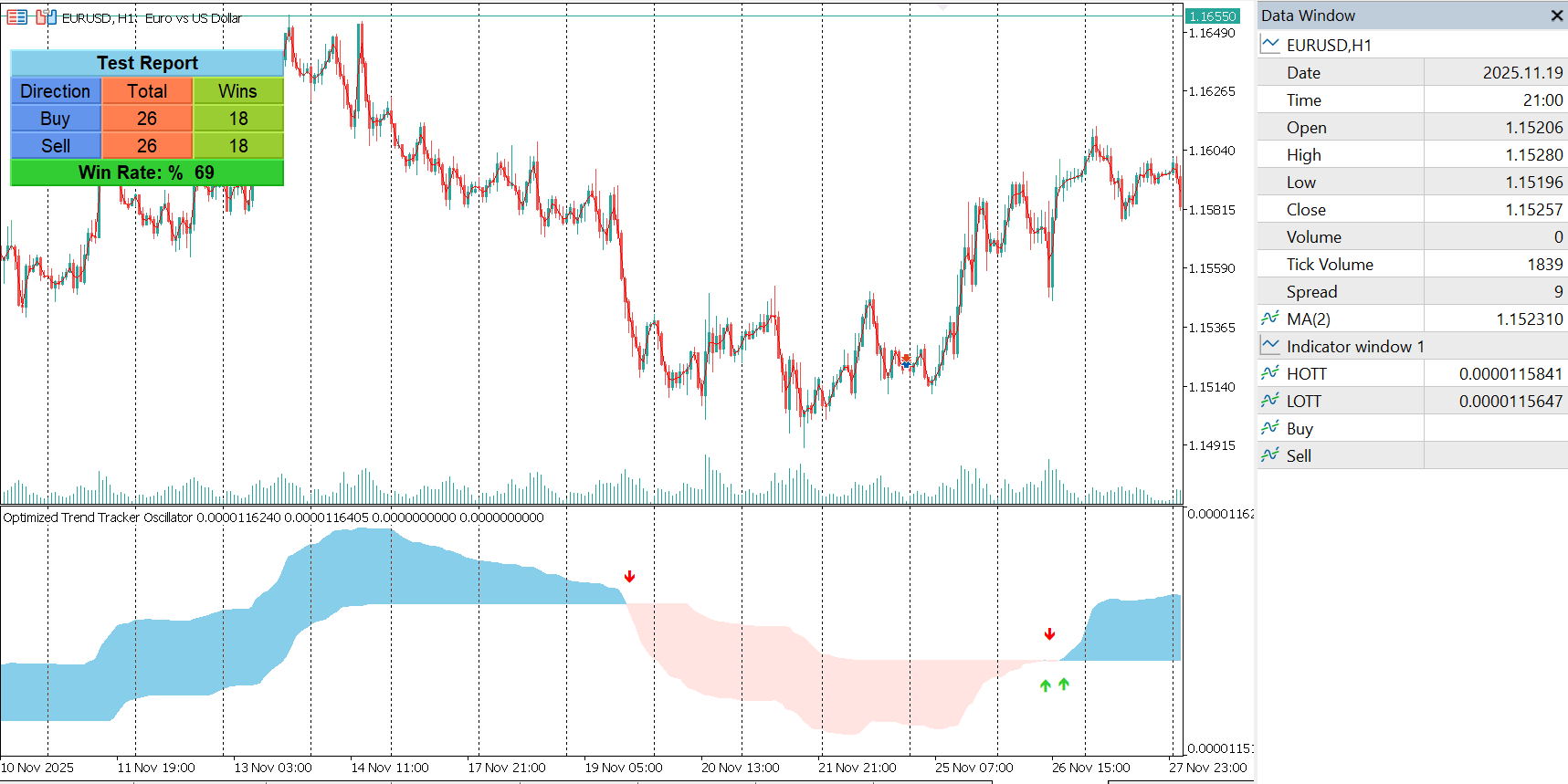 OTTO (Optimized Trend Tracker Oscillator) on an MT5 chart, example 3.
About Optimized Trend Tracker Oscillator Indicator for MT5 (OTTO)
In short: OTTO, the Optimized Trend Tracker Oscillator for MetaTrader 5, combines CMO-driven adaptive smoothing, a choice of ten moving average types and OTT trend-stop logic into an oscillator with non-repainting crossover signals.
What OTTO is built from
OTTO has three layers that work together:
- An adaptive volatility engine. In two stages, it calculates a CMO-weighted adaptive value of the source price and then applies a second volatility-adjusted smoothing. The aim is quick response during high momentum and fewer false signals in ranging markets.
- A choice of baseline. You pick the moving average for the oscillator baseline from ten modes: SMA, EMA, WMA, DEMA, TMA, VAR Adaptive MA, WWMA, ZLEMA, TSF and Hull MA. Each is optimized for buffer-based calculation, so the indicator stays fast even in heavy backtests.
- OTT trend-stop logic. A trend stop is built from the baseline plus a dynamic percent offset, switches with trend direction, and stabilizes the long and short stops.
Reading the chart
OTTO draws two lines:
- HOTT – the optimized trend-stop value.
- LOTT – the transformed data stream.
A filled zone between them shows trend changes without cluttering the chart. When signal markers are enabled, a buy is plotted when HOTT crosses below LOTT and a sell when HOTT crosses above LOTT.
Non-repainting signals
Signals are generated on confirmed bars and do not repaint, and alerts are triggered only for new confirmed signals. That makes the arrows you see in history the arrows you would have received live, which matters if you plan to backtest or automate.
Built-in testing panel
An optional floating panel, with movable buttons, evaluates the signals manually. It shows buy and sell counters, total and winning trades, win rate and direction status, using a take-profit and stop-loss in points and an adjustable start date.
Alerts and appearance
- Alerts: terminal alerts and push notifications.
- Light theme: an optional auto-configuration that adjusts chart colors, background, grid, candles and price lines.
How to use it
- Start with the default baseline, then compare other moving average types on your symbol. Faster types give earlier but noisier signals.
- Use crossovers in the direction of the higher-timeframe trend.
- Combine the oscillator with structure or momentum tools for confirmation.
Related tools that use the same OTT idea: the Stochastic OTT indicator, which applies OTT to Stochastic, and the PMAX indicator.
Frequently asked questions
What does OTTO stand for?
OTTO is the Optimized Trend Tracker Oscillator. It applies the OTT trend-stop logic to an adaptive oscillator.
What are HOTT and LOTT?
The two lines the indicator draws. HOTT is the optimized trend-stop value, and LOTT is the transformed data stream. A filled zone between them makes trend changes easy to see.
How are buy and sell signals generated?
When signals are enabled, a buy appears when HOTT crosses below LOTT and a sell appears when HOTT crosses above LOTT. Signals are plotted as arrows and trigger only on new confirmed signals.
Does OTTO repaint?
No. It is built with a non-repainting structure, and alerts fire only on new confirmed signals.
Which moving averages can I choose?
Ten types: SMA, EMA, WMA, DEMA, TMA, VAR Adaptive MA, WWMA, ZLEMA, TSF and Hull MA.
Does it place trades?
No. It is an analysis tool and does not place trades or guarantee profit.
Is there a free demo?
Yes. Download the free demo from the MQL5 Market and run it in the MetaTrader 5 Strategy Tester before buying.
OTTO does not place trades and does not guarantee profit. Use it at your own discretion.
Ready to try Optimized Trend Tracker Oscillator Indicator for MT5 (OTTO)?
Download it from the MQL5 Market and attach it to your MetaTrader 5 chart in minutes.
Want it customized or need something similar? Request a free quoteTrading involves risk. Our indicators are analysis tools for educational and informational purposes and do not constitute financial advice. Read our Disclaimer.
More indicators

Stochastic OTT Indicator for MT5
Stochastic OTT for MetaTrader 5 combines Stochastic and Optimized Trend Tracker calculations into two bands for clearer trend and entry signals.
View details →
TRAMA Indicator for MT5
TRAMA, the Trend Regularity Adaptive Moving Average for MT5, adapts to trend strength to follow price closely in trends and stay flat in ranges.
View details →
RSI Cyclic Smoothed Indicator for MT5
RSI Cyclic Smoothed for MetaTrader 5 times entries through the RSI line's interaction with adaptive upper and lower bands. Settings and video demo.
View details →