
Squeeze momentum Indicator for MT5
Smart Squeeze Momentum for MT5 shows when the market contracts and expands, helping you catch breakouts and potential trend reversals early.
- MetaTrader 5
- Works on VPS
- Lifetime support
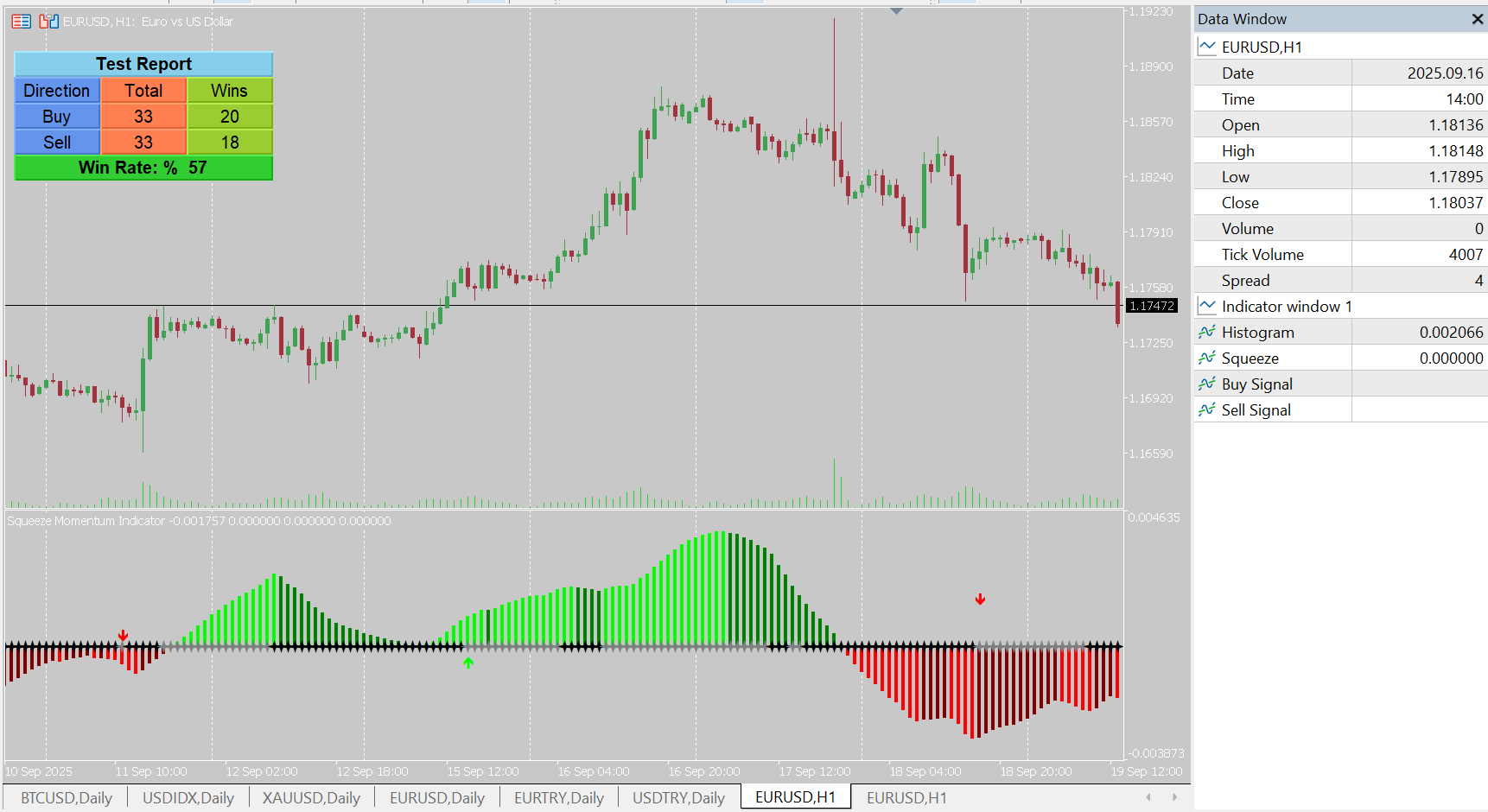
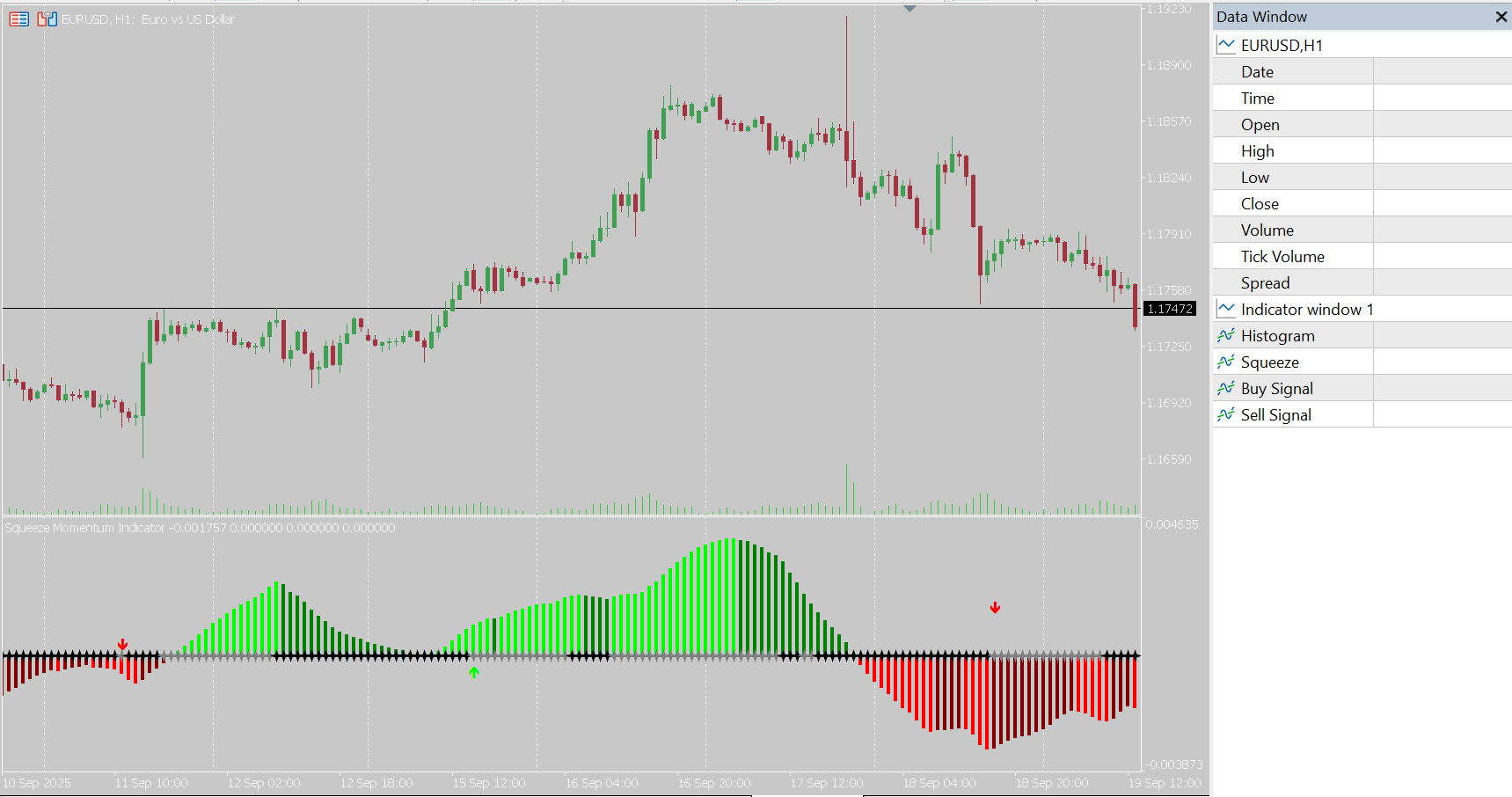
About Squeeze momentum Indicator for MT5
In short: Squeeze Momentum for MetaTrader 5 shows when volatility has compressed (Bollinger Bands inside Keltner Channels), plots a momentum histogram to show the likely direction, and gives buy and sell signals when the squeeze releases. It includes a tester panel and EA-ready buffers.
The idea behind a volatility squeeze
Markets alternate between quiet and active phases. After a stretch of tight, low-volatility trading, price often expands into a larger move. The difficulty is knowing when the quiet phase has ended and in which direction price is going.
The squeeze approach answers both. It compares two different measures of volatility:
- Bollinger Bands widen and narrow with the standard deviation of price.
- Keltner Channels are set by average range, so they react differently to the same market.
When the Bollinger Bands contract inside the Keltner Channels, volatility is unusually compressed. That is the squeeze. When the bands move back outside the channels, the squeeze releases and volatility is expanding.
Reading the indicator in three steps
- Spot the squeeze. The indicator flags the low-volatility condition so you can prepare instead of reacting late.
- Check the histogram. The momentum histogram shows the strength and direction of momentum, and its color changes with direction and intensity. This tells you which side is building pressure.
- Act on the release. Buy and sell arrows appear when the squeeze releases and momentum confirms a direction, so a signal needs both volatility expansion and momentum agreement.
Settings
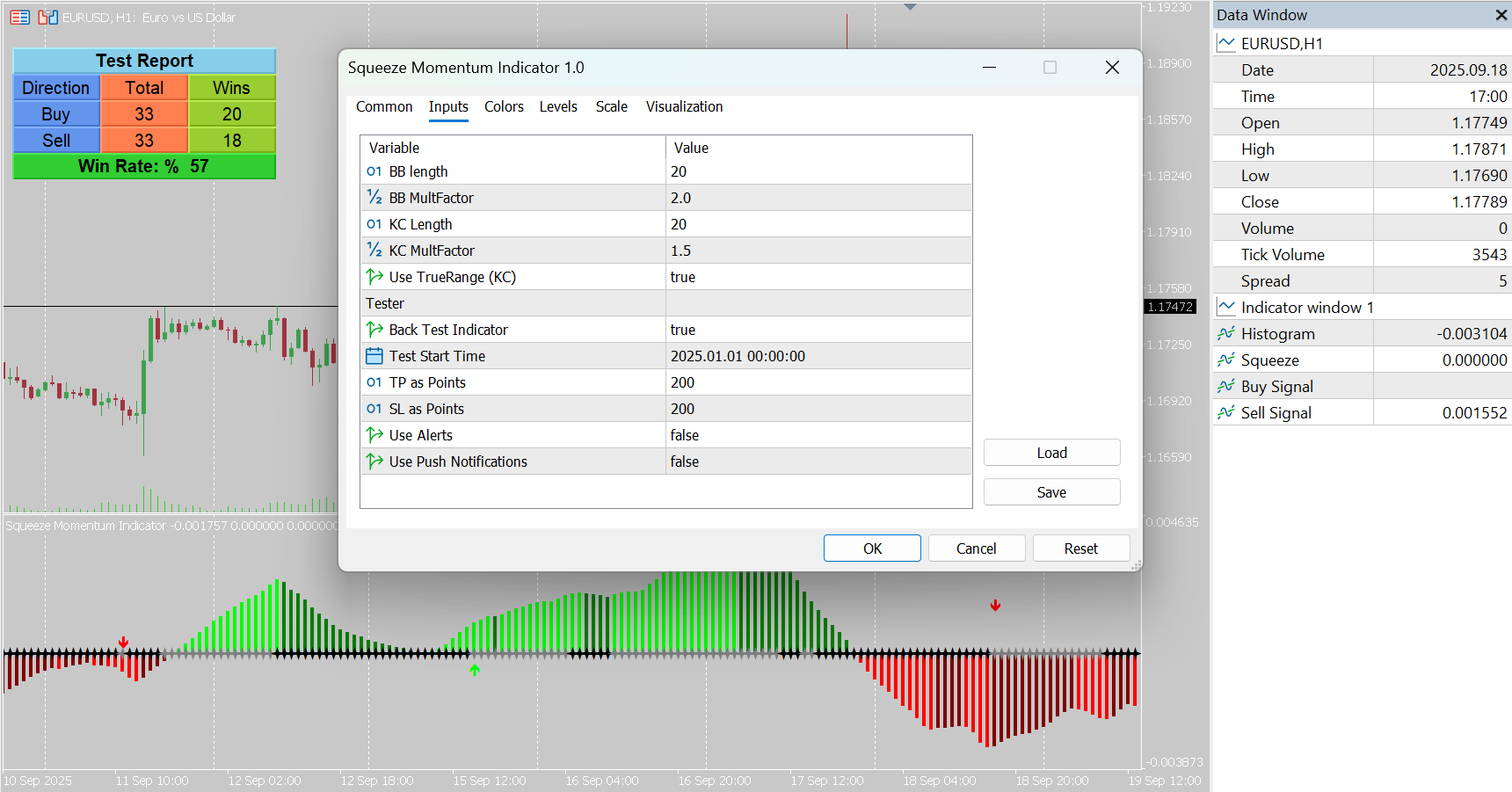
- BB Length / Multiplier – Bollinger Bands settings. The classic starting values are 20 and 2.0.
- KC Length / Multiplier – Keltner Channel settings. The classic starting values are 20 and 1.5.
- Use True Range – an alternative calculation for the Keltner Channels.
- Tester options – start date, take profit and stop loss in points for the on-chart tester panel.
A tighter Keltner multiplier makes the squeeze condition harder to meet, so squeezes are rarer but more significant. A wider one flags more squeezes. Check which suits your symbol and timeframe.
Trading the squeeze
- Wait for the release. Being in a squeeze is a reason to prepare, not to enter.
- Trade with the histogram. A release with strong momentum in one direction is a stronger signal than a release with a weak or flipping histogram.
- Manage false breakouts. Some releases fade quickly. Keep stops defined before entry and consider confirmation from a higher timeframe.
- Look for catalysts. Squeezes before known events can produce sharp moves. See a worked example in Squeeze Momentum on gold before a Fed decision.
Test it before trading it
The integrated tester panel lets you evaluate signals in the MT5 Strategy Tester with your own start date, take profit and stop loss. That makes it easy to compare Bollinger and Keltner settings across symbols and timeframes.
Built for automation
Every output is available as a buffer, covering the histogram, the squeeze state, and the buy and sell signals. An Expert Advisor can read them with iCustom and trade the signals under its own risk rules, which is useful if you want to automate a volatility-breakout strategy. If you need that built for you, our development services cover custom EAs.
Once a squeeze breaks, structure tools can help you time the entry; see the Market Structure Break & Order Block indicator.
Frequently asked questions
What is a squeeze in trading?
A squeeze is a period of unusually low volatility, detected here when the Bollinger Bands move inside the Keltner Channels. It often comes before a larger move, but the squeeze itself does not say which direction that move will take.
How do I know which way the breakout will go?
The momentum histogram. Its color changes with momentum direction and intensity, and buy and sell arrows appear when the squeeze releases and momentum confirms a direction.
What are the classic squeeze settings?
Bollinger Bands length 20 with multiplier 2.0, and Keltner Channels length 20 with multiplier 1.5. These are the usual starting point; you can adjust each length and multiplier.
What does Use True Range do?
It switches on an alternative calculation for the Keltner Channel width based on true range, which some traders prefer for precision.
Can an EA use its signals?
Yes. The histogram, squeeze, buy and sell buffers are all available, so an Expert Advisor can read them directly.
Which markets can I use it on?
Any symbol in MetaTrader 5, including forex, stocks, indices and crypto.
Is there a free demo?
Yes. Download the free demo from the MQL5 Market and run it in the MetaTrader 5 Strategy Tester before buying.
Squeeze Momentum is designed for analytical and educational purposes and does not guarantee profits.
Ready to try Squeeze momentum Indicator for MT5?
Download it from the MQL5 Market and attach it to your MetaTrader 5 chart in minutes.
Want it customized or need something similar? Request a free quoteTrading involves risk. Our indicators are analysis tools for educational and informational purposes and do not constitute financial advice. Read our Disclaimer.
More indicators

Twin Range Filter Indicator for MT5
The Twin Range Filter for MT5 combines two adaptive range filters to detect trend direction and potential entries with less market noise.
View details →
Market Structure CHoCH BOS
Identify changes of character (CHoCH) and breaks of structure (BOS) in MetaTrader 5 with this fractal-based market structure indicator.
View details →
Trend Magic Indicator for MT5
Trend Magic for MetaTrader 5 blends CCI and ATR into a color-changing trend line that adapts to price action and flags bullish and bearish…
View details →