Twin Range Filter Indicator for MT5
The Twin Range Filter for MT5 combines two adaptive range filters to detect trend direction and potential entries with less market noise.
- MetaTrader 5
- Works on VPS
- Lifetime support
About Twin Range Filter Indicator for MT5
In short: the Twin Range Filter for MetaTrader 5 runs two adaptive range filters, one fast and one slow, and plots green and red arrows only when both agree on direction, so short-term noise is filtered out before a signal appears.
What a range filter does
A range filter is designed to ignore small price fluctuations and react only when price moves far enough to matter. With a single filter you have to choose between speed and stability: a tight filter reacts fast but whipsaws, a wide one is stable but late. The Twin Range Filter avoids that trade-off by running two filters side by side.
Fast filter, slow filter, and why you need both
- The fast filter (Fast Period and Fast Range) responds quickly and smooths short-term volatility. Its width decides how much small movement it ignores.
- The slow filter (Slow Period and Slow Range) responds gradually and provides stronger trend confirmation, filtering out more market noise.
A signal appears when the two filters align. That dual agreement is what separates a genuine directional shift from a short-lived spike.
Reading the arrows
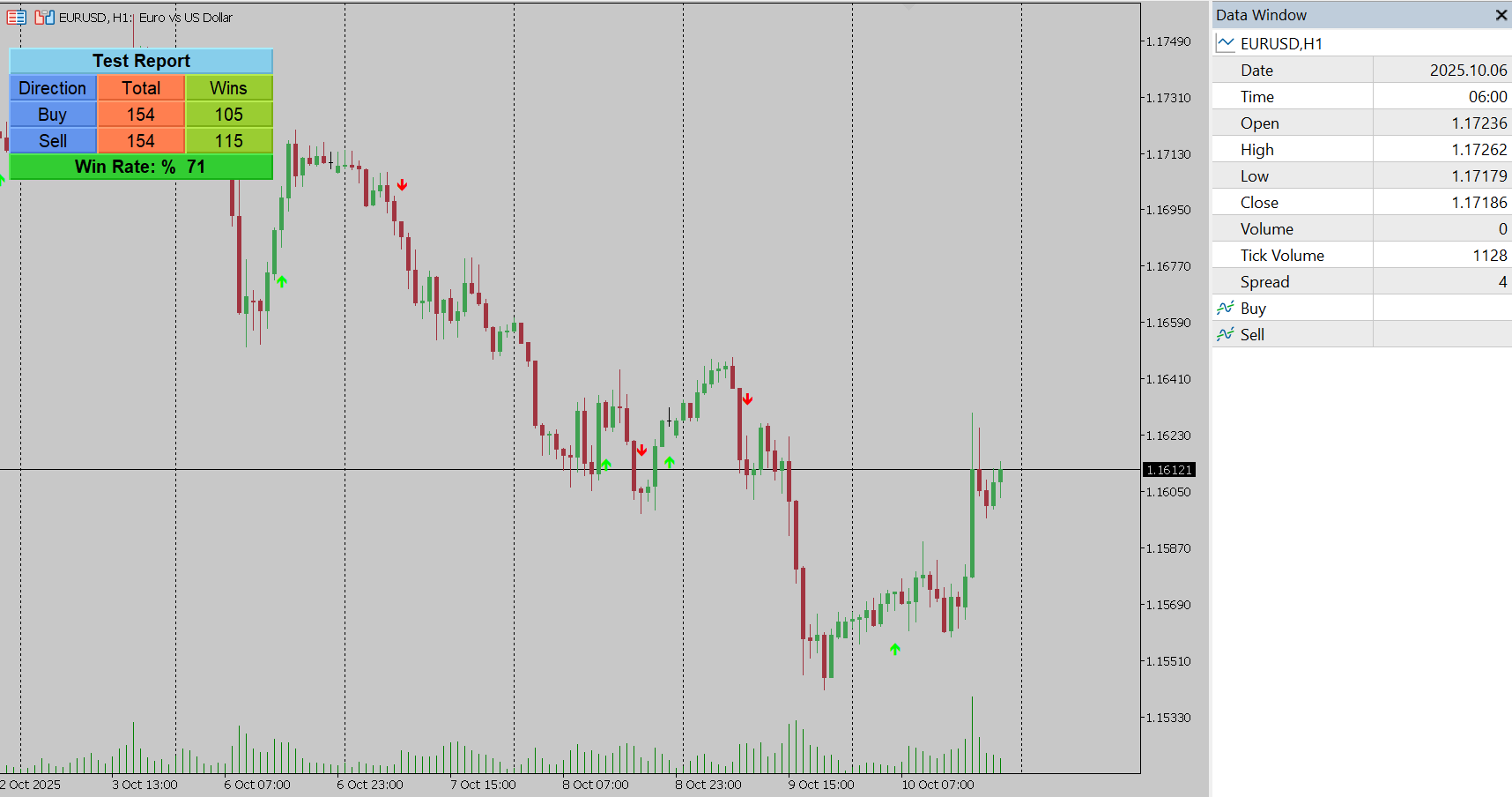
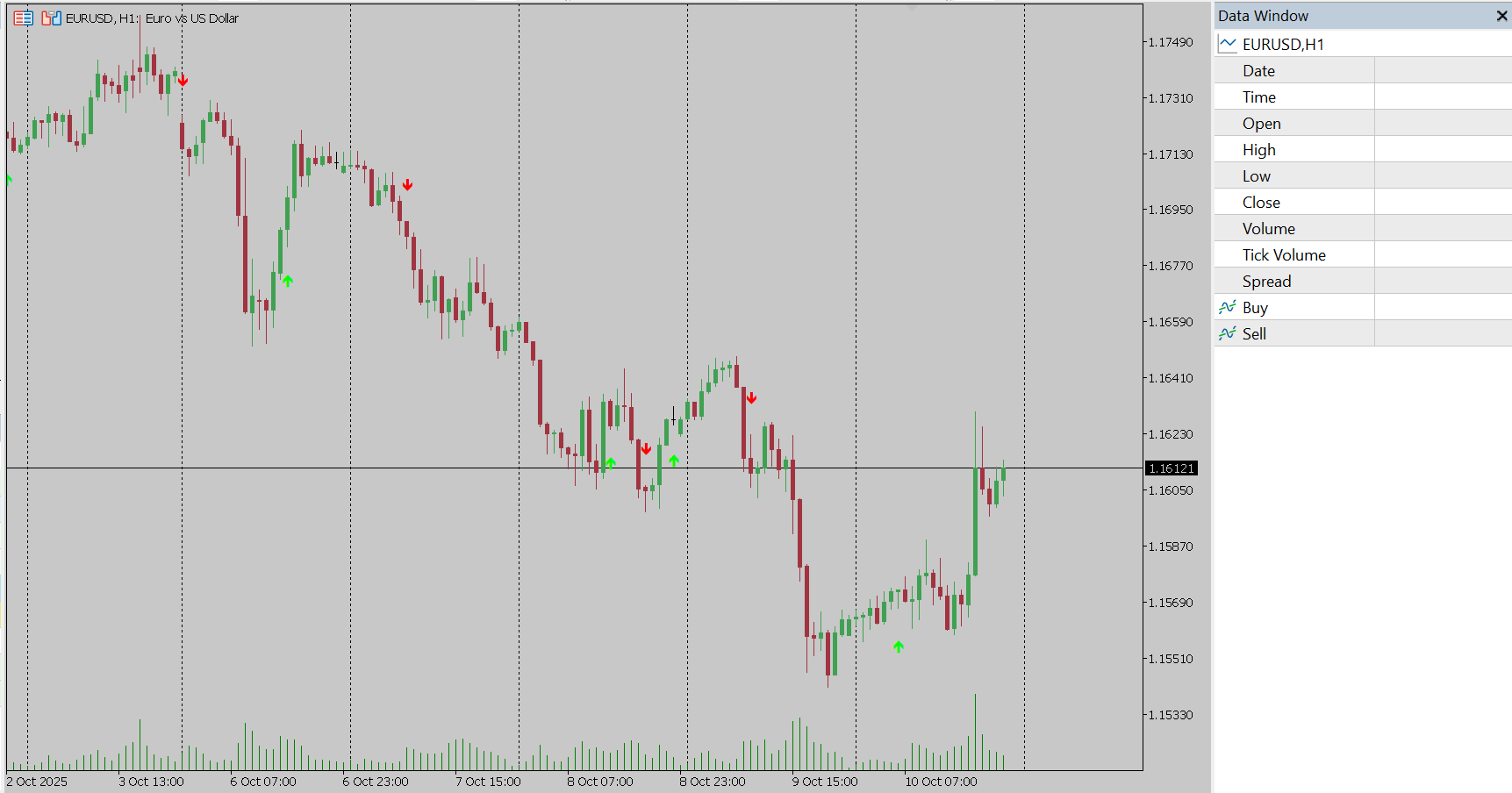
- Green arrow: a potential buy zone, after both filters turn in the bullish direction.
- Red arrow: a potential sell zone, after both filters turn bearish.
Because the indicator is about direction, it works well as an entry filter. Use it to decide which side to trade, then time the entry with price action or a structure tool such as the Market Structure Break & Order Block indicator.
Settings explained
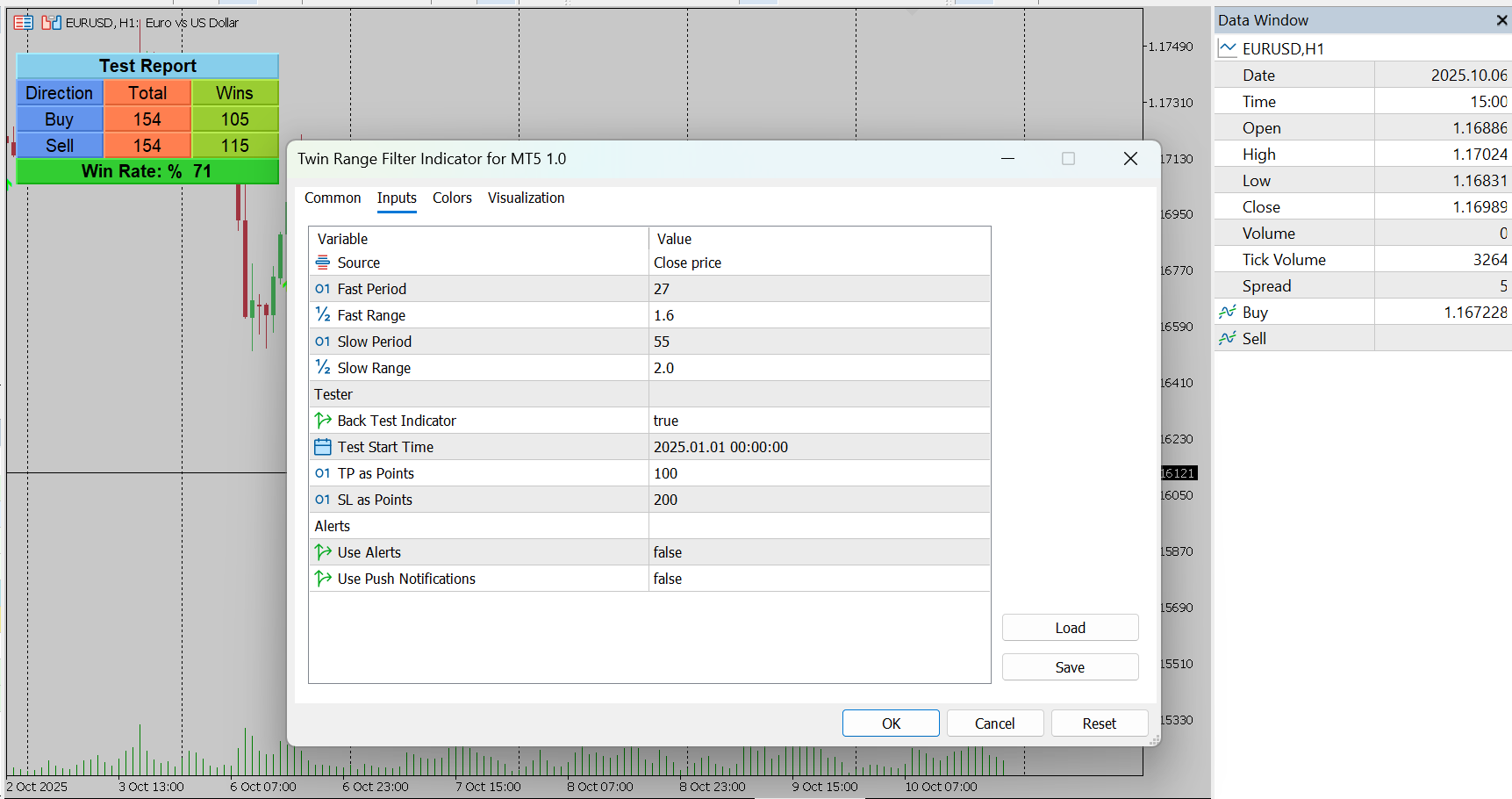
- Source – the price value used, such as close, open, high, low or an average type.
- Fast Period / Fast Range – speed and width of the fast filter.
- Slow Period / Slow Range – speed and width of the slow filter.
- Back Test Indicator, Test Start Time, TP as Points, SL as Points – the on-chart tester and its parameters.
- Use Alerts / Use Push Notifications – on-screen alerts and mobile notifications for new signals.
Tuning it to your market
Shorter periods and narrower ranges give more signals and react sooner, at the price of more noise. Longer periods and wider ranges give fewer, steadier signals. Scalpers usually lean toward the first setup and swing traders toward the second, but the right values depend on the symbol, so compare a few combinations before settling.
Test settings on your own chart
Turn on the built-in tester, choose a start date and enter your take-profit and stop-loss in points. The panel shows performance statistics on the chart, which makes it easy to compare different period and range combinations without leaving MetaTrader.
Alerts and automation
Alerts and push notifications tell you when a new signal appears, and the indicator buffers let an Expert Advisor read the same signals. If you want a custom EA built around it, see our development services. For a different view of trend quality, compare it with the Follow Line indicator or the Trend Strength Index.
Frequently asked questions
What do the green and red arrows mean?
A green arrow marks a potential buy zone and a red arrow a potential sell zone. Arrows are plotted when the fast and slow range filters agree on direction, so they show a directional shift that both filters confirm.
What is the difference between the fast and slow filter?
The fast filter reacts quickly to price changes and affects signal sensitivity. The slow filter reacts more gradually and gives stronger trend confirmation by filtering out more market noise.
Which timeframes does it suit?
It is described as suitable for scalping, intraday and swing trading, so you can use it on any timeframe. Tune the periods to the timeframe you trade.
Does it send alerts?
Yes. You can turn on on-screen alerts and push notifications to the MetaTrader mobile app for every new buy or sell signal.
Can I use it in an Expert Advisor?
Yes. The indicator exposes buffers, so your own or a custom EA can read its signals.
Is there a free demo?
Yes. Download the free demo from the MQL5 Market and run it in the MetaTrader 5 Strategy Tester before buying.
The Twin Range Filter is an analysis tool and does not guarantee trading results.
Ready to try Twin Range Filter Indicator for MT5?
Download it from the MQL5 Market and attach it to your MetaTrader 5 chart in minutes.
Want it customized or need something similar? Request a free quoteTrading involves risk. Our indicators are analysis tools for educational and informational purposes and do not constitute financial advice. Read our Disclaimer.
More indicators
CandleSticks Patterns Indicator for MT5
Automatically scan your MetaTrader 5 chart for proven candlestick patterns and highlight high-probability setups as they form.
View details →
Support and Resistance Levels Indicator for MT5
Automatically identify key support and resistance zones in MetaTrader 5 to plan entries, exits and stop losses around important price levels.
View details →
CM Williams Fix Indicator for MT5
CM Williams Vix Fix, a popular TradingView indicator now for MetaTrader 5, highlights market bottoms and fear spikes for potential reversal entries.
View details →