
Alpha Trend Indicator for MT5
AlphaTrend for MetaTrader 5 is a multi-timeframe trend-following indicator for intermediate and professional traders. Specifications and video demo.
- MetaTrader 5
- Works on VPS
- Lifetime support
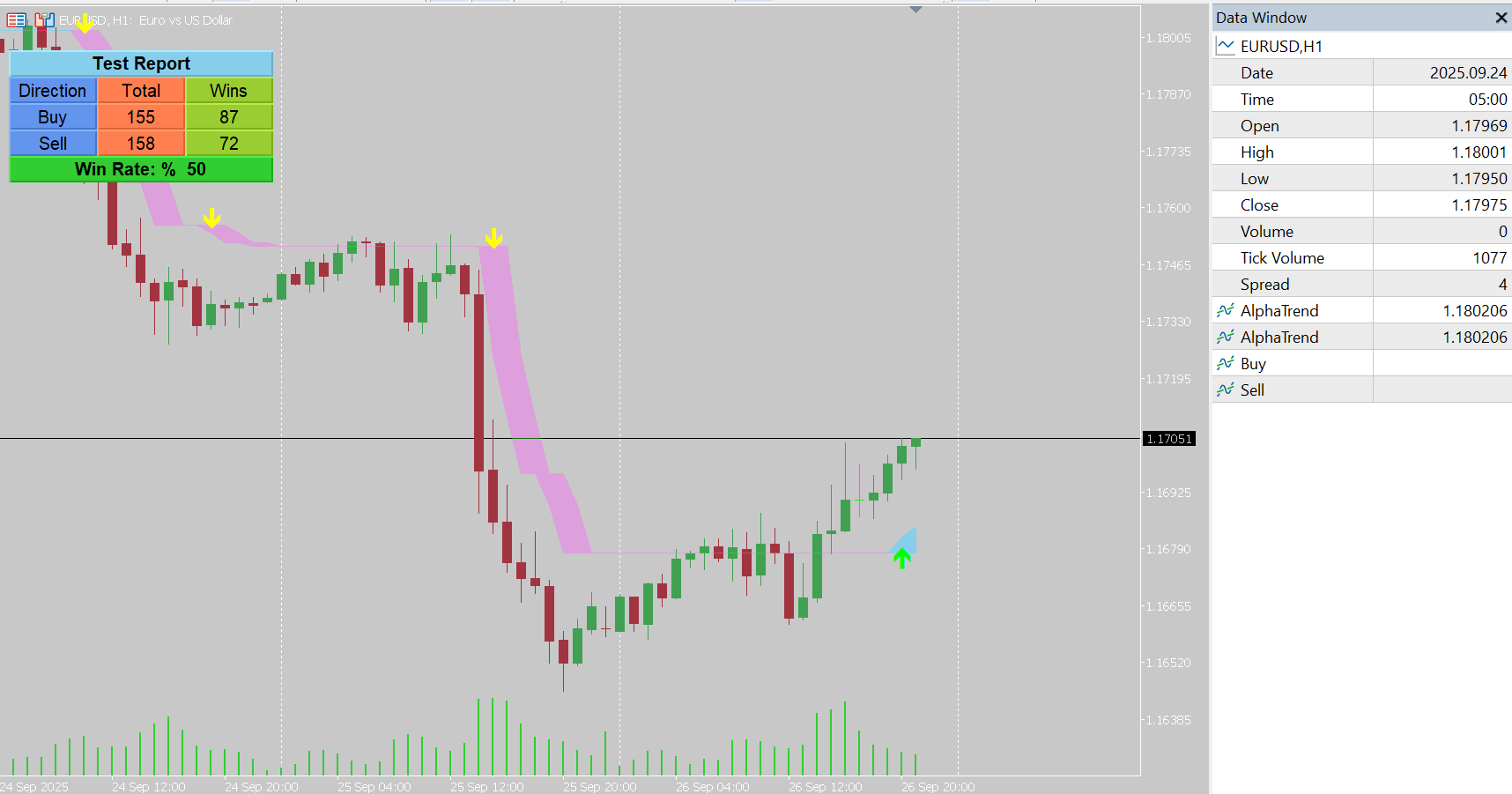
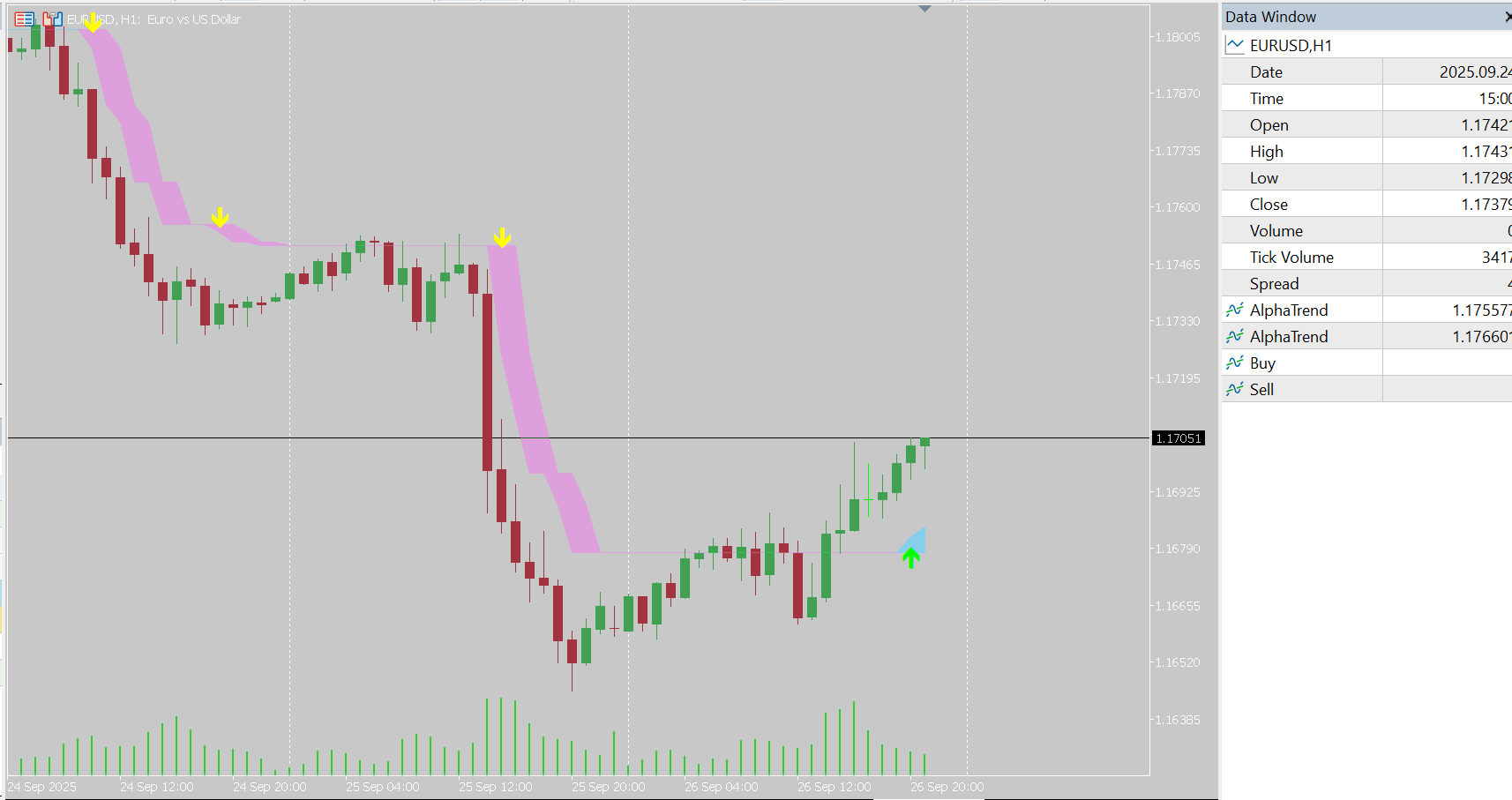
See it on the chart
About Alpha Trend Indicator for MT5
In short: AlphaTrend for MetaTrader 5 plots two bands on the chart and gives a buy signal when they cross upward and a sell signal when they cross downward, to identify trends and reversals on any timeframe.
When to use it
- Trend following: trade in the direction of the latest crossover.
- Multi-timeframe use: confirm a lower-timeframe signal with the higher-timeframe trend.
- Intermediate and professional traders: simple signals with adjustable sensitivity.
How it differs
Instead of a single trend line, AlphaTrend plots two bands and signals when they cross. The Multiplier and Common Period settings let you tune how sensitive those crossovers are to market conditions.
Getting started
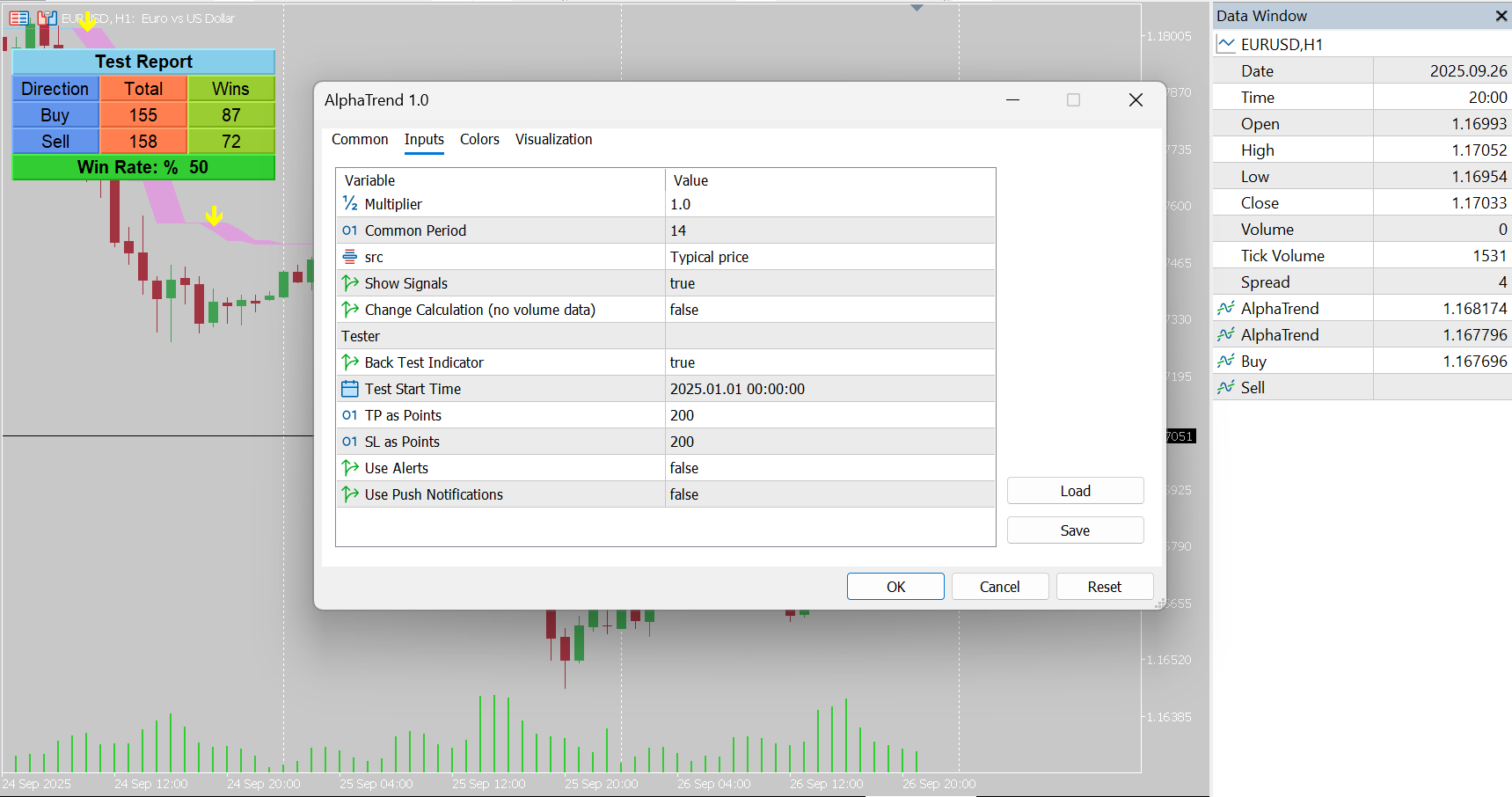
- Start with the default Multiplier of 1.
- Adjust Common Period for more or less sensitivity.
- Choose the Source price.
- Use the tester settings and alerts to evaluate signals.
Compare with Trend Magic and HalfTrend.
Frequently asked questions
When does AlphaTrend give a buy signal?
When its two bands cross upward; a sell signal when they cross downward.
What is the default Multiplier?
1.
Is there a free demo?
Yes. You can download a free demo from the MQL5 Market and run it in the MetaTrader 5 Strategy Tester before buying.
Full product description
What are the specifications of this indicator?
-
Platform: MetaTrader 5 (MT5)
-
Type of Application: Custom Trading Indicator
-
Level: Intermediate / Professional
-
Timeframe: All Timeframes (Multi-Timeframe Support)
-
Trading Styles: Scalping, Day Trading, Swing Trading, Position Trading
-
Trading Markets: Forex, Stocks, Commodities, Indices, and Crypto
What does this indicator do?
The Alpha Trend Indicator for MT5 is designed to identify market trends and generate highly reliable buy and sell signals.
-
It plots two bands on the chart.
-
Whenever these two bands cross upward, the indicator generates a Buy Signal.
-
Whenever they cross downward, the indicator generates a Sell Signal.
This makes it easy for traders to spot trend reversals and follow market momentum in any instrument.
Settings of the Indicator
-
Multiplier – default value is 1.
-
Common Period – adjust sensitivity to market conditions.
-
Source of Price – Close, Open, High, Low, or other price modes.
-
Show Signals – enable/disable signal arrows.
-
Calculation Mode – option to calculate with or without volume data.
Additional Parameters:
-
Tester Settings – for strategy testing and optimization.
-
Alert Settings – receive notifications and alerts on signal generation.
What are the benefits of this indicator?
Provides accurate entry points in trending and ranging markets.
Works on all timeframes and markets (Forex, Crypto, Stocks, Commodities).
Helps traders follow trend reversals with confidence.
Easy to use – suitable for both intermediate and professional traders.
Can be combined with other technical analysis tools for even stronger trading strategies.
Ready to try Alpha Trend Indicator for MT5?
Download it from the MQL5 Market and attach it to your MetaTrader 5 chart in minutes.
Want it customized or need something similar? Request a free quoteTrading involves risk. Our indicators are analysis tools for educational and informational purposes and do not constitute financial advice. Read our Disclaimer.
More indicators

MACD Leader Indicator for MT5
MACD Leader reduces the lag of the traditional MACD to give earlier trend and momentum signals in MetaTrader 5. How it works, settings and…
View details →
Two Pole Oscilator Indicator for MT5
The Two-Pole Oscillator for MT5 uses deviation calculations and a two-pole smoothing filter to highlight momentum and potential trading signals.
View details →
CandleSticks Patterns Indicator for MT5
Automatically scan your MetaTrader 5 chart for proven candlestick patterns and highlight high-probability setups as they form.
View details →