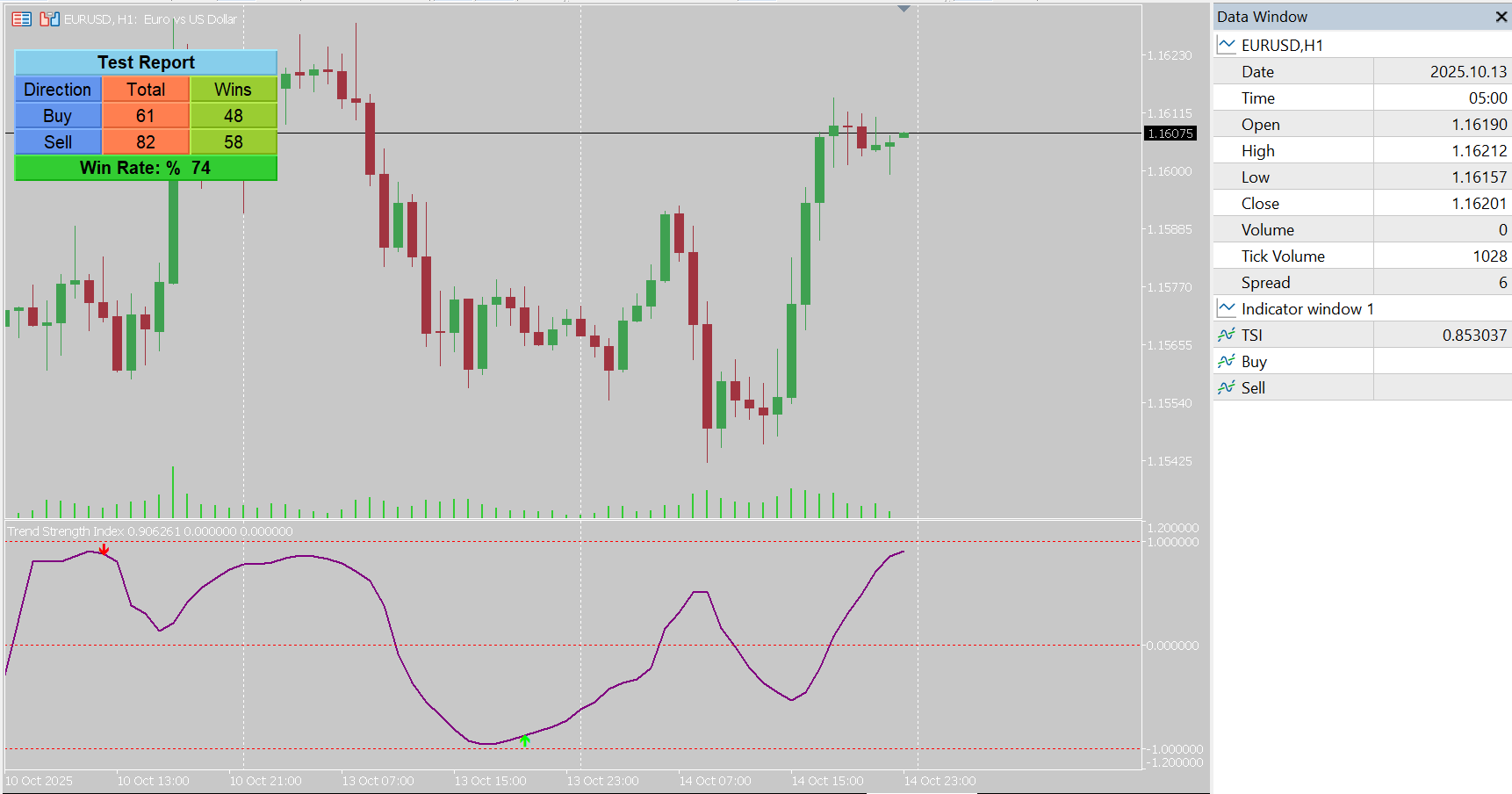
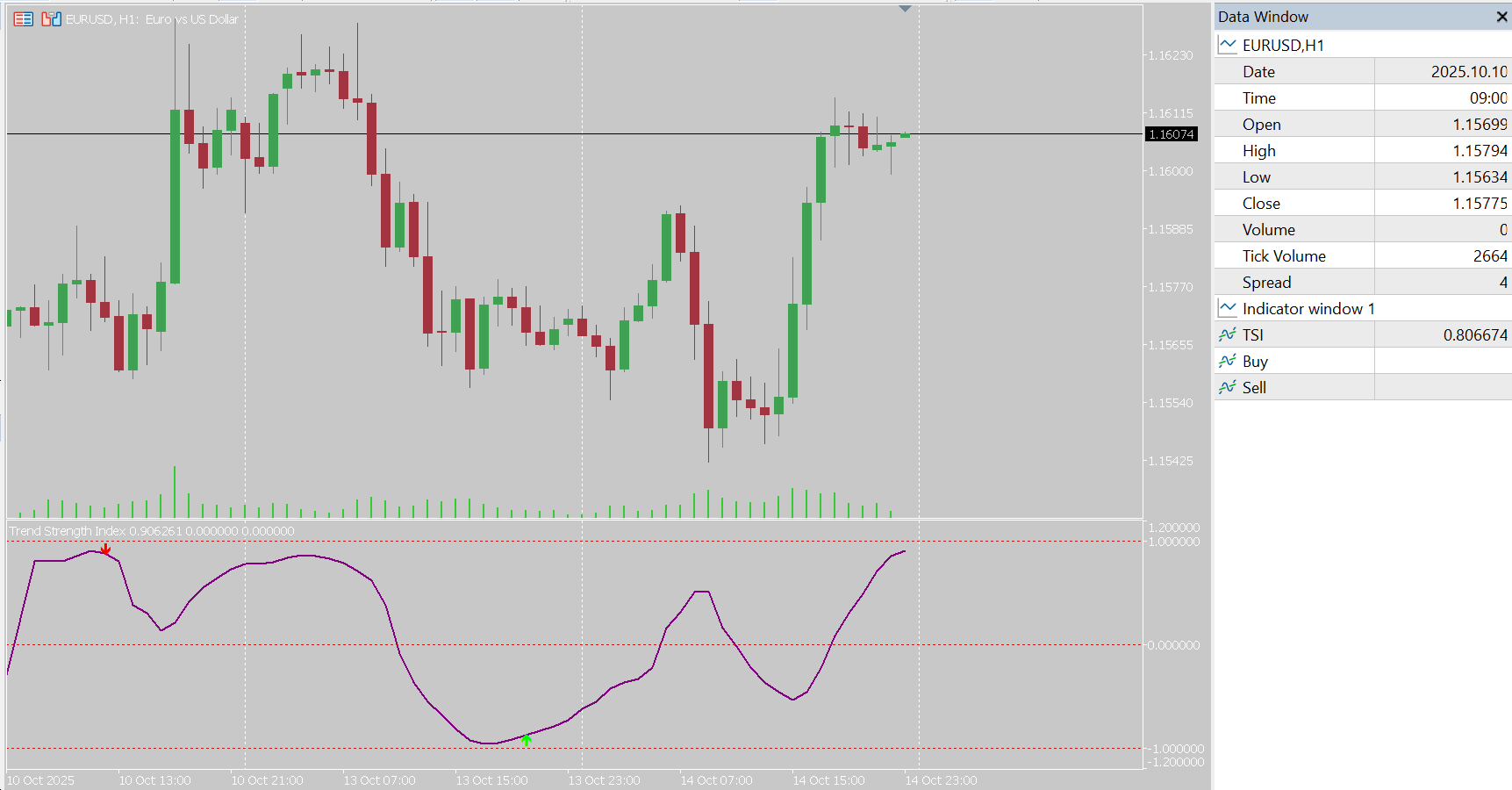
The Trend Strength Index (TSI) Indicator for MetaTrader 5 (MT5) helps traders identify the momentum, strength, and direction of market trends with high precision. Designed for scalping, day trading, and swing trading, it provides real-time buy and sell signals based on correlation analysis. This professional tool is perfect for detecting trend reversals and confirming entries with visual alerts and an integrated back-testing panel. Whether you trade forex, crypto, indices, or commodities, TSI enhances your trading decisions with clear and actionable insights.
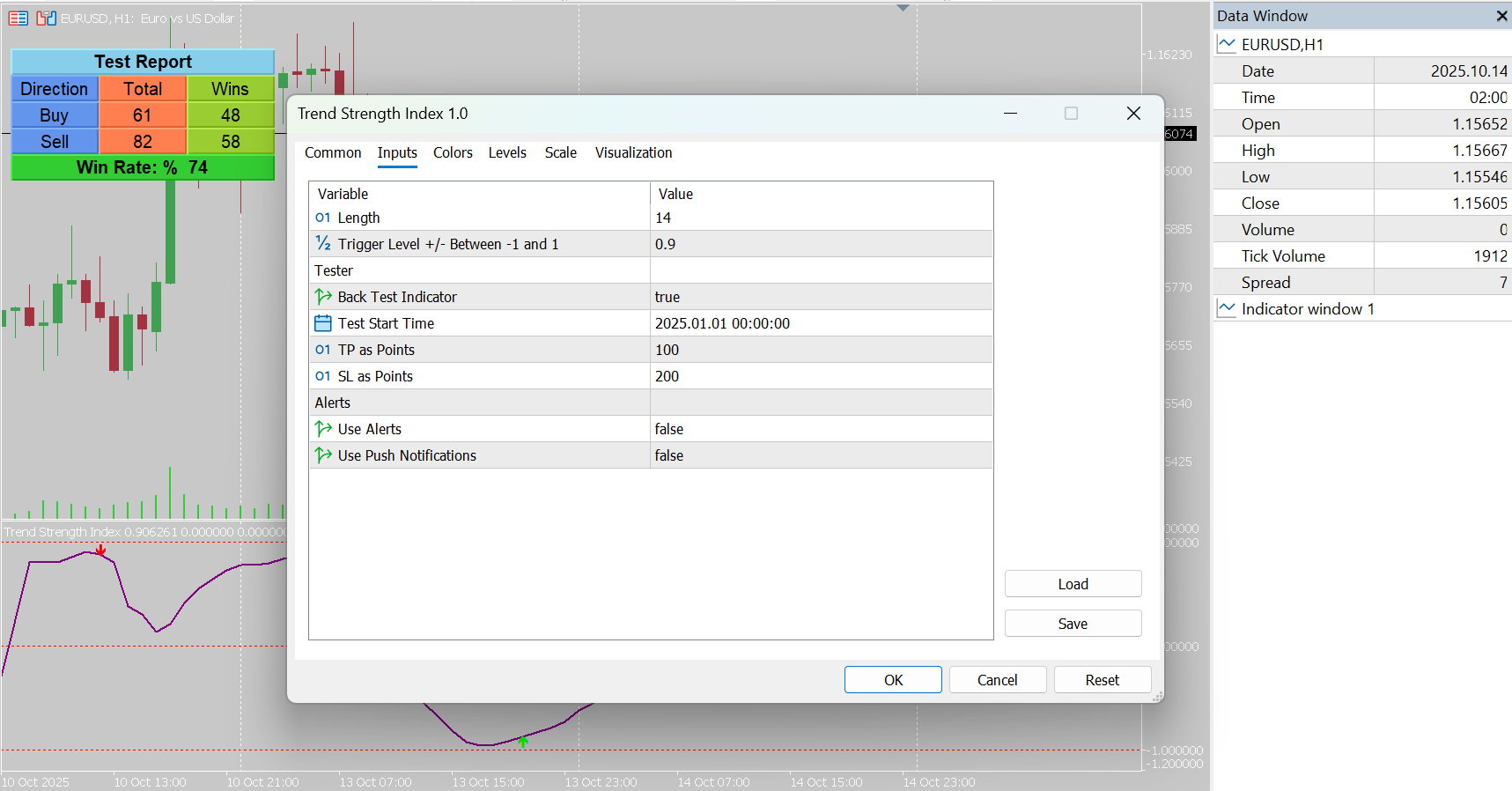
Indicator’s setting
Length – Defines the number of bars used for correlation calculation. Default is 14.
Trigger Level +/- Between -1 and 1 – Sets the sensitivity threshold for buy and sell signals.
Back Test Indicator – Enables or disables the built-in tester panel for historical performance checking.
Test Start Time – Specifies the start date for back-testing calculations.
TP as Points – Take-profit distance in points for strategy tester calculations.
SL as Points – Stop-loss distance in points for strategy tester calculations.
Use Alerts – Enables pop-up alerts when a buy or sell signal is triggered.
Use Push Notifications – Sends push alerts to your mobile MetaTrader app when signals occur.
Indicators Functionality
The Trend Strength Index Indicator measures the correlation between price movement and bar index to detect the true strength of a trend.
It generates buy signals when the strength crosses upward through the negative trigger level and sell signals when crossing downward through the positive level.
An on-chart testing panel dynamically displays trade counts, win ratios, and results for both buy and sell signals.
This indicator can also trigger real-time alerts and mobile notifications, making it a powerful and complete trend confirmation tool for all traders.
Benefits
We provide the following benefits if you choose our indicator (or all indicators)
A tester dashboard for the indicator
Buffers (enable you to use them in your own or custom Expert Advisors EAs)
Sending an Alert (on the chart) or Notifications (to the phone) to not lose any opportunity.